
You don't have to set equipment up before the job starts. Picking an organization item on a daily report's equipment log adds it to the project as you log it. See Log equipment on a daily report.
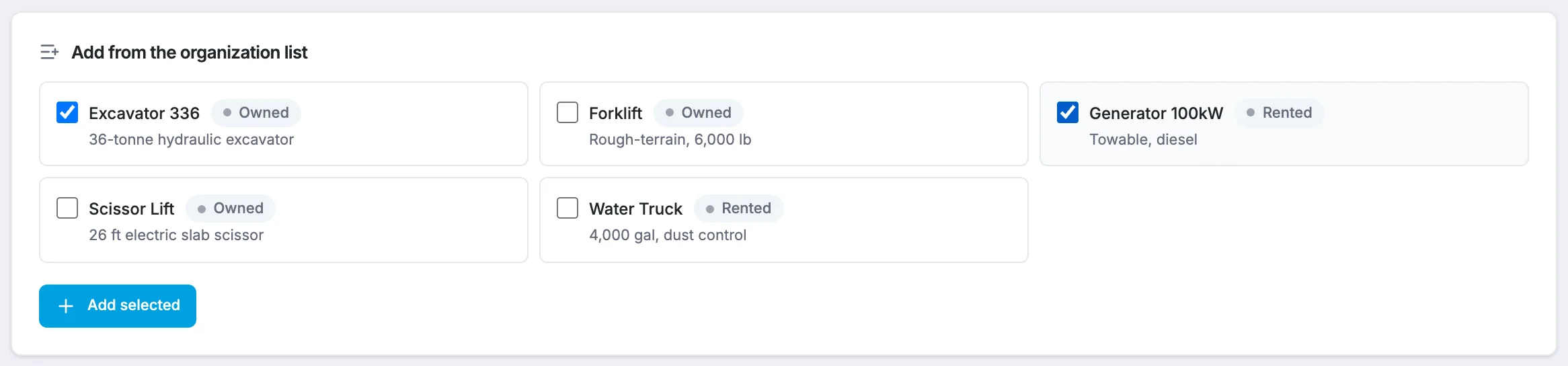
Add from the organization list
- Open Equipment in the project sidebar.
- Under Add from the organization list, tick each item the project uses. Each shows whether it's Owned or Rented, and its description. To tick them all, click Select all; once every item is ticked it reads Clear all, which clears them.
- Click Add selected, above the items.
The page says Added 2 items from the organization list. The items move to On this project, with an Organization list badge. If you tick nothing, you're asked to Tick at least one item to add.
The number beside On this project is how many items the project has.
The card lists only items the project doesn't have yet. When the project has them all, it says Everything on the organization list is already on this project. If the list is empty, it says The organization list is empty., with a link to Settings → Equipment if you can open Settings.
Add a one-off item
Use this for equipment only this project uses, such as something hired for one job.
- At the top of On this project, above the list, type a name in New equipment item.
- Add a Description and choose Owned or Rented under Ownership if you like.
- To put it on the organization list as well, so other projects can pick it, tick Also add to the organization list. This box only appears if you have Settings at Admin.
- Click Add equipment item.

The page says Added "…", and adds , and put it on the organization list if you ticked the box.
Rules
| Rule | What you see |
|---|---|
| A name is required. | An equipment item needs a name. |
| Names are at most 120 characters, descriptions 240. | An equipment name is at most 120 characters. / A description is at most 240 characters. |
| A project can't have two items with the same name (capitals ignored). | This project already has equipment called "…". |
| With Also add to the organization list ticked, the organization list can't already have that name. | The organization list already has "…". Add it from the list instead. |
If the project already has a one-off item with the same name as an organization item you add, the two become one: the project's item takes the organization item's details and badge, and keeps its logs.