
Each day on a daily report has an Equipment Logs section: one entry per piece of equipment used that day.
- Open the day in Daily Reports. The day must be Open or Sent Back.
- Click New Entry at the top right and choose Equipment Log. The page scrolls to Equipment Logs with its form open.
- Pick the Equipment. The list shows the project's own equipment under On this project, then everything else under From the organization list.
- Fill in Hours used, and tick Idle on site if it sat unused.
- Add a Location or Description if you like.
- Click Add Equipment Log.
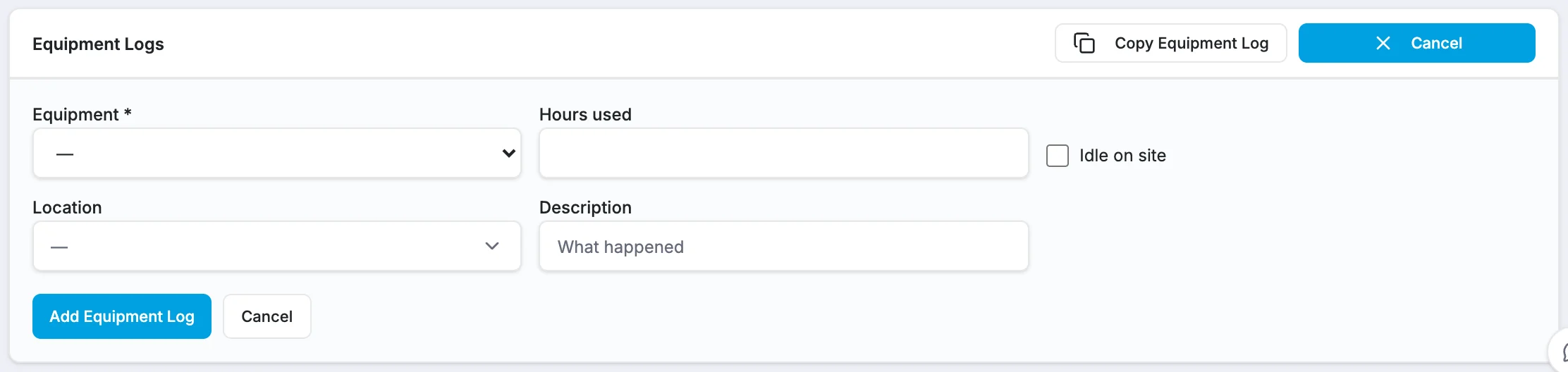
Equipment is the only required field.
Picking from the organization list
If you pick an item under From the organization list, it's added to the project's equipment when the entry is saved. You don't need access to the project's Equipment page for this: being able to write the daily report is enough. From then on it's listed under On this project, on this report and on the project's Equipment page.
If the item was taken off the organization list while you were filling in the form, you'll see That equipment is no longer on the organization list. Pick another item.
For editing, copying and removing entries, see Add, change or remove entries.