
The organization list is the equipment your company owns or rents. Every project can pick from it, and the daily report offers it on the equipment log. Keep the equipment you use on job after job here, so nobody types it in again on each project.
Open it from Settings → Equipment. The Organization equipment table lists every item with its Name, Description, Ownership, and how many Projects carry it. The number beside Organization equipment is how many items the list holds.
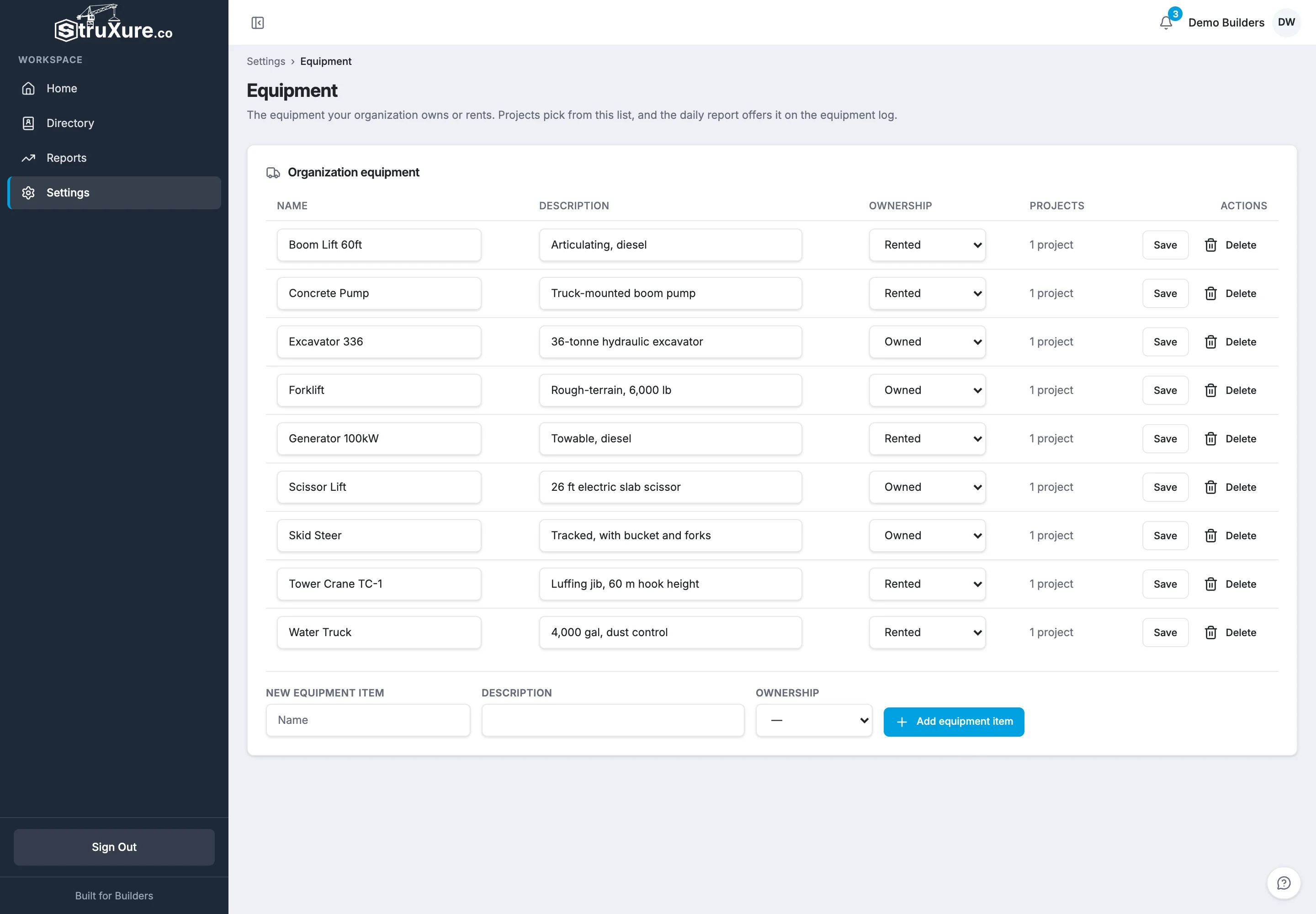
A new workspace starts with an empty list.
Add an item
- Above the table, type a name in New equipment item.
- Add a Description if it helps tell items apart, such as the size or model.
- Choose Owned or Rented under Ownership, or leave it blank.
- Click Add equipment item.

The page says Added "…".
You can also put an item on this list from a project, when you add it there. See Add equipment to a project.
Change an item
- Click the pencil in the item's row, under Actions. The row opens for editing. Only one row is open at a time.
- Change the item's name, description or ownership.
- Click Save, or Cancel to close the row without saving.
The row closes and a note says Saved "…", on every project that carries it. The page stays where you were. Every project that has the item shows the new details straight away.
Delete an item
- Click the pencil in the item's row.
- Click Delete in the open row.
- Read the confirmation and click Delete item.
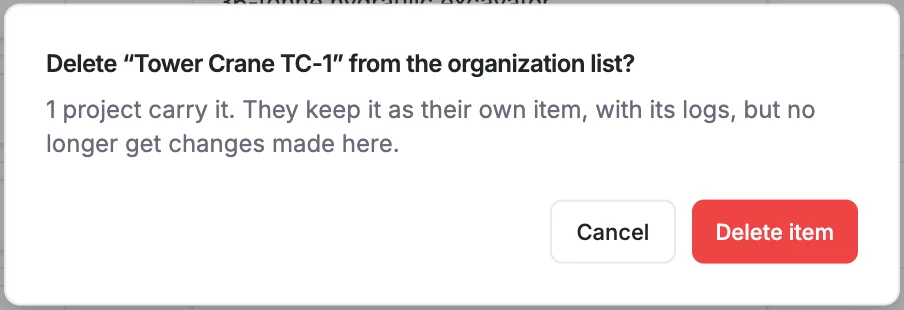
Deleting an item takes it off the organization list only. Projects that carry it keep it as their own item, with its equipment logs, but no longer get changes made here. A note says how many projects kept it, for example Removed "…" from the organization list. 2 projects keep it as their own.
Rules
| Rule | What you see |
|---|---|
| A name is required. | An equipment item needs a name. |
| Names are at most 120 characters, descriptions 240. | An equipment name is at most 120 characters. / A description is at most 240 characters. |
| No two items on the list can share a name (capitals ignored). | The organization list already has an item called "…". |
| Renaming can't clash with a one-off item on a project that carries this one. | A project using this item already has its own equipment called "…". Rename or remove that one on the project first. |
Who can use this page
Anyone with Settings access at Read can see the list. Adding, changing and deleting items needs Settings at Admin; without it, the table has no pencils and the add form is hidden.