
A location keeps everything under it when it moves. Moving Gymnasium into Building B takes Locker Rooms and Stage with it.
Drag and drop
Each row has a handle (⋮⋮) at its left. Drag a row by its handle and drop it on another row:
| Drop it… | What happens |
|---|---|
| On the middle of a row | It goes inside that location, at the end of its sub-locations. A line rings the row while you're over the middle. |
| Near the top edge of a row | It goes just before that location, at the same level. A line shows above the row. |
| Near the bottom edge of a row | It goes just after that location, at the same level. A line shows below the row. |
| On Drop here to move to the end of the top level | It becomes a top-level location, at the end. This strip appears under the tree while you drag. |
So one drag can both move a location into a new place and put it in order there. The location you're dragging, and everything under it, are greyed out: a location can't go inside itself.
Once you've put a set of locations in order by hand, they keep that order. Locations nobody has reordered are sorted by name.
Move to…
If you're on a tablet, or would rather not drag:
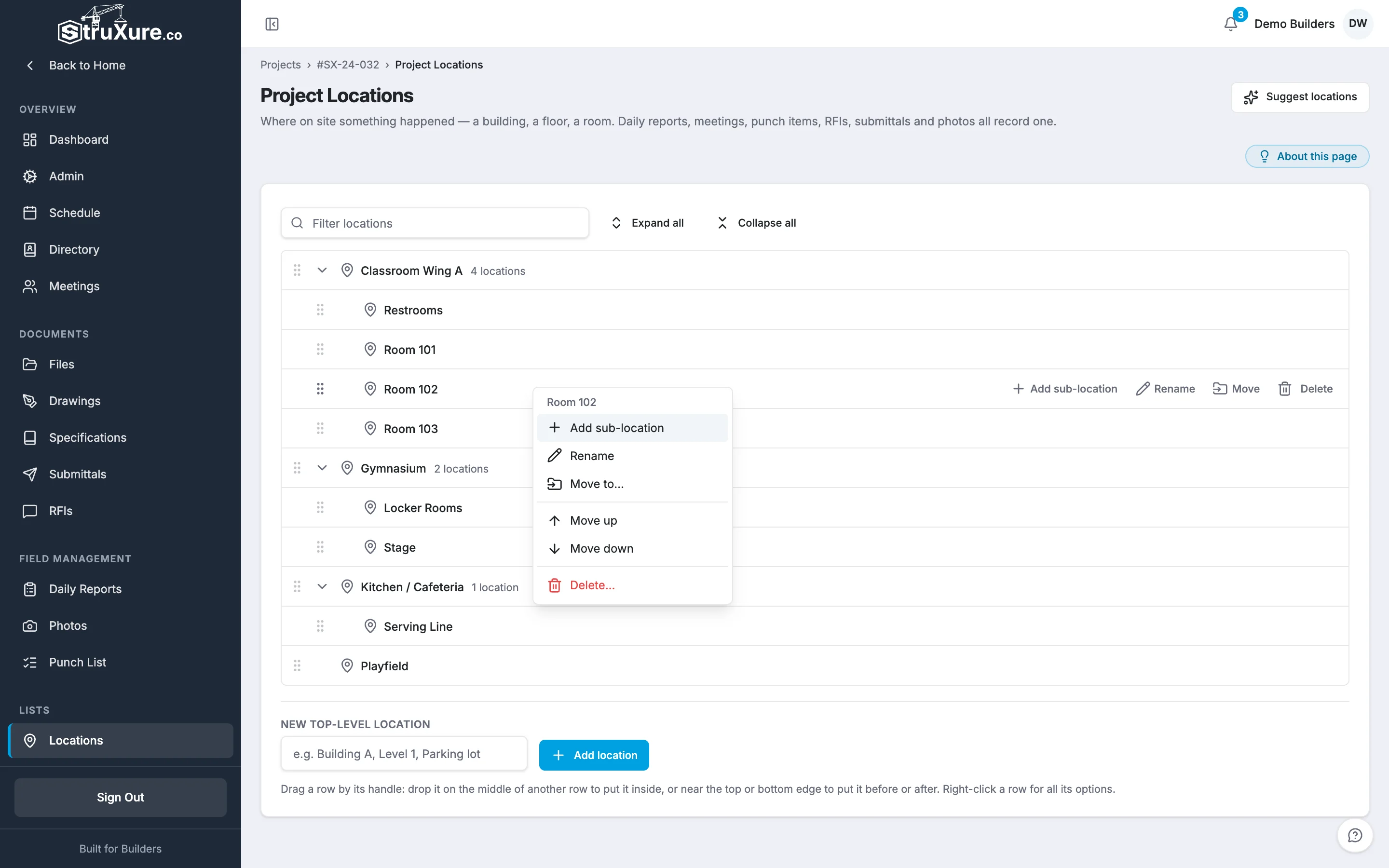
- Point at the location and click Move, or right-click it and choose Move to….
- Under the row, pick where it should go from Move "…" into. Pick Top level to take it out to the top.
- Click Move.
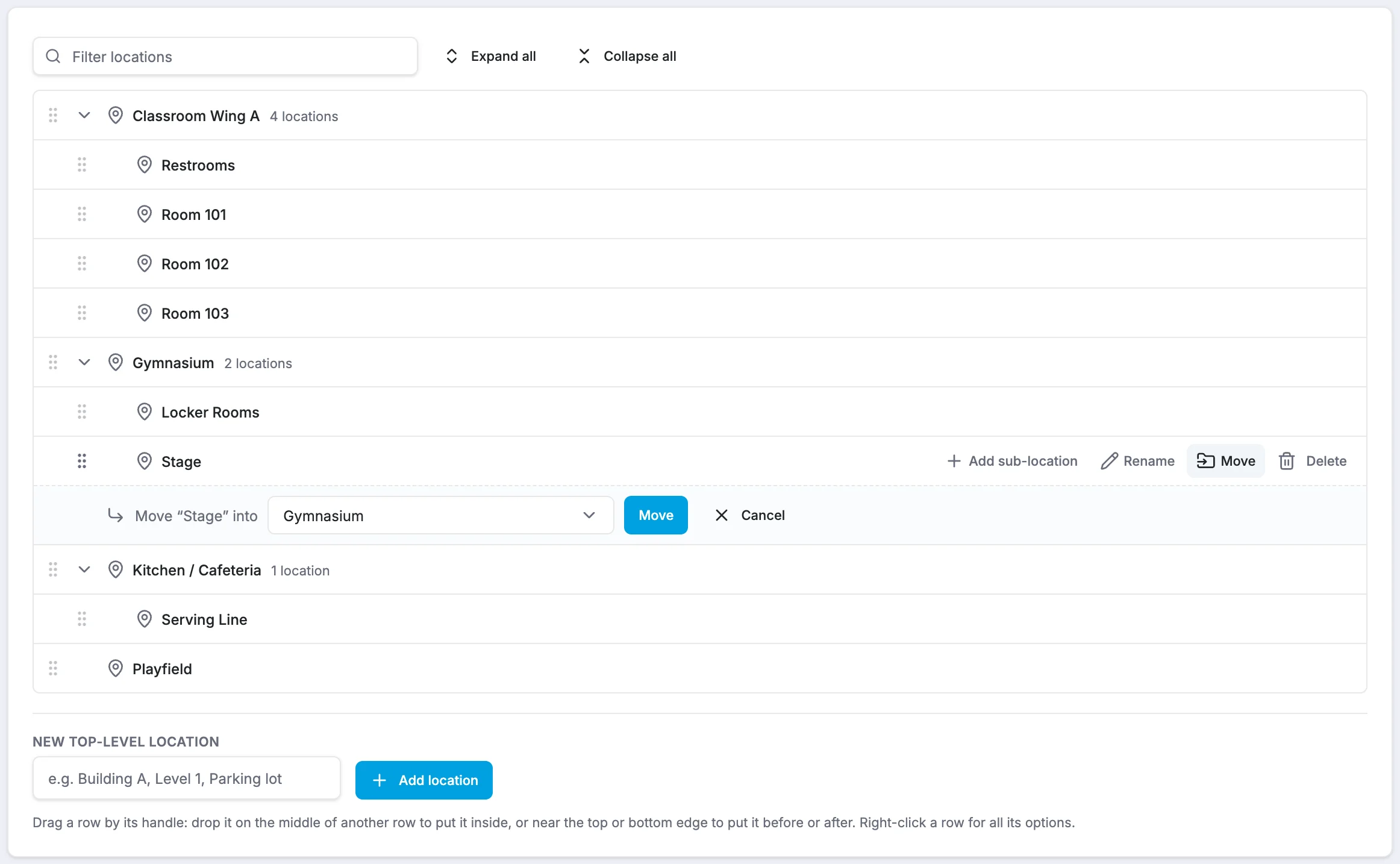
The page says Moved to "…", with its new full path. The list offers only places it can go: not the location itself, and not anything under it.
Move up and Move down
Right-click a row and choose Move up or Move down to swap it with the location just above or below it at the same level. Each is greyed out when there's nowhere to go.
If a move is refused
- "…" cannot go inside itself or one of its own sub-locations.
- "…" already has a location called "…". The place you're moving it to already has a location with that name. Rename one of them first.