Open a photo
Double-click a photo's tile. (A single click does nothing, so you can't open a photo by accident while ticking boxes.) With the keyboard, move to a tile and press Enter.
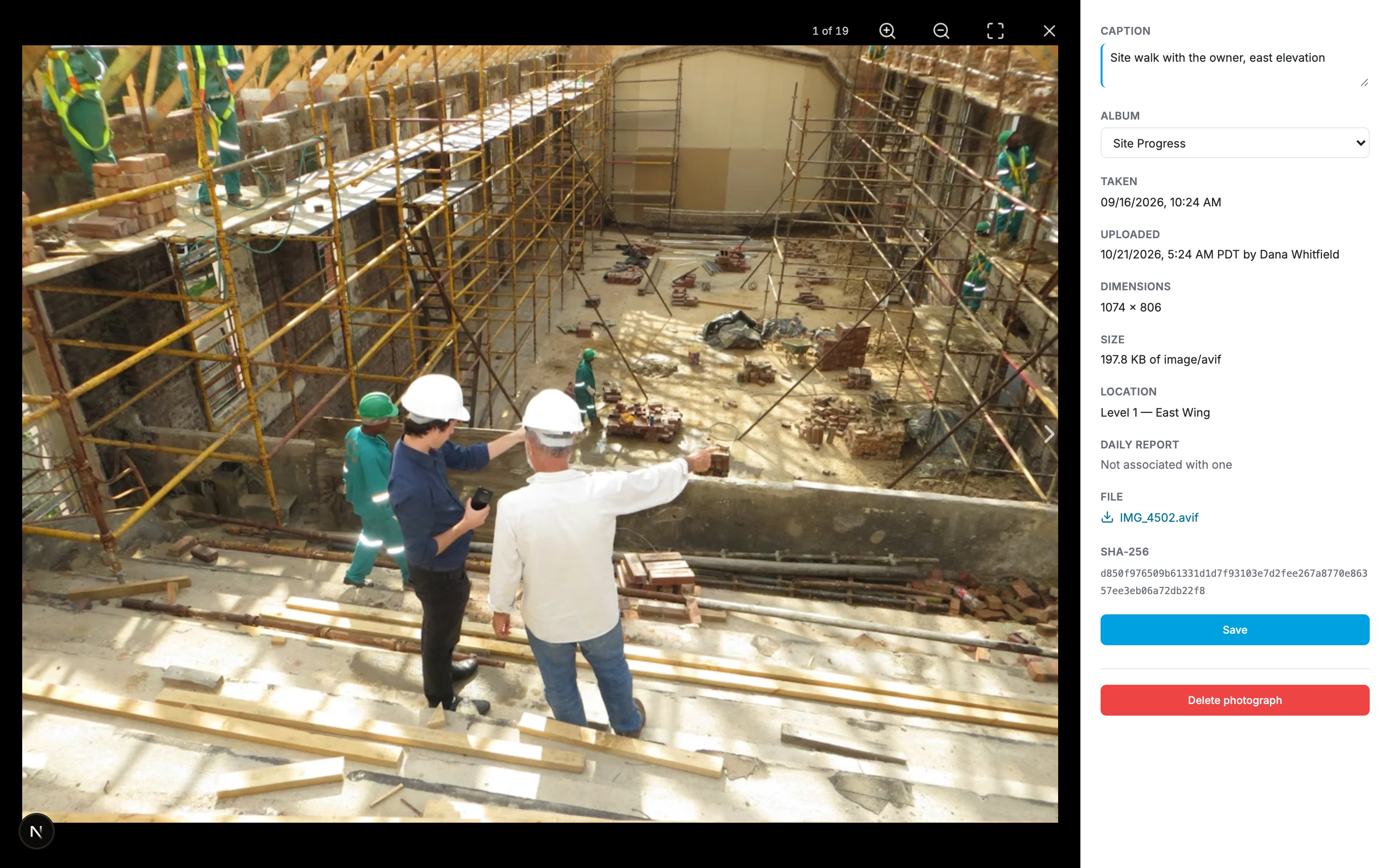
The photo fills the screen, with its details on the right.
From a daily report, click a photo in the day's Photos section. The viewer then shows only that day's photos, and × takes you back to the daily report.
Move around
| Control | What it does |
|---|---|
| ‹ and › at the sides | The previous or next photo. You stay in the view you opened the photo from, so paging through an album shows only that album. |
| 1 of 19 | Where you are in the view. |
| Zoom in / Zoom out (magnifier buttons) | Enlarge the photo, up to 8 times, or shrink it back. |
| Enter Fullscreen (corner arrows) | Fill the whole screen. Press Esc to leave fullscreen. |
| × | Close the viewer. You're back in the grid where you were, at the photo you were last looking at. If you opened it from a daily report, you're back on that report. |
Small photos are shown at their real size and are never stretched.
Every photo is checked for malware when it's added. Until the check comes back clean, its tile shows Scanning for Malware instead of the picture, and the details panel says why it can't be shown. A photo found Infected or that shows Scan Failed is never shown.
The details panel
The star at the top of the panel stars the photo for you, or takes its star off. See Star photos.
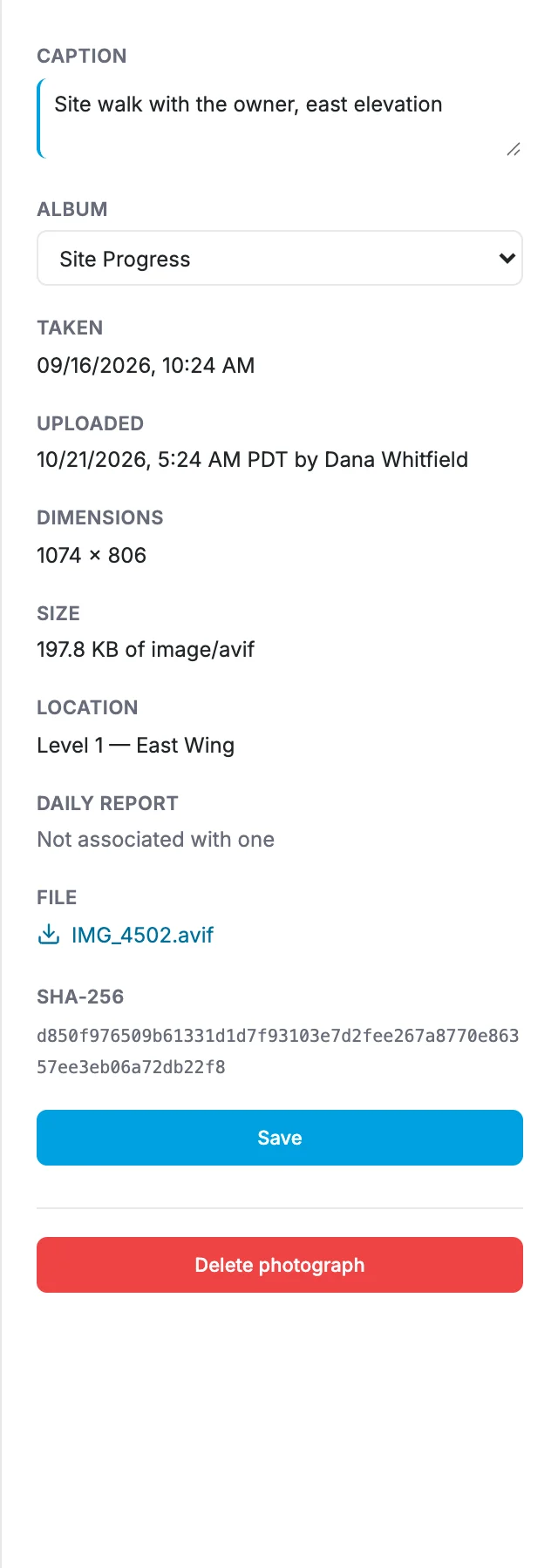
| Field | What it shows |
|---|---|
| Caption | What the photo shows. See Edit a caption or album. |
| Album | The album the photo is in. |
| Taken | When the photo was taken, as the camera's clock recorded it, or as entered at upload. Not recorded by the device means no date was recorded. |
| Uploaded | When it was uploaded, in the project's time zone, and by whom. If you're in a different time zone, the project's zone shows after the time (for example PDT). |
| Dimensions | Its size in pixels. |
| Size | The file size and format. |
| Location | Where on site it was taken, if a location was chosen at upload. |
| Daily report | The daily report it's attached to, as a date you can click to open that day. Not associated with one if it's on none. |
| File | The original file name. Click it to download the original. |
| SHA-256 | The file's fingerprint, which proves a copy is identical to the uploaded file. |