
Most of what the activity log records can't be turned off: records created and deleted, status changes on RFIs, submittals, punch items and observations, plan sets and spec books uploaded, people added to and removed from projects, permission changes and refused sign-ins.
Two things are optional.
- Go to Settings → Activity log and scroll to What is recorded.
- Tick or untick:
- Sign-ins: each time somebody enters this workspace. On to begin with.
- Sign-outs: only when somebody clicks Sign Out. Most sessions end by timing out, so this is off to begin with.
- Click Save.
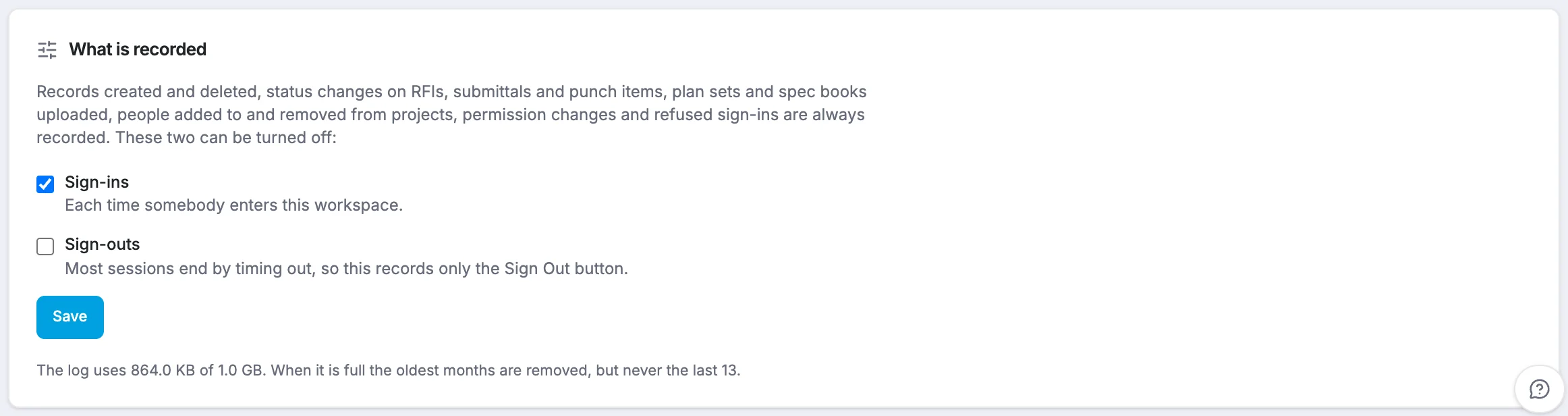
The card says Saved. The change is in the log below., and the change itself is recorded in the log as Settings changed. If nothing changed, it says Nothing changed.
How long the log keeps things
The line at the bottom of the card shows how much room the log uses, for example "The log uses 864.0 KB of 1.0 GB." When it's full, the oldest months are removed, but never the last 13 months. Each removal is recorded in the log as Oldest months removed.
To keep a copy for longer, download it with Download CSV at the top of the log.