
The Daily Report Log lists every daily report on the projects whose daily reports you can read, newest first, and totals the crews' hours.
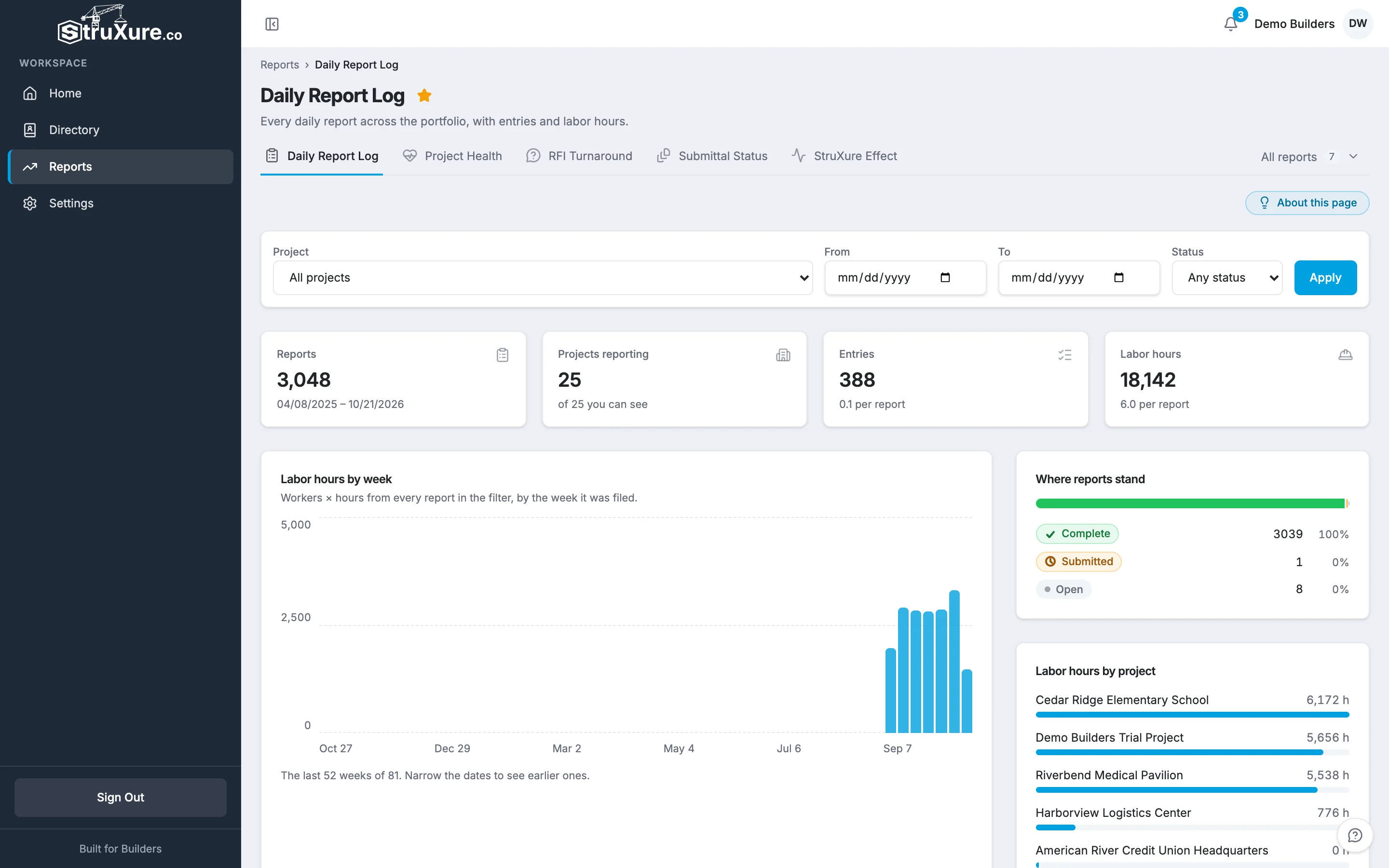
Filter the log

- Choose a Project, or leave it on All projects.
- Pick a From and To date to limit the report dates. Either can be left blank.
- Choose a Status: Any status, Outstanding (Open, Submitted or Sent Back), or one status: Open, Submitted, Sent Back, Approved or Complete.
- Click Apply.
Every figure on the page follows the filter. Click Clear to go back to everything. The filter is part of the page address, so you can bookmark or share a filtered view.
You can also click a project's name under Labor hours by project to filter to that project.
The figures
| Figure | How it's worked out |
|---|---|
| Reports | The number of daily reports in the filter. Below it, the first and last report dates. |
| Projects reporting | How many projects have at least one report in the filter, "of" the number of projects you can see. |
| Entries | The number of entries on those reports, and the average per report. |
| Labor hours | For every crew line on every entry, workers × hours each, added up. Below it, the average per report. |
The charts
- Labor hours by week adds up the labor hours of every report in the filter by the week of its report date, Monday to Sunday. Weeks with no reports show as gaps. Point at a column to see the week's hours and number of reports. Only the last 52 weeks are drawn; narrow the dates to see earlier ones.
- Where reports stand counts the reports in each status, with each status's share of the total.
- Labor hours by project shows the eight projects with the most labor hours in the filter, heaviest first.
The list
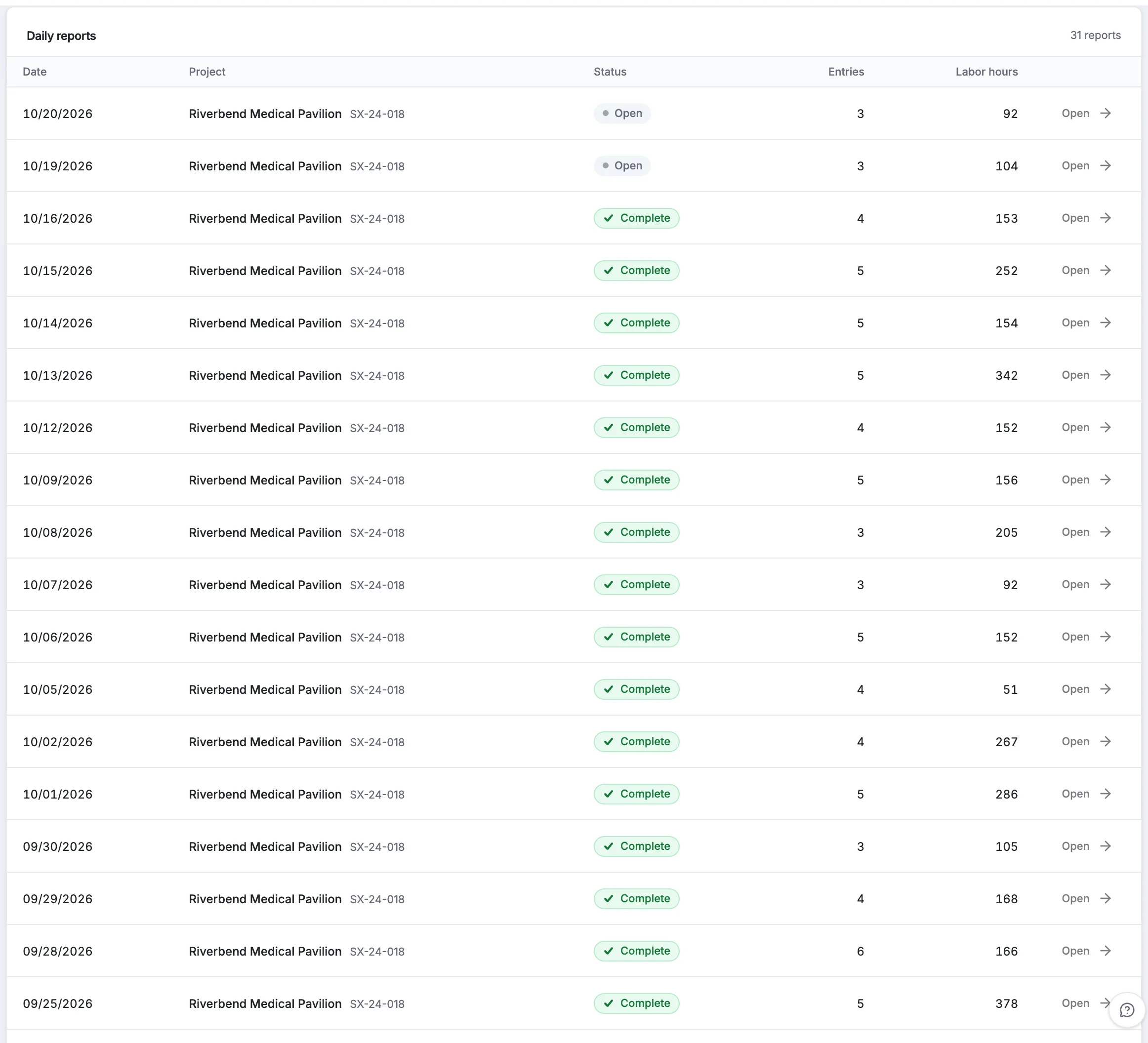
Daily reports lists each report with its Date, Project (and project number), Status, Entries and Labor hours. Click the project's name to open the project, or Open to go to that day's report.
The list shows the 200 most recent reports. If there are more, it says Showing the most recent 200; narrow the dates to see further back. The totals above always count every report in the filter.
If you see "Nothing to report"
- No daily reports to show means you can't read daily reports on any project.
- No daily reports match this filter means the filter leaves nothing. Change it or click Clear.