
Submittal Status covers every submittal on the projects whose submittals you can read. The report has no filters.
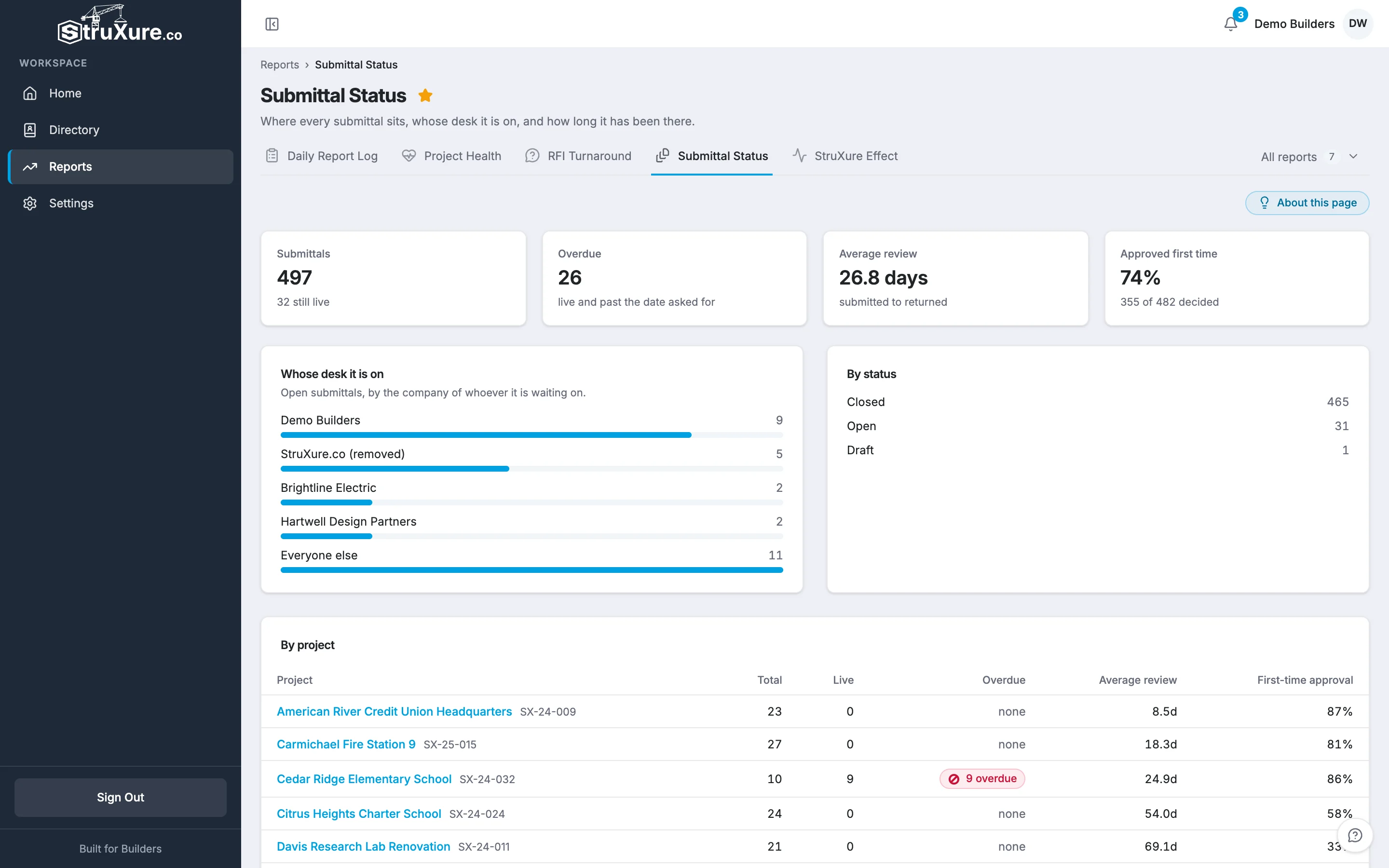
A submittal is live until it's closed. That includes one that was rejected or sent back to be revised, and one that was approved but hasn't been closed.
The figures at the top
| Figure | How it's worked out |
|---|---|
| Submittals | Every submittal you can see. Below it, how many are still live. |
| Overdue | Live submittals whose required-by date has passed. |
| Average review | For submittals with both a submitted date and a returned date, the average calendar days between them. |
| Approved first time | Of the submittals that have a review decision, the share whose original package (not a resubmission) came back Approved or Approved as Noted. Below it, the two counts. |
Whose desk it is on
Open submittals, counted by the company of whoever each one is waiting on. The five companies holding the most are listed, and the rest are added up as Everyone else. A submittal waiting on people at two companies counts once for each. Someone with no company is counted as No company.
By status
How many submittals are Draft, Open and Closed.
By project
One row per project: Total, Live, Overdue (a red badge, or "none"), Average review in days, and First-time approval, worked out the same way as the figures at the top. Click a project's name to open its submittals.
Waiting longest
Up to twelve live submittals, the oldest submission first, with the project, status, who it's With (the companies it's waiting on) and Days waiting: calendar days since it was submitted. A submittal that hasn't been submitted yet says "not submitted" and sorts last. Click a submittal to open it.
Empty pages
- No submittals to show means you can't read submittals on any project.
- No submittals logged yet means you can, but there are none.