
Reports rolls your records up across projects, so you can read the whole workspace on one screen instead of opening each project. Open it from Reports in the workspace sidebar, under Home and Directory.
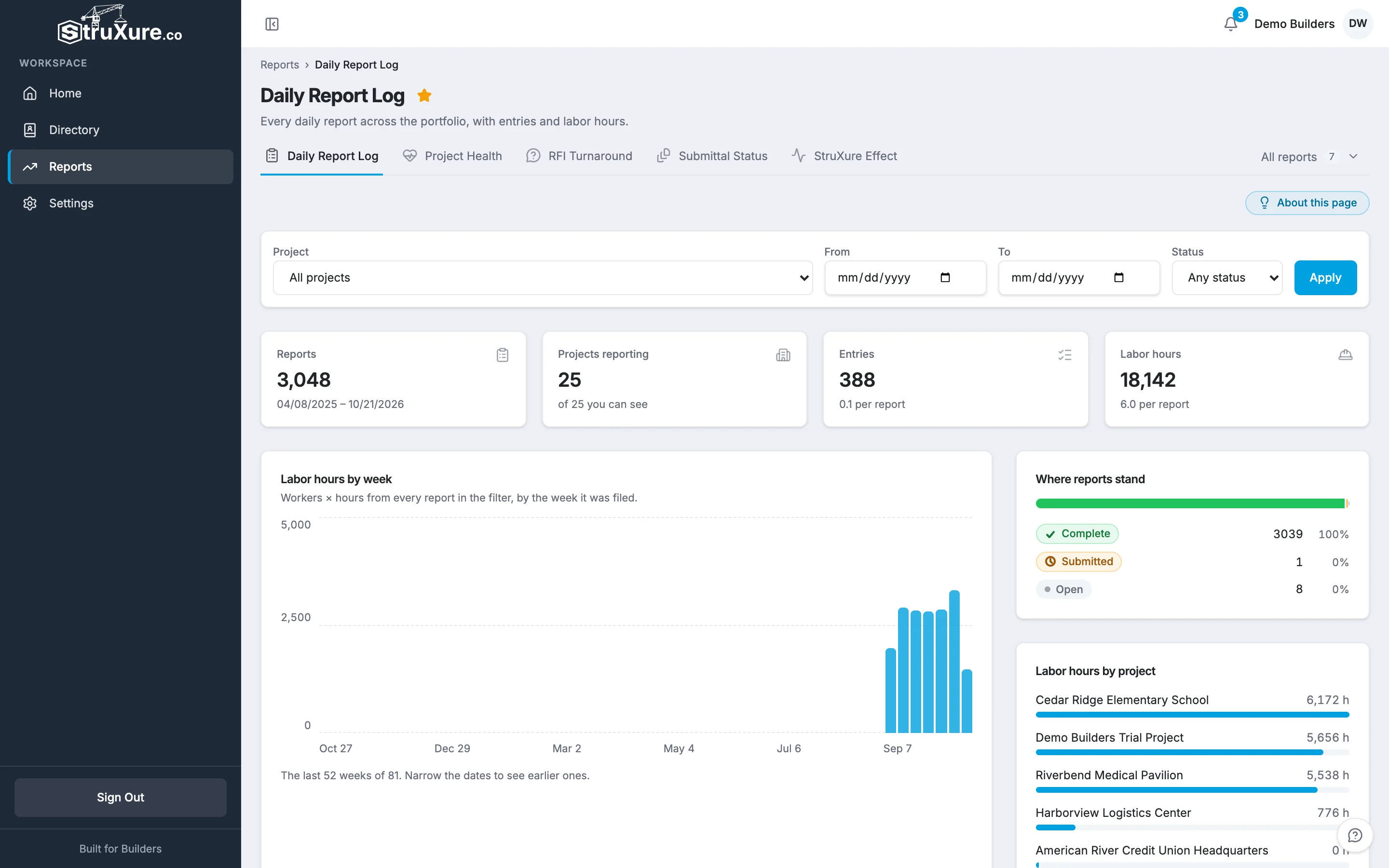
The reports
| Report | What it shows | Who sees it |
|---|---|---|
| Daily Report Log | Every daily report, with entries and labor hours, by week and by project. | Reporting Read. Covers the projects whose daily reports you can read. |
| RFI Turnaround | Days from raised to answered, per project and overall, and the slowest answers. | Reporting Read. Covers the RFIs you can see. |
| Submittal Status | Where every submittal sits, whose desk it's on, and how long it has waited. | Reporting Read. Covers the projects whose submittals you can read. |
| Project Health | Each project scored against the rest of the portfolio, and which firms explain it. | Reporting Portfolio only. Covers every project. |
| StruXure Effect | How turnaround, email and sign-ins have changed since the workspace went live. | Reporting Portfolio only. Covers every project. |
When you open Reports, it goes straight to the Daily Report Log. If that report isn't available to you, it opens the first report that is.
What the figures include
- Daily Report Log, RFI Turnaround and Submittal Status follow your project access. A role that covers every project shows every project. A role on some projects shows only those. If you can't read a module on any project, the report says Nothing to report.
- Project Health and StruXure Effect cover every project in the workspace, whatever projects you're on. That is why only people with the Portfolio level of Reporting see them. Deleted projects are never included.
- No report includes a Draft project. A project that arrived from another system counts once someone has finished setting it up. See Finish setting up a Draft project.
- Project Health and StruXure Effect are worked out overnight. Their figures are "as of" yesterday, and the date is shown on the page. The other three reports are live.
Tabs and the All reports menu
The reports you use most sit as tabs under the title. Star a report to add it as a tab, drag tabs into the order you like, and find everything else in All reports. See Pin reports as tabs and Find a report.
Printing
Project Health and StruXure Effect have a PDF Report button that prints what you see. See Print Project Health as a PDF and Print the StruXure Effect brief.
If a module isn't part of your workspace's subscription, its report isn't offered: the Daily Report Log needs Daily Reports, RFI Turnaround needs RFIs, and Submittal Status needs Submittals.