
Crews and equipment are often the same from one day to the next. Manpower and Equipment Logs each have a copy button so you can bring an earlier day's lines onto today and then change what's different.
Open the day you're filling in.
In the Manpower section, click Copy Manpower. (In Equipment Logs, click Copy Equipment Log.)
The dialog lists the 10 most recent earlier days that have entries of that kind, newest first. Each shows what it holds, for example "Meridian Concrete · 4 workers · 8 h each · Level 1 — East Wing". Pick the day to copy from.
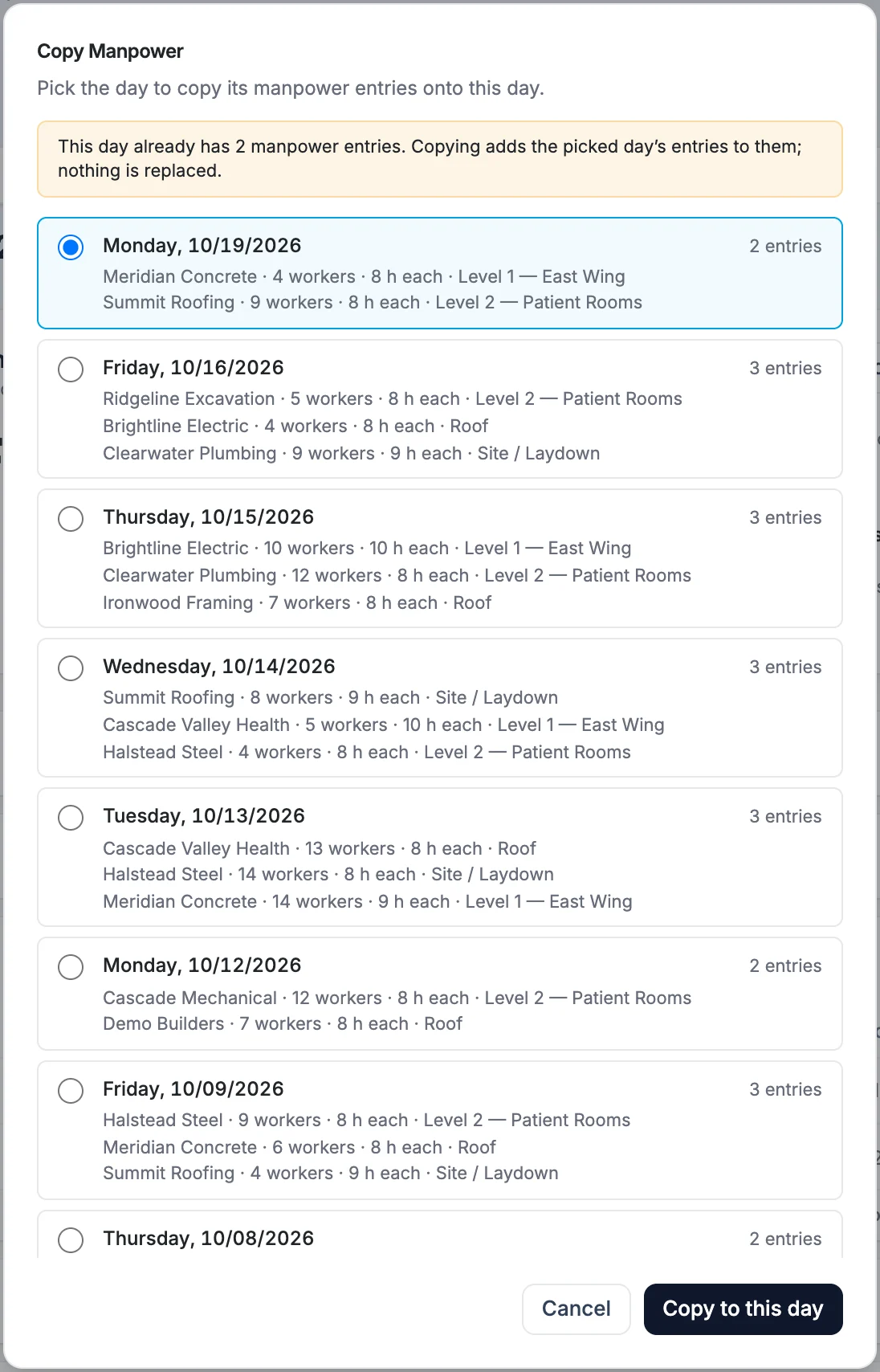
Click Copy to this day.
A message says how many entries were copied and from which day. Then change any line that's different today with the pencil, or remove one with ×.
Copying adds to what's already there; it never replaces anything. If the day already has entries of that kind, the dialog warns you, so you don't copy the same crew twice.
Files on an entry stay on the day they were added to; they aren't copied. The values in your company's own fields on the entry are copied with it, and a copied entry isn't refused for a required one that's empty.
If no earlier day has entries of that kind, the dialog says so and there's nothing to copy.