
Every day that has something recorded on it can be downloaded as a PDF. It's the same document that's attached when the day is emailed.
- Open the day.
- Click PDF Report at the top.
- Under Photos, choose Two across or Large, one across.
- Click Create PDF.
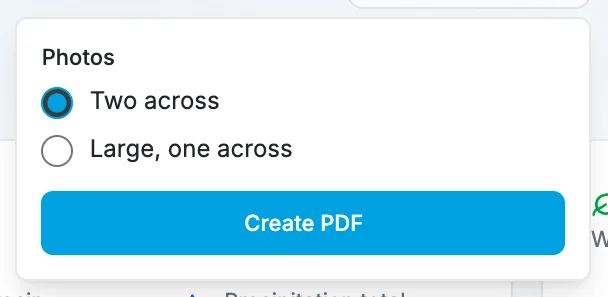
The PDF opens in a new tab. A day with many photos can take a little while.
What's in it
- Report: the day's status, the date, the number of entries, and who submitted, approved or completed it and when, for example Submitted by Brian Stoss · 10/23/2026, 10:15 AM CDT. Times are in the project's time zone.
- The day's weather at the site.
- Every section that has entries, in the same order and words as the screen. Your company's own fields on an entry print as columns of its section, when an entry there has a value in one.
- Forms: the forms submitted that day, each with its type, location, who submitted it and when, and how many answers are Deficient. Each form's name links to it in StruXure. Listed only if you can see the project's forms. Private forms are never listed.
- Attached files: the files on the day's entries. Pictures are printed, the same size as the photos, with the entry they're on, who uploaded them and when, and their name linked to the file in StruXure. Other files, such as PDFs, are listed with the entry they're on, and their name links to the file.
- Photos, each with its caption, when it was taken, who uploaded it, and a link to it in StruXure.
The date in the PDF links back to the day in StruXure. Photos are included only if you can see the project's photos. A photo whose malware check hasn't come back clean is printed without its picture.
If Say who created it, and when is on in Settings > PDF documents, the footer says who created the PDF and when. The copy attached to a distribution email says who sent it instead, for example Distributed 10/23/2026, 11:41 AM CDT by Jeff Watts.
The PDF Report button isn't shown on a day with nothing recorded, because there's no report to create.