
Daily reports and hourly forecasts call out watch-outs: weather that crews should plan around, such as wind too high for crane picks or a pour that needs cold-weather protection. Weather watch-outs sets the figures that trigger each one, for every project in the workspace.
Your workspace started with StruXure's defaults. You can change any figure, or switch a kind of watch-out off.
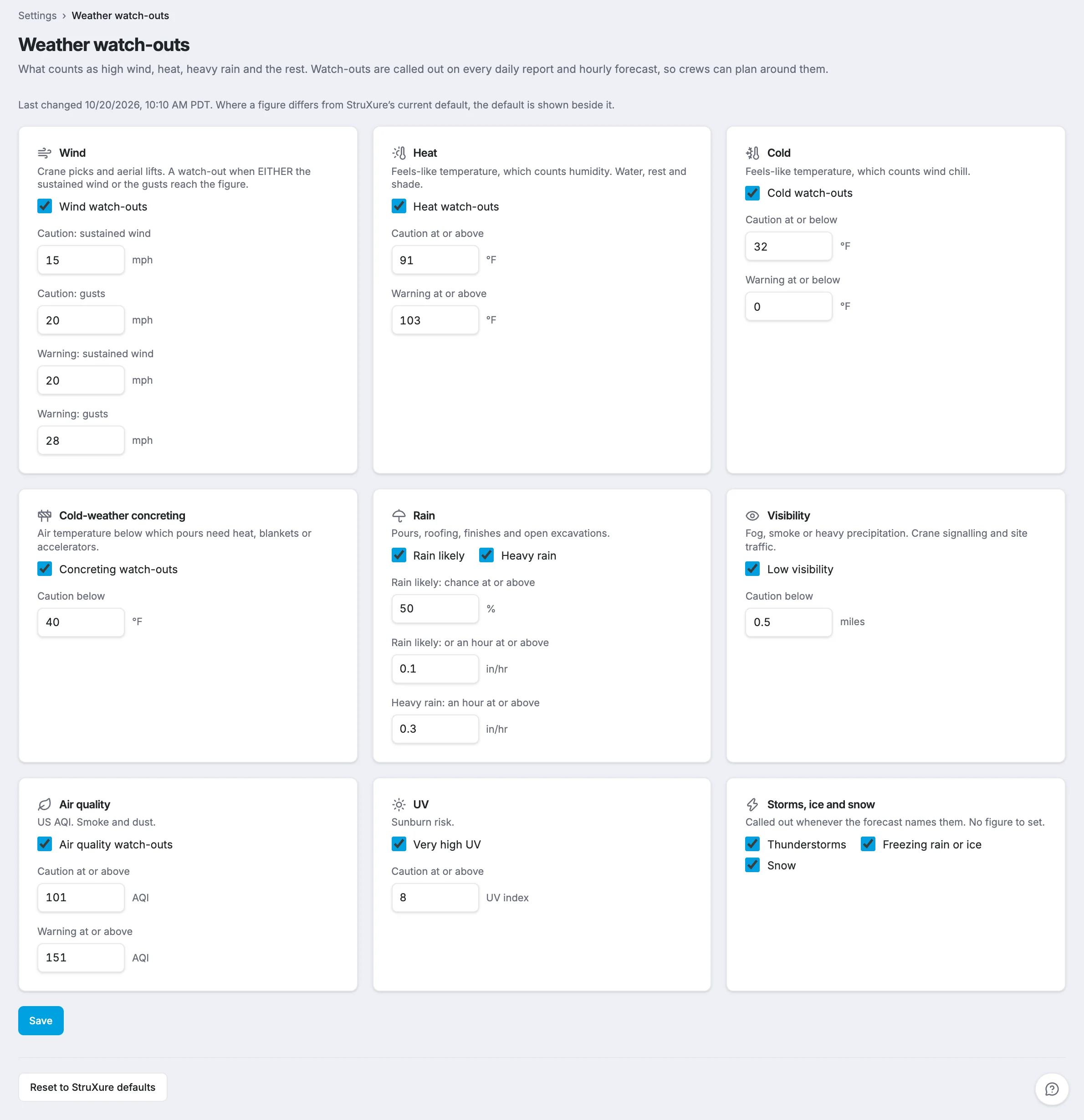
Change the watch-outs
- Go to Settings and open Weather watch-outs.
- On each card, tick or untick the watch-out to switch it on or off, and change its figures.
- Click Save.
The page says Saved. Daily reports and forecasts use these from now on. If nothing had changed, it says Nothing had changed.
Where one of your figures differs from StruXure's current default, the default is shown beside it. The line at the top says when the page was last changed.
The watch-outs
| Card | Switches | Figures |
|---|---|---|
| Wind | Wind watch-outs | Caution and warning for sustained wind and for gusts (mph). A watch-out when either reaches the figure. |
| Heat | Heat watch-outs | Caution and warning at or above a feels-like temperature (°F). |
| Cold | Cold watch-outs | Caution and warning at or below a feels-like temperature (°F). |
| Cold-weather concreting | Concreting watch-outs | Caution below an air temperature (°F). |
| Rain | Rain likely, Heavy rain | Rain likely at a chance (%) or an hour's rainfall (in/hr); heavy rain at an hour's rainfall (in/hr). |
| Visibility | Low visibility | Caution below a distance (miles). |
| Air quality | Air quality watch-outs | Caution and warning at or above a US AQI figure. |
| UV | Very high UV | Caution at or above a UV index. |
| Storms, ice and snow | Thunderstorms, Freezing rain or ice, Snow | No figure. Called out whenever the forecast names them. |
Go back to StruXure's defaults
- Click Reset to StruXure defaults at the bottom of the page.
- Confirm with Reset.
Every figure and switch on the page is replaced with StruXure's current defaults.
If a figure is refused
Each figure has a range, and the message names it, for example Wind — caution: sustained wind must be between 1 and 100 mph. A warning must also be at or beyond its caution: for example The heat warning must be at or above its caution. and The cold warning must be at or below its caution.
For how watch-outs appear to the site team, see Weather on the report in the Daily Reports topic.