
Dropdown Options holds the lists your projects' forms offer: submittal types, RFI reasons, punch list categories, meeting types, document categories, delay reasons, project stages, project types and sectors, bid types, owner types, company roles, company note types, project roles, company trades and observation types.
Go to Settings and open Dropdown Options. The lists are down the left, with how many values each offers. Click a list to see its values.
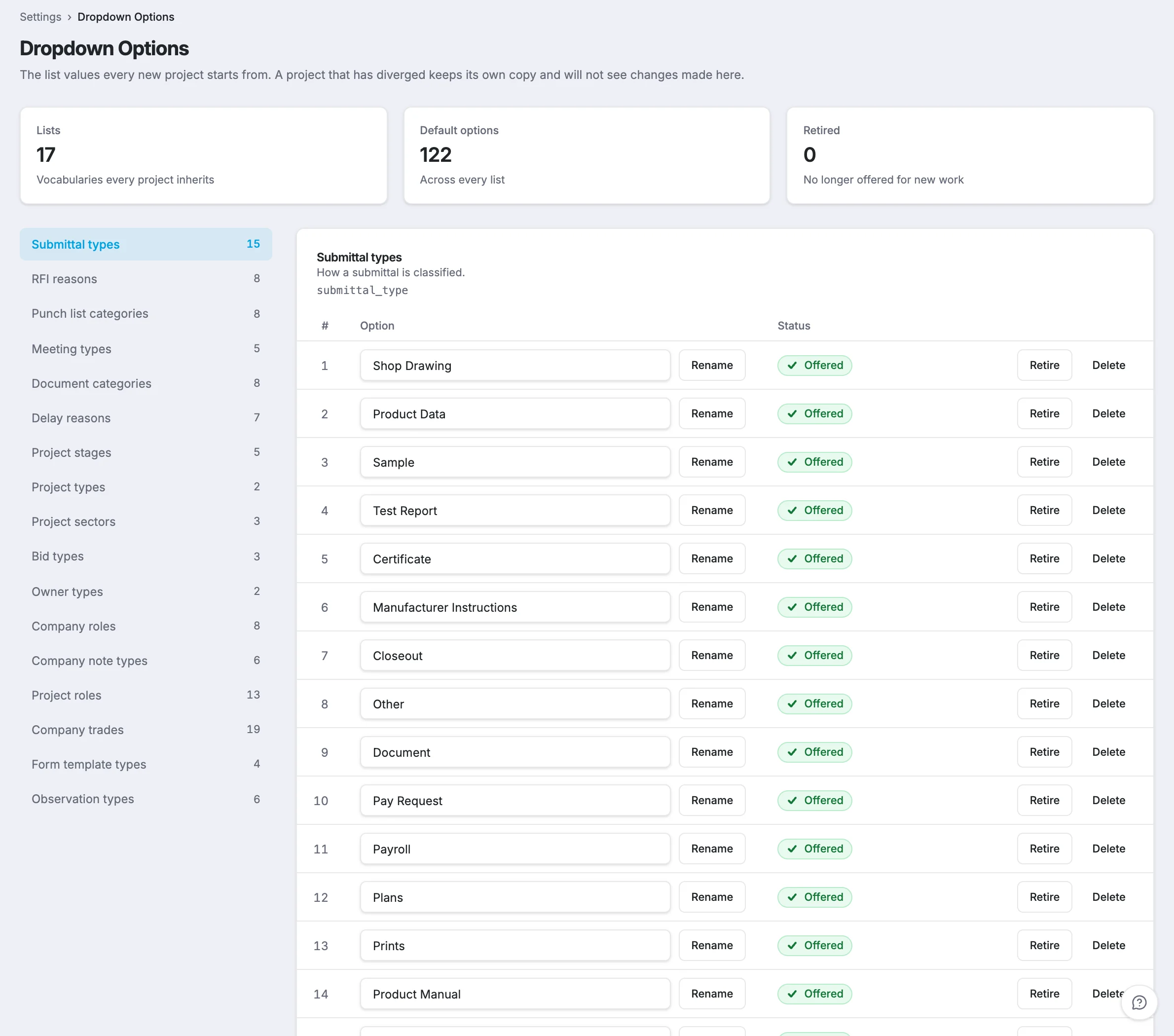
The tiles at the top count the Lists, the Default options across every list, and how many are Retired.
How projects use these lists
These are the values every project starts from. A project follows your list until a project admin customises that list for their project. From then on the project keeps its own copy and doesn't see changes made here.
The page tells you when this has happened. A list that some projects have customised shows a badge such as 2 projects diverged, and the left column says how many project lists have diverged across the workspace. A project admin can go back to your list with Reset to defaults. See Customise this project's lists.
Add an option
- Choose the list on the left.
- Under the table, type the value in Add an option.
- Click Add.
The new option is added to the end of the list, and the page says Added "…".
Observation types also need a Category before you click Add. See Set up observation types.
Rename an option
- Change the name in the option's box.
- Click Rename beside it.
The page says Renamed to "…".
Retire an option
Retire an option you no longer want offered for new work.
- Click Retire on the option's row.
Its status changes from Offered to Retired, and the page says "…" is retired. Anything already filed under it still reads correctly. To offer it again, click Restore.
Delete an option
Delete is for an option added by mistake that nothing uses yet.
Click Delete on the option's row.
Confirm with Delete option.
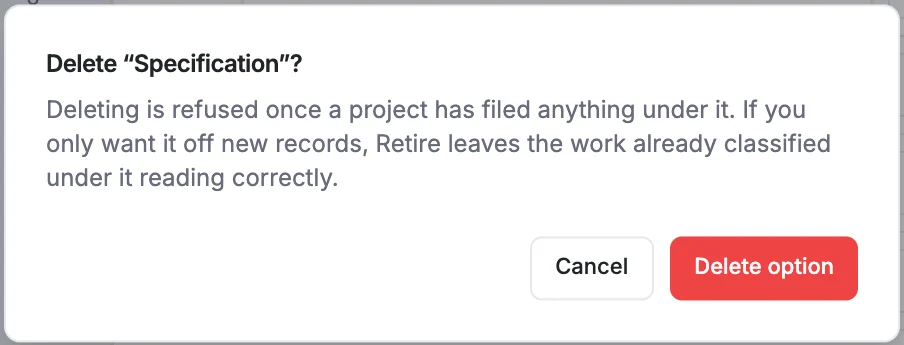
If any project has filed something under it, deleting is refused with Projects are using "…". Retire it instead, so what is already filed under it keeps reading correctly.
When in doubt, retire. A retired option stops being offered but keeps every record that uses it reading correctly.
If a change is refused
| Message | What to do |
|---|---|
| An option needs a name. | Type a name. |
| "…" is already in that list. | Each value in a list must be different. Choose another name, or restore the retired one. |
| That name is too long for a list option. | Use 80 characters or fewer. |