
A folder template is a set of folders, such as Contracts, Permits and Closeout, that a new project's Files starts with. The template marked Default is pre-selected on every new project, and the person creating the project can choose another. A project can also apply another template later from Files.
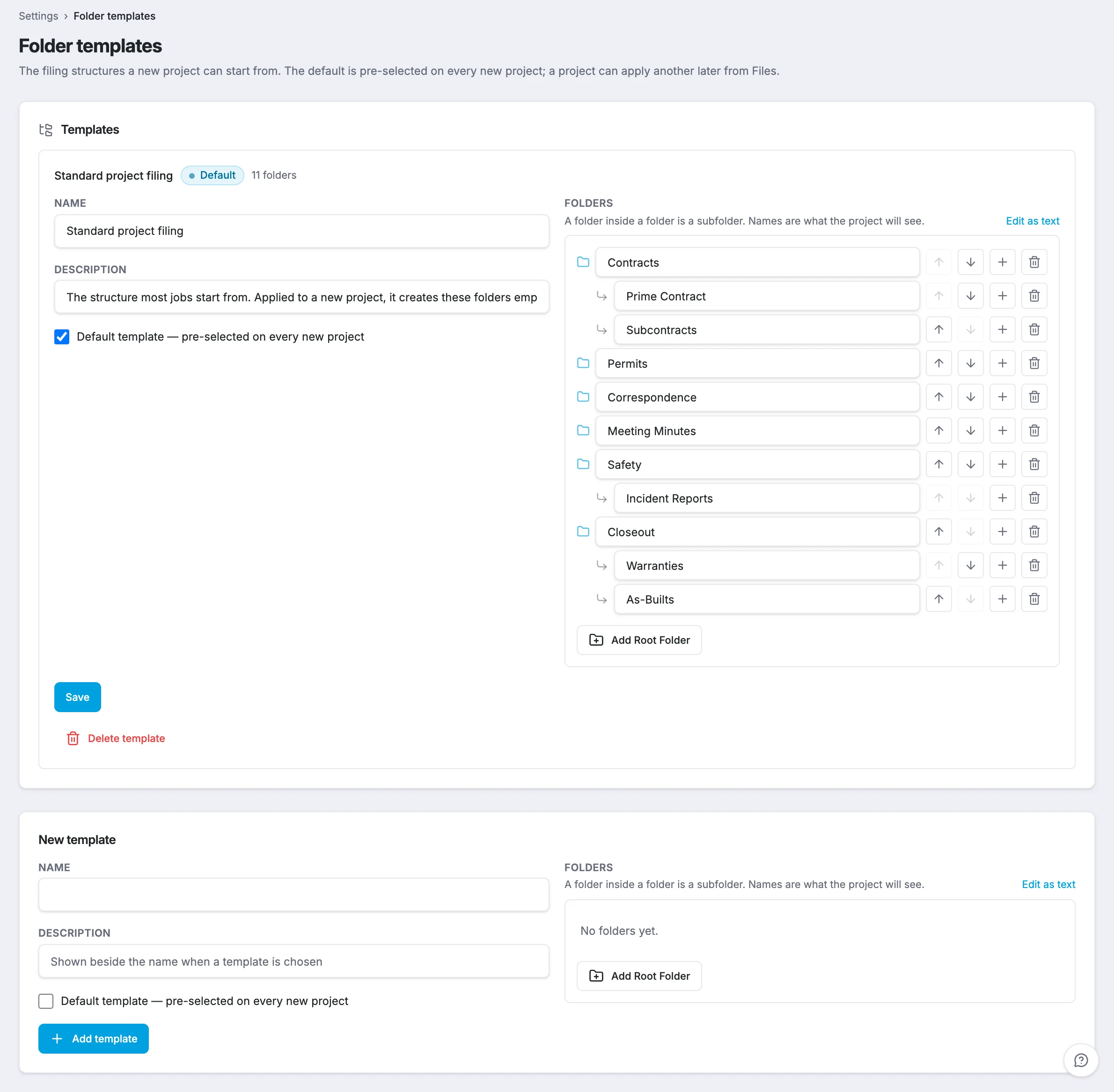
Add a template
- Go to Settings and open Folder templates.
- Under New template, type a Name and, if you like, a Description. The description is shown beside the name when someone chooses a template.
- Build the folders under Folders:
- Click Add Root Folder for a top-level folder, and type its name.
- Click + beside a folder to add a subfolder inside it.
- Use the up and down arrows to change the order.
- Click the bin to remove a folder and everything inside it.
- To make it the default, tick Default template — pre-selected on every new project.
- Click Add template.
To paste a list of folders from a spreadsheet, click Edit as text and type one folder per line, with a / between a folder and its subfolder, such as Closeout/As-Builts. Click Edit as tree to go back.
A template holds up to 200 folders, nested up to 8 levels deep.
Change a template
- Change the template's name, description, folders or default tick.
- Click Save under it.
The page says Saved "…". Projects already created keep the folders they have. Only one template can be the default: ticking it on one template unticks it on the others.
Delete a template
Click Delete template under it.
Confirm with Delete template.
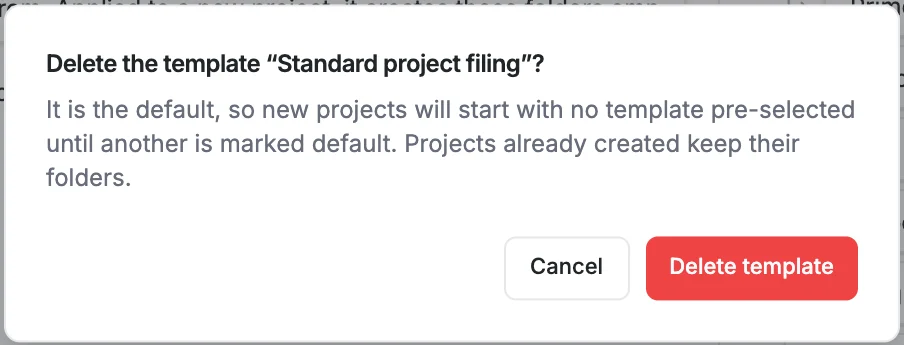
New projects can no longer choose it. Projects created from it keep their folders. If it was the default, new projects start with no template pre-selected until you mark another one default.
With no templates at all, new projects start with an empty Files module.
For choosing a template when creating a project, see Choose a folder template.
If a template is refused
| Message | What to do |
|---|---|
| A template needs a name. | Type a name. |
| There is already a template called "…". | Choose another name. |
| A template needs at least one folder. | Add a folder. |
| "…" is nested more than 8 levels deep. | Move the folder up a level. |