
By default, completing a day's report makes it final at once. Turn on approvals and a finished day is Submitted for Approval instead, and goes out once an Approver approves it.
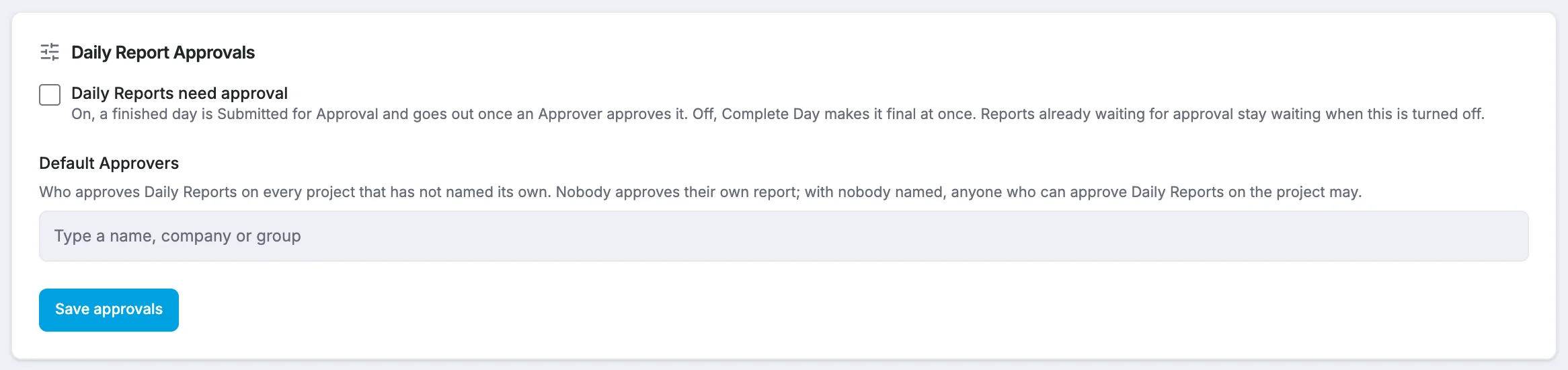
Turn approvals on or off
- Go to Settings and open Module defaults.
- Find the Daily Report Approvals card.
- Tick Daily Reports need approval to turn approvals on, or untick it to turn them off.
- Under Default Approvers, pick the people who approve Daily Reports on every project that hasn't named its own. Only people who can approve Daily Reports are listed.
- Click Save approvals.
The card says Daily Report Approvals saved.
Good to know
- Nobody approves their own report. With nobody named, anyone who can approve Daily Reports on the project may.
- Turning approvals off doesn't move reports already waiting. Reports already Submitted for Approval stay waiting until someone approves them.
- A project can set its own. A project admin can turn approvals on or off, and name the project's own Approvers, under the project's Admin page. A project that hasn't follows this card, including when you change it.
For how approving works day to day, see Approvals and approvers in the Daily Reports topic.