
Search finds projects, and the records in them, from anywhere in StruXure. You only see what you can open.
Search
- Click Search at the top of any page, or press ⌘ K on a Mac or Ctrl K on Windows. On a phone, tap the magnifying glass.
- Type. Results appear as you go, grouped by kind. Each result shows its project's logo, or the project's initials if it has no logo.
- Click a result, or use ↑ and ↓ and press Enter. Hold ⌘ or Ctrl to open it in a new tab.
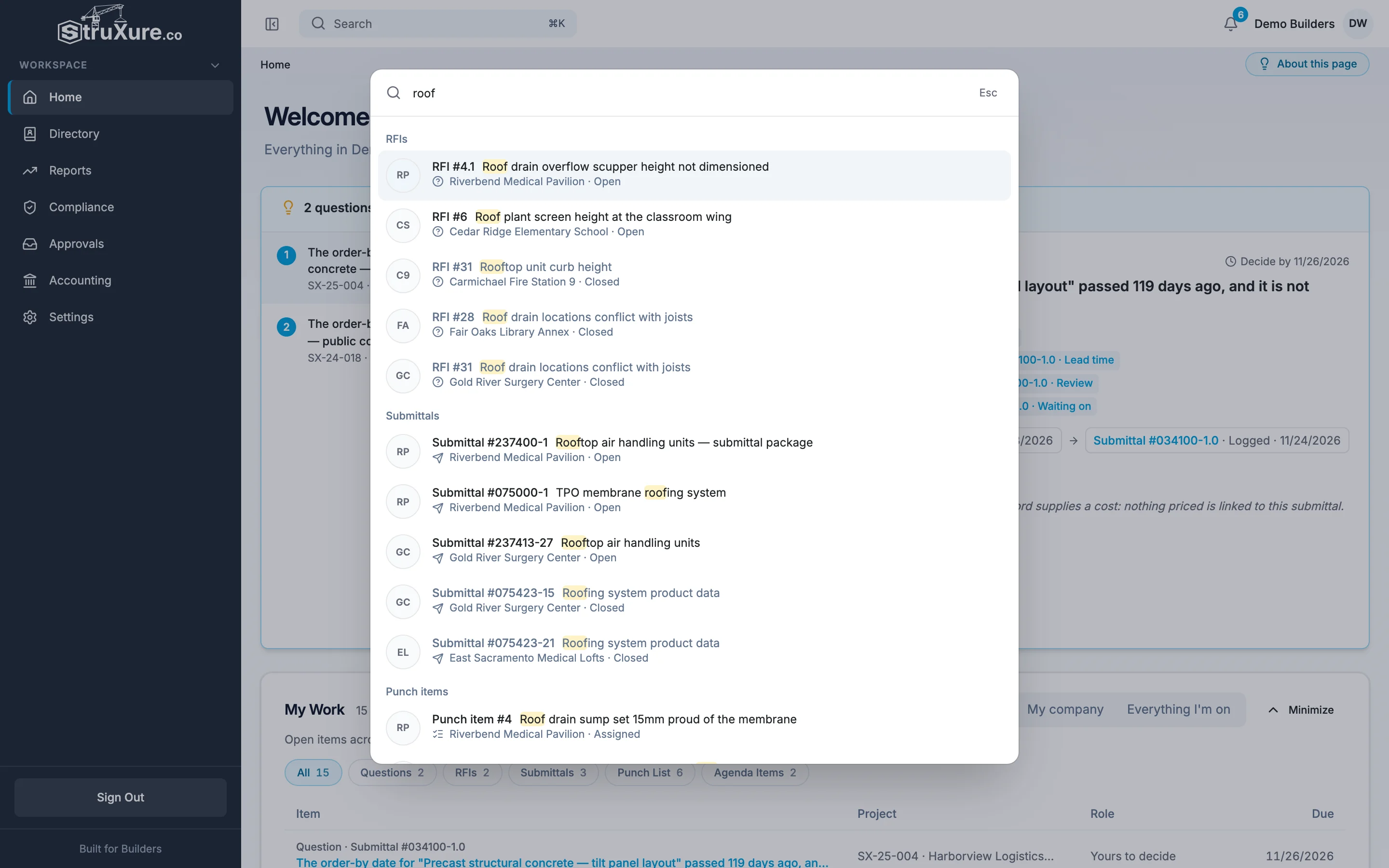
Press Esc to close it.
What you can find
| Kind | Search by |
|---|---|
| Projects | Name, number, address, client |
| RFIs, submittals, punch items, observations, meetings | Number, title |
| Forms | Number, template name |
| Daily Report entries | The words typed in them, and the companies and people on them |
| Drawings | Sheet number, title |
| Specifications | Section number, name |
| Files | Name |
| Companies and people | Name |
A closed record or a completed project is still found, lower in the list. Recycle bins, and earlier revisions of a drawing, aren't searched.
Get the record you mean
- Type its number. RFI 42, submittal 262416-1 or a sheet number such as A4.1 comes first, under Best match. It doesn't matter how you punctuate a sheet or section number.
- Type more than one word. Every word has to be found, in any order. The start of a word is enough.
- Use quotes for an exact phrase: "roof deck".
- Add the kind to narrow it: rfi roof.
A misspelled project, company or person name is usually still found.
Search one project
Inside a project, its own records come first, then matching projects, then records on your other projects. Click This project to see only the project you're in.