
A company can be on a project with nobody from it named yet. It's still offered on delays and manpower. Adding a person from a company also puts their company on the project.
Add companies
- Open the project's Directory and choose the Companies tab.
- Click Add Company.
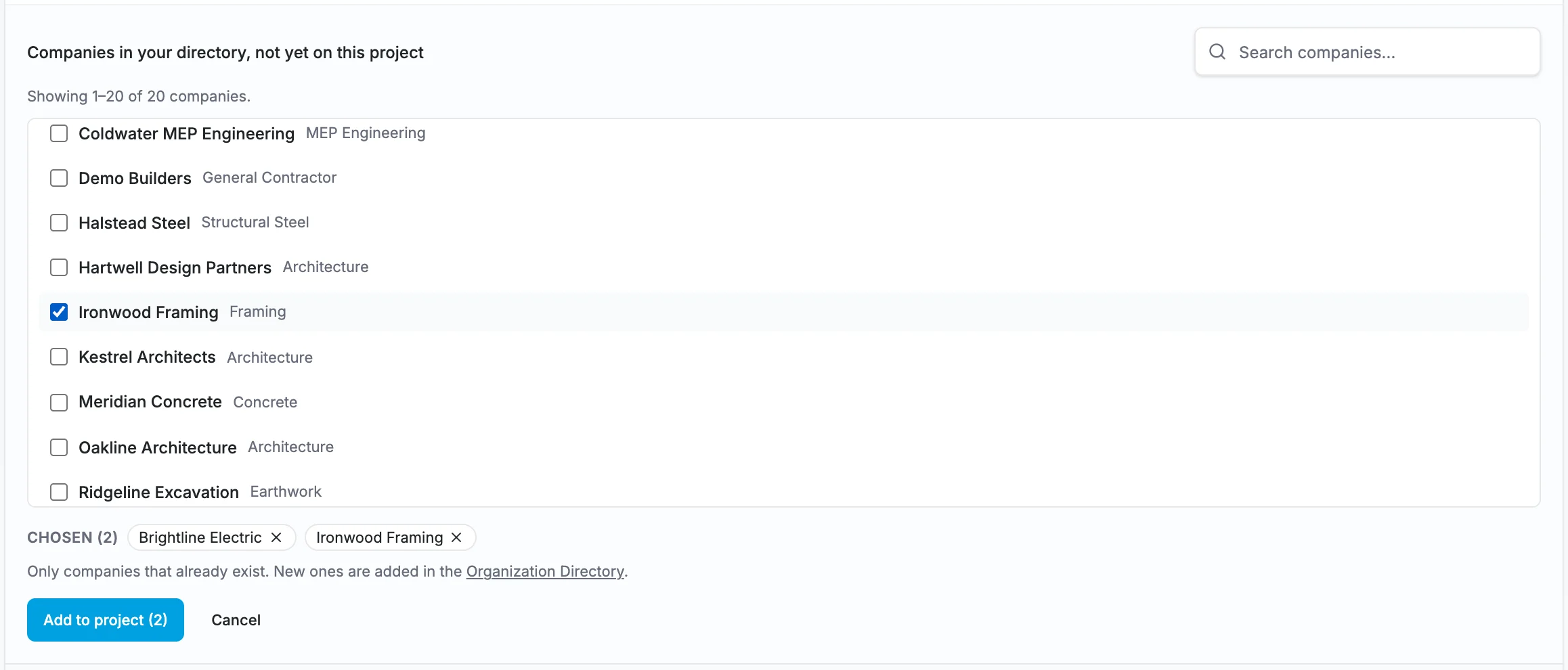
- Tick the companies you want. Use Search companies... and Previous / Next to find them. Your picks collect under Chosen; click a name there to drop it.
- Click Add to project. The button shows how many you've chosen.
The page says Added … companies to this project. They are selectable on delays and manpower straight away.
Only companies that already exist are offered. New companies are created in the workspace Directory; see Add a company.
The Companies tab

Each company shows its Trade, how many of its people are On this project (or nobody yet), and how many it Employs in the Directory.
Take a company off
Click the bin at the end of its row and confirm with Remove company. The company comes off this project only; it stays in the workspace Directory with its people, addresses and notes. If people from the company are still on the project, you're told to remove them first.