
A person's Access on a project is the permission group that decides what they can do there. Their Project Role is what they're called on the job, and it decides which distribution groups they fall into and whether they show on the dashboard's Project Team card.
Change one or more people
- Open the project's Directory.
- Tick the people you want to change. Tick a company's box to select everybody at it.
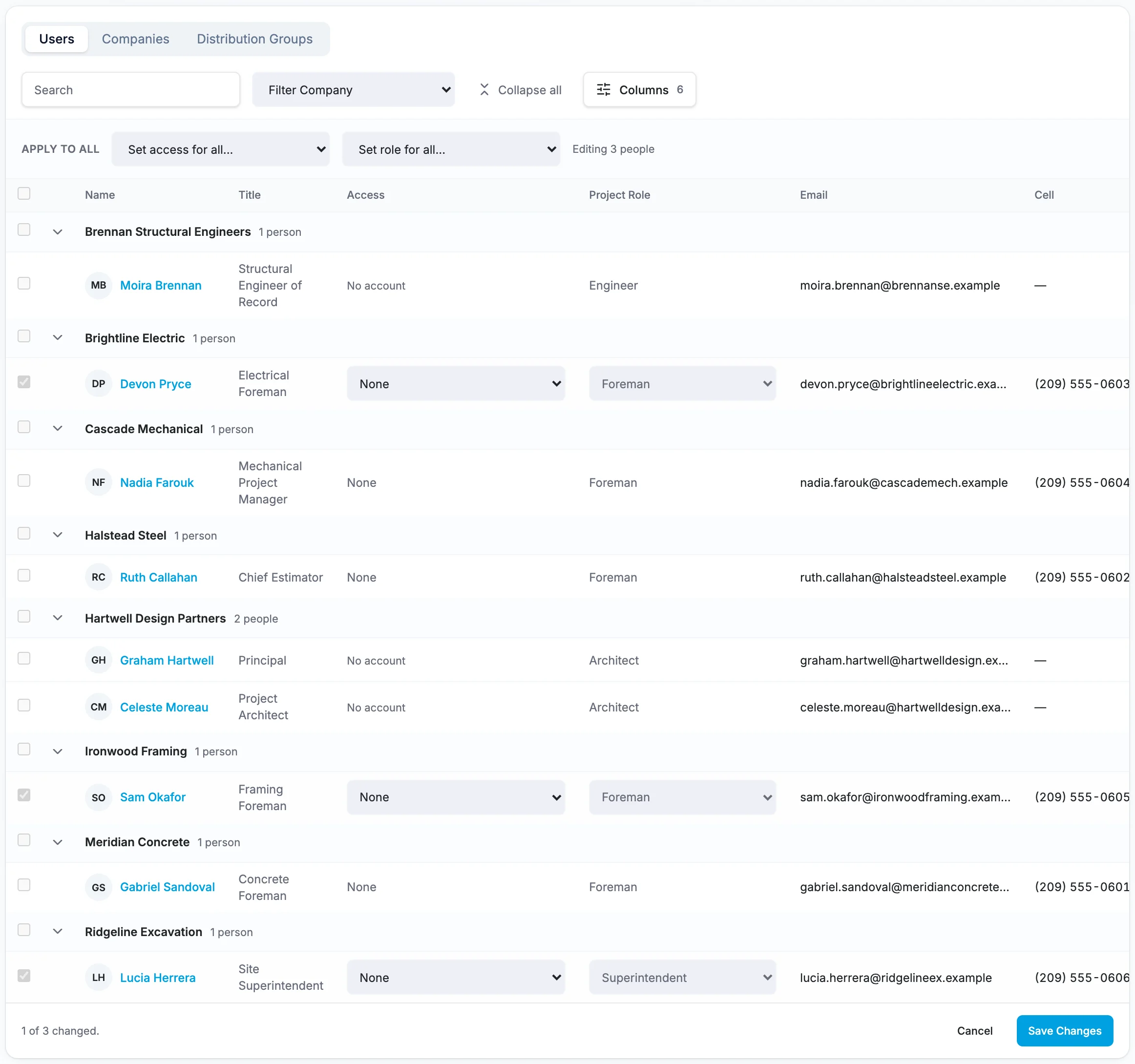
- Click Edit in the toolbar. It shows how many are selected.
- Each selected person now has an Access dropdown and a Project Role dropdown. Change what you need.
- To give everybody the same value, use Set access for all... or Set role for all... under Apply to all.
- The footer counts the changes, such as 1 of 3 changed. Click Save Changes, or Cancel to leave everything as it was.
The page says Saved … people.
Good to know
- No account: choosing an Access group for someone with no login creates their sign-in account. Nothing is emailed; use Notify to tell them. People with no email address show No email on file and can't be given access.
- None takes away their access on this project. They stay in the project's directory.
- Select Role (Optional) clears their project role.
- The Access dropdowns and Set access for all... only appear if you have Manage / Change Permissions on the project's Directory.
- To change the group someone gets on new projects, change their Default project access in the workspace Directory. See Give someone access.
Messages you might see
| Message | What it means |
|---|---|
| Somebody in that selection is no longer on this project. | Someone else removed them while you were editing. Reload and try again. |
| Setting somebody's access on this project needs Manage / Change Permissions… | Change only their Project Role, or ask somebody who holds it. |