
The Directory is your workspace's address book: every company you work with and every person at those companies. Each project then has its own Project Directory: the people and companies on that job.
| Where | How to open it | What it holds |
|---|---|---|
| Directory | Directory in the workspace sidebar | Every company and person in the workspace. People are created and edited here. |
| Project Directory | Directory under Overview in a project's sidebar | Only the people and companies on that project, with what each person can do there and what they are called on the job. |
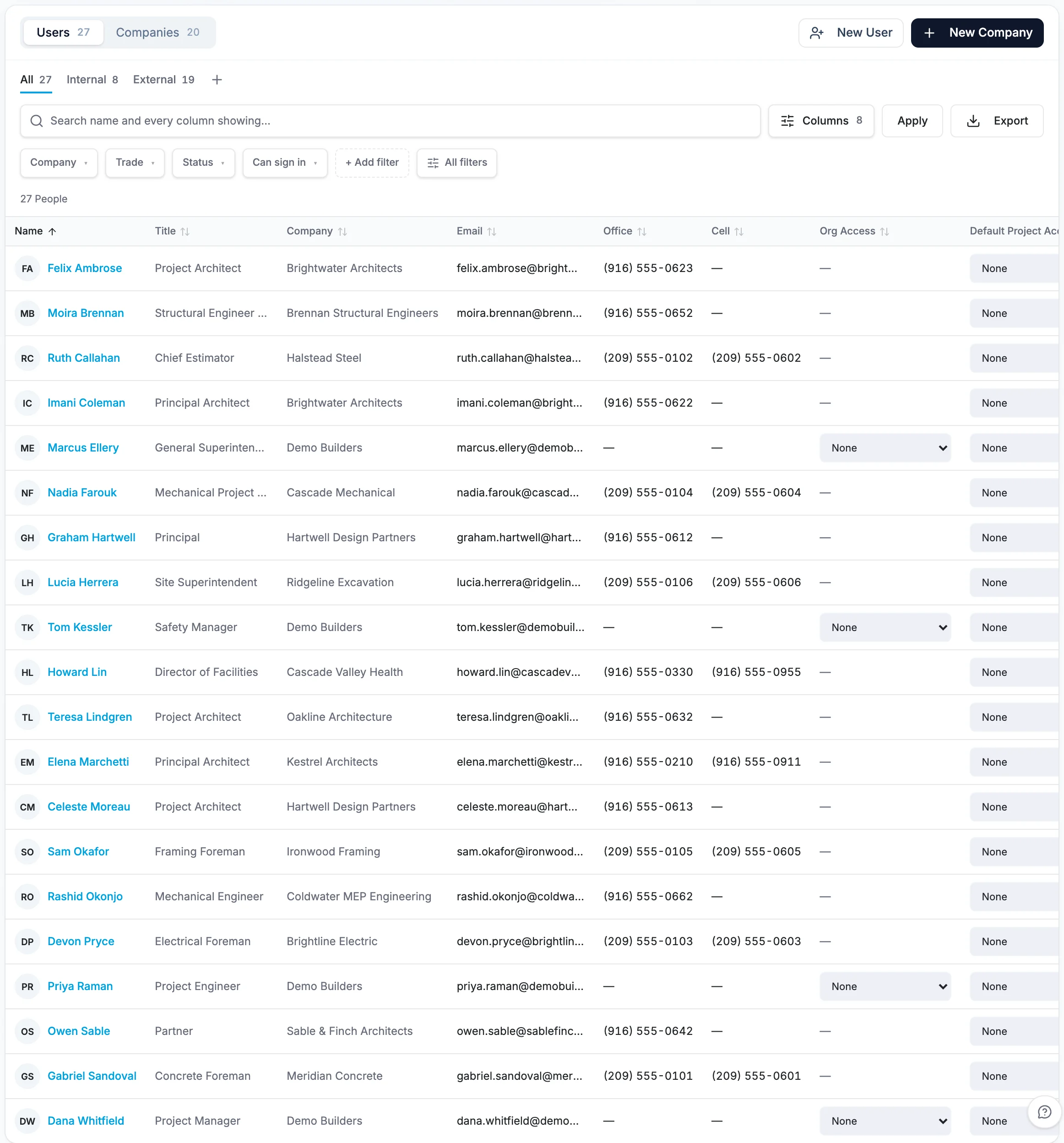
Companies and people
- A company has a name, a Role (what they are to you, such as Subcontractor, Owner or Architect) and a Trade (what they do, such as Electrical). It also holds its head office address, phone numbers, extra addresses and notes.
- A person belongs to one company, or to none. Their record holds their title, email, phone numbers and, optionally, their own address.
- Your own company is marked Your Company. People who work there are Internal; everybody else is External.
Who can sign in
A person in the Directory either can sign in or is a contact only:
- Can sign in: they have a StruXure account. They sign in with their email address and a one-time code that is emailed to them; there is no password.
- No login (shown as No account on a project): they are in the Directory so others can find and reach them, and they can be named on project records, but they can't sign in. An inspector or an owner's assistant is often added this way.
Someone with no login gets an account the moment you give them access, as long as they have an email address. See Give someone access.
Access and project roles
Two different things describe a person on a project:
| What it means | Example | |
|---|---|---|
| Access | What they may do there: a permission group. | External - Subcontractor |
| Project Role | What they are called on the job. It doesn't grant anything. | Foreman |
In the workspace Directory, each person also has an Organization access group, which applies everywhere, and a Default project access group, which is what they get when a project administrator adds them to a job.
Active, inactive and deleted
- Inactive is for people and companies you no longer work with. Untick Active and they're greyed out in lists; their name stays on the work they did. An inactive person, or anyone at an inactive company, can't sign in to this workspace. Tick Active again and they get back the access they had.
- Delete is for records that should never have existed, such as a duplicate. Deleting is permanent and can't be undone. There is no recycle bin for the Directory. See Delete a person or a company.
The totals at the top
The tiles above the workspace Directory count Contacts, Companies, people who Can sign in, and people On your projects (only projects you can see). Click a tile to filter the list.

Times and dates
Times on the project's directory show in the project's time zone. If you're in a different time zone, each time shows the project's zone after it, for example 2:00 PM MST; point at it to see the time where you are. Notified shows the day in the project's time zone.