
Every person in the Directory can hold two permission groups:
| What it does | |
|---|---|
| Organization access | Applies everywhere in the workspace, straight away. Usually only for your own staff who administer the workspace; most people need None. Only people at your own company can hold one. |
| Default project access | Not access to anything by itself. It's the group a person is given when a project administrator adds them to a job, and it's filled in for you on the Add Users page. |
What a person can do on a particular project is their Access in that project's directory. See Change access and project roles on a project.
What each group allows is set in Settings → Permissions.
Set one person's access
- Open the person's record.
- In the Access card, choose an Organization access and a Default project access.
- Click Save access.
The page says Access saved.
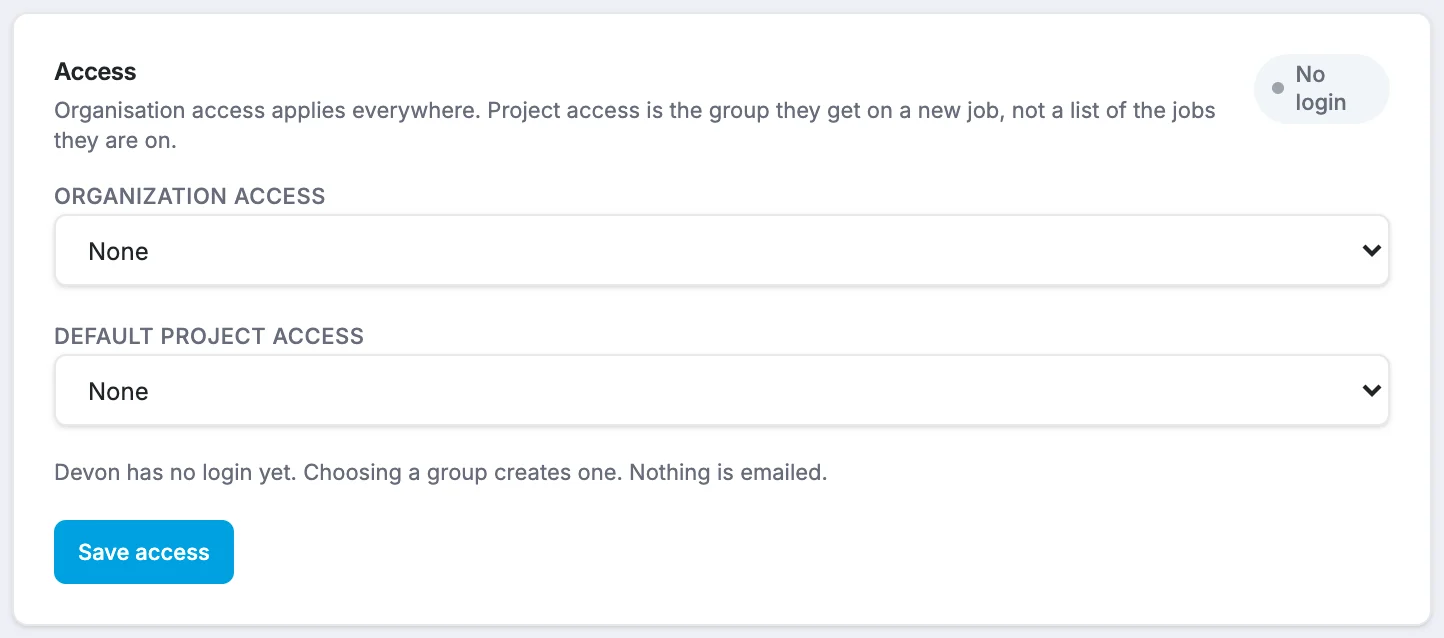
The badge at the top of the card says Can sign in or No login. If they have no login yet, choosing a group creates one; nothing is emailed, and the page says Access saved, and a sign-in account was created for … A person with no email address can't be given access until you add one.
Change many people at once
In the Users list, the Org Access and Default Project Access columns are dropdowns.
- Change the dropdowns for each person you want. Changed ones are outlined.
- A bar at the bottom counts them: 2 people changed. Nothing is saved until you press Save.
- Click Save 2 changes, or Discard to undo them.
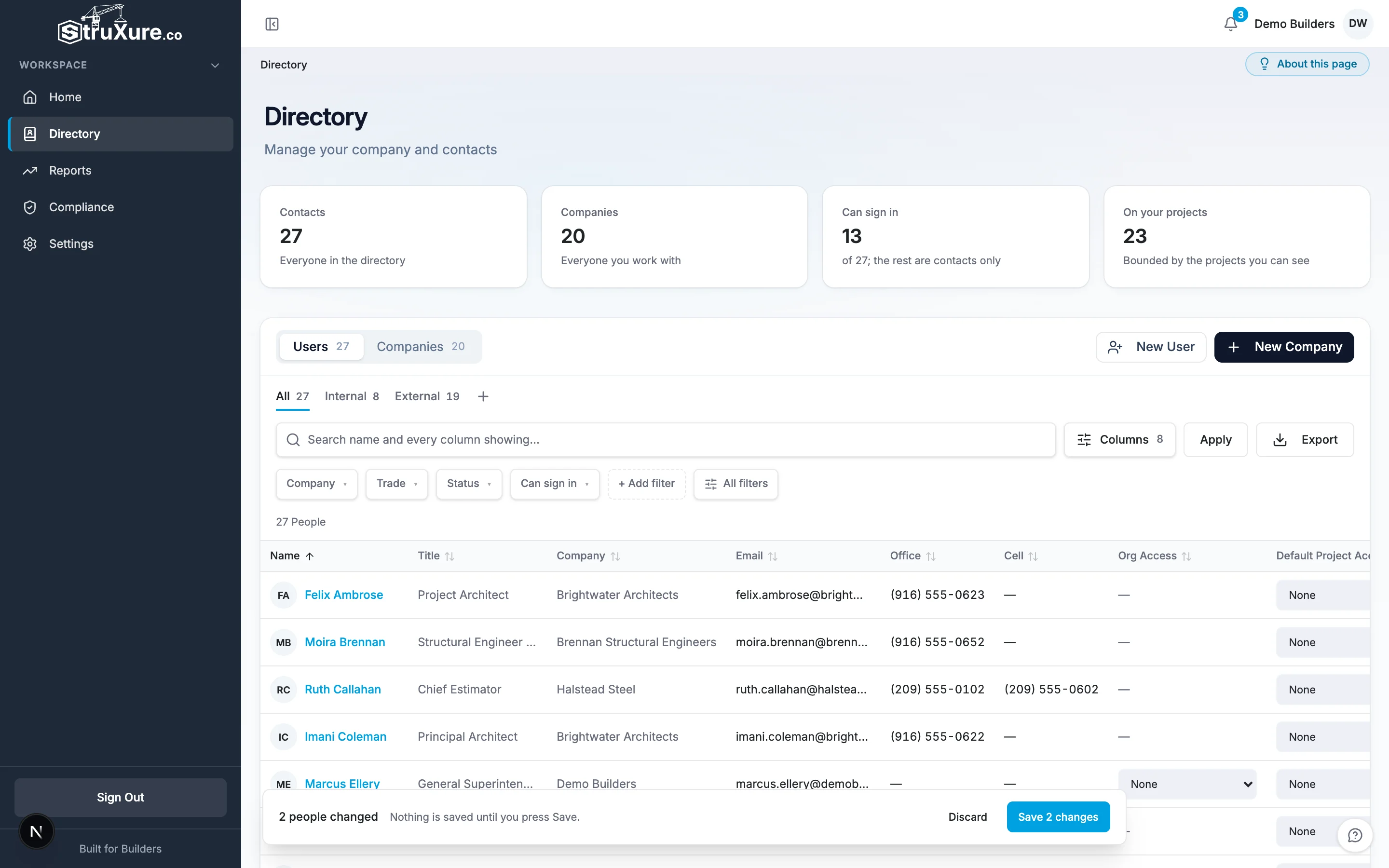
The bar then says how many people were saved, how many were given a sign-in account (nothing is emailed), and names anyone who couldn't be changed, with the reason.
In the list, Org Access is a dropdown only for people at your own company. A person with no email shows No email instead of a dropdown, and someone with no login shows No account in text columns and exports.
Who can do this
- Default project access needs Organization directory at Project Users or Admin.
- Organization access needs Organization directory at Admin. Without it, the dropdown is locked.
- With Read only, the access columns and the Access card aren't shown.
Setting Organization access to None takes that access away immediately. Changing Default project access doesn't change anything on projects they're already on; change their Access in each project's directory for that.