
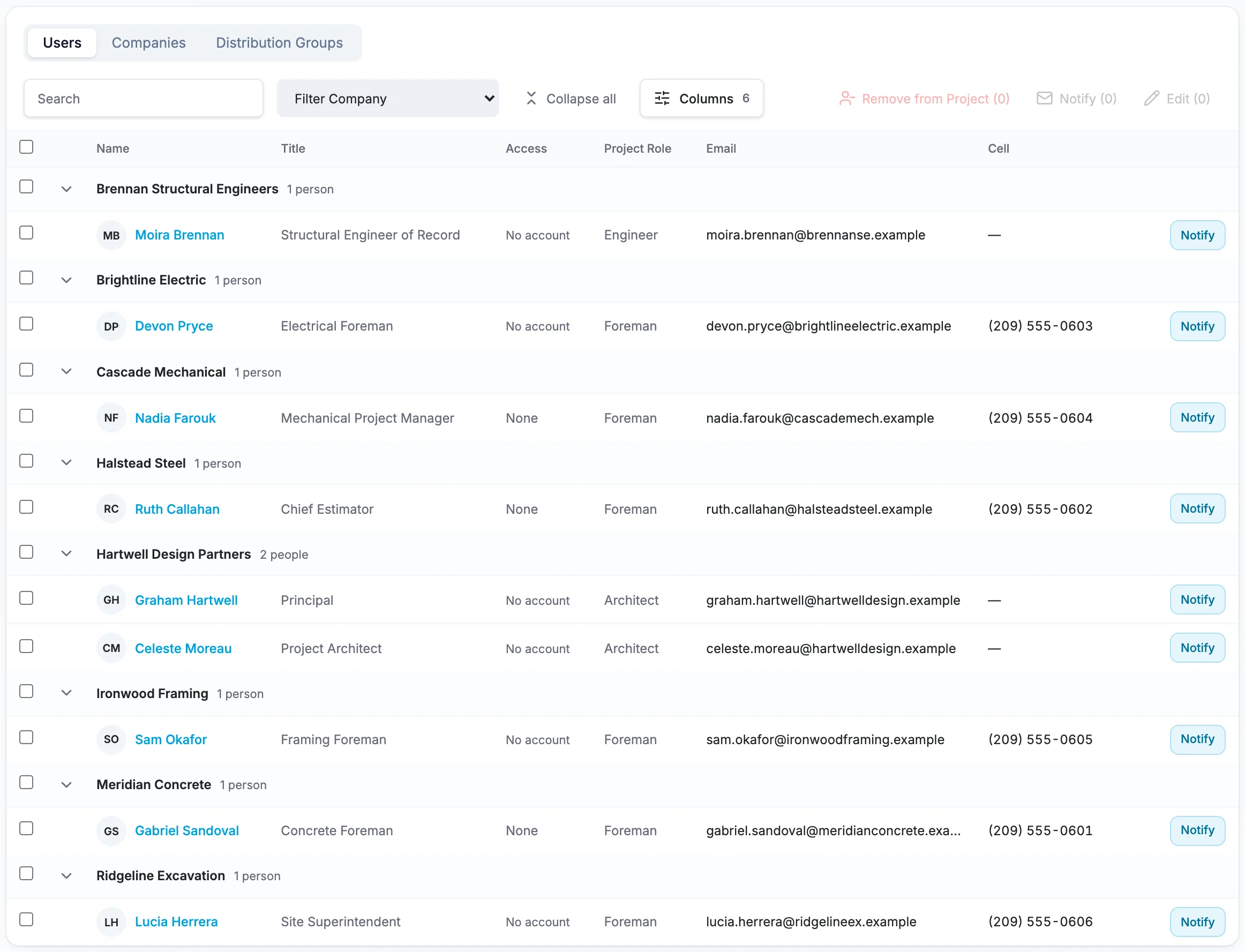
Open a project and choose Directory under Overview in the sidebar. The Project Directory lists everybody on the job, grouped by company, with your own company first.
The totals

| Tile | Counts |
|---|---|
| People | Everybody in this project's directory. |
| Companies | Companies on the job, whether or not anybody from them is. |
| Distribution groups | Groups that can be picked on RFIs, submittals and specifications. |
| With access | People who hold a permission group on this project. Click to show only them. |
| No account | People who are reachable but can't sign in. Click to show only them. |
When a tile has filtered the list, a bar above it says so; click Show everybody to clear it.
Find someone
- Search matches names, titles, emails, companies, access, roles and every column showing.
- Filter Company shows one company, or No company recorded.
- Collapse all and Expand all fold the company groups. Click the arrow beside a company to fold just that one.
- Columns adds Cell, Office, Direct Phone, Status, Can sign in, Notified, Added, Company and Trade. Name is always shown, and your choice is remembered.
The Access column shows their permission group on this project, None if they hold none, or No account if they can't sign in. Project Role is what they're called on the job.
See someone's details
Click a person's name to open their profile: their title and company, Email and Call cell buttons, their phone numbers, and their Access, Project Role, when they were Added and when they were last Notified.
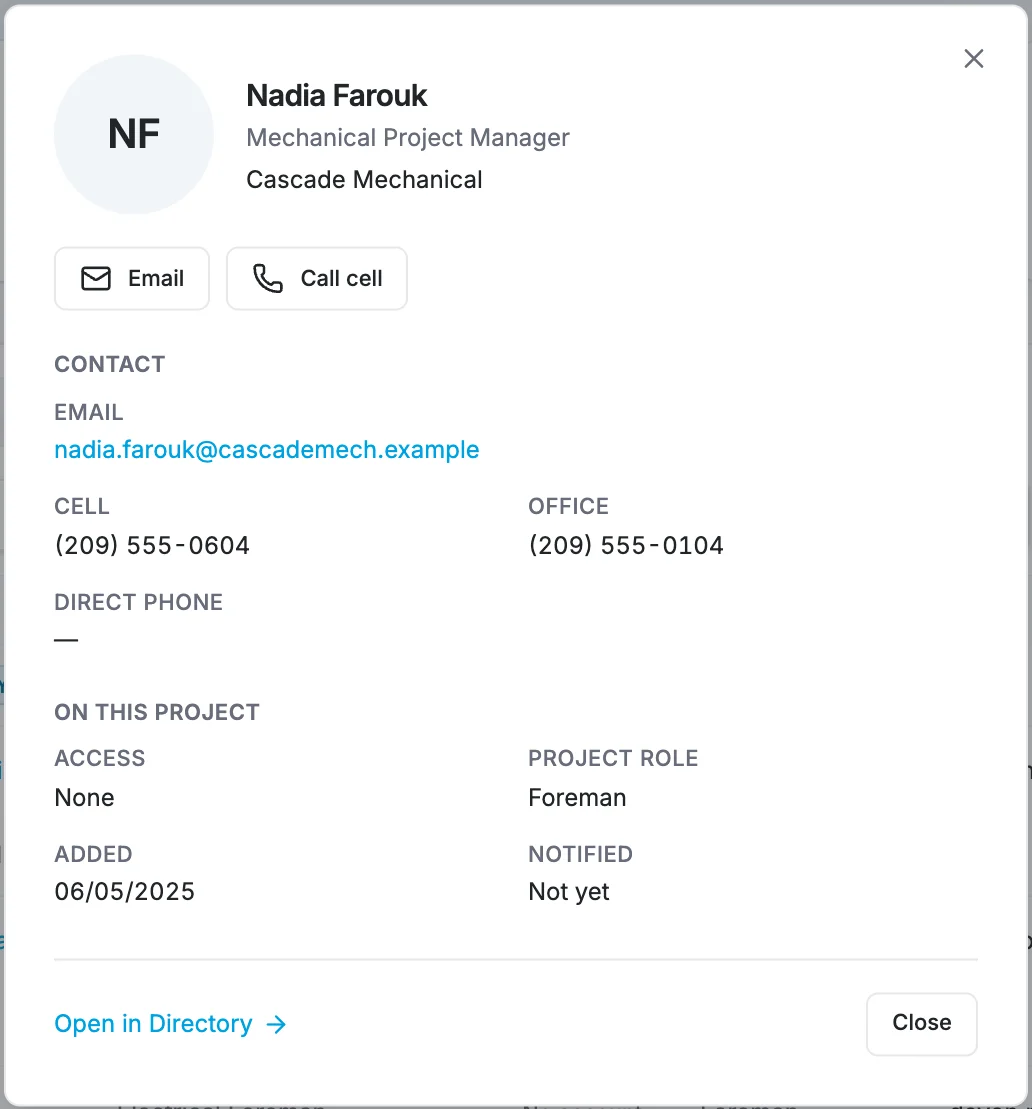
If you can see the workspace Directory, Open in Directory opens their full record.
Without access
If you have no Directory access on the project, Directory isn't in the project's sidebar. With Read, you see the lists but not the Add Users, Notify, Edit or Remove controls.