
Open a sheet
In the register, click a sheet's number or title, or the eye icon (View) at the end of its row. The sheet opens in the viewer at its active revision.

The other two icons on the row are Open Info, the sheet's details and revisions, and Download, the active revision's PDF.
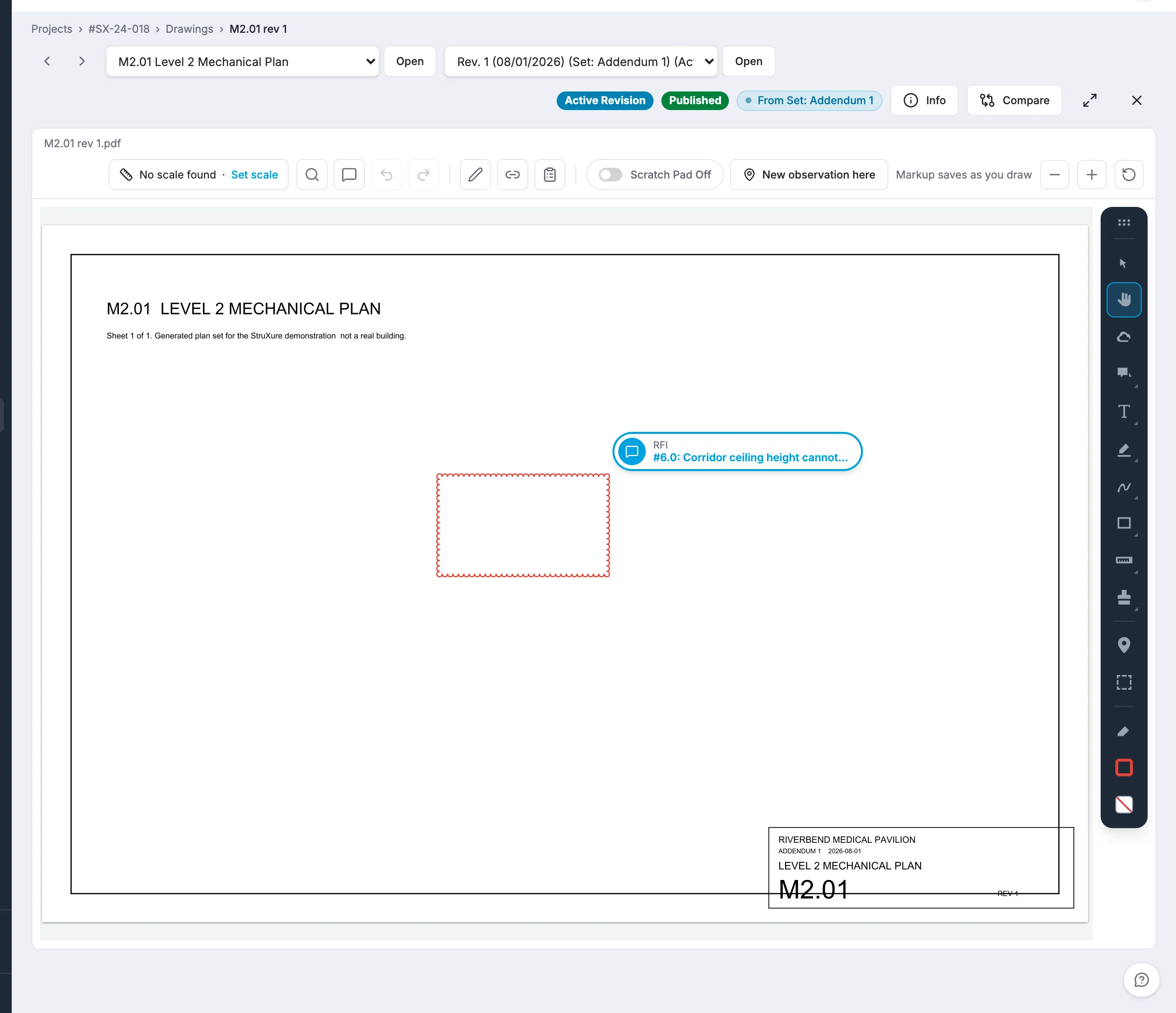
The bar above the sheet

- The <** and **> arrows go to the previous and next sheet in the register. The ← and → keys do the same, unless a mark is selected or you're typing.
- The first list jumps to any sheet: pick it and click Open.
- The second list switches to another revision of this sheet: pick it and click Open. Each revision shows its date, its set, and (Active Revision) for the current one.
- Badges show whether you're on the Active Revision, whether it is Published or Unpublished, and which set it came from.
- Referenced on … sheets and by … RFIs appears when markup on other sheets, or RFIs, point to this sheet. Click it for the list.
- Info opens the sheet's details and revisions.
- Compare compares this revision with another. See Compare two drawings.
- The sheet opens taking the whole window. Restore (the shrink button) puts it back inside the page, with the menu and breadcrumb, and Maximise takes the whole window again. The X goes back to the register.
Zoom and pan
Scroll to zoom in and out at the pointer. To move up and down the sheet, hold Shift and scroll. Swipe sideways on a trackpad to move sideways. The Zoom in and Zoom out buttons at the top right of the sheet zoom too, and Reset view puts the sheet back to fit. A sheet opens with Pan (the hand) in hand, so you can drag it around straight away. Press Esc to put down any other tool and get the hand back.
Search the sheet
Click Search (the magnifier) in the bar above the sheet to find text on it.
Good to know
- Opening an older revision shows that revision's own markup. Markup stays with the revision it was drawn on.
- If a revision says This revision has no PDF yet., its plan set is still being processed. It opens once that's done.