
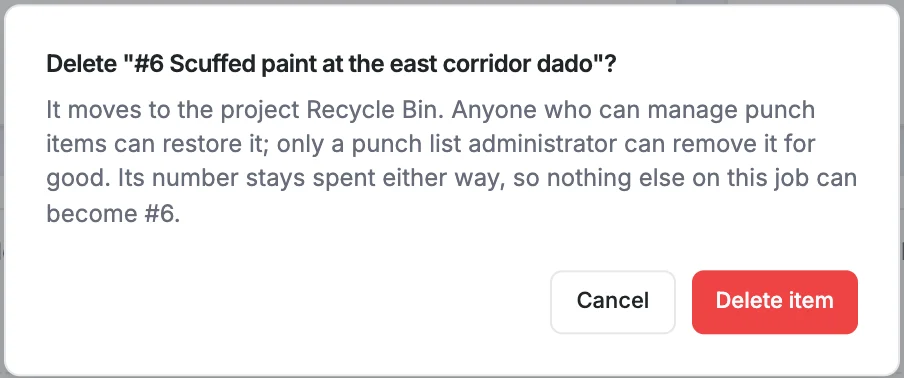
Deleting a punch item moves it to the project's recycle bin. Nothing is lost: it keeps its number, status, photos and history, and it can be restored at any time until an admin empties the bin.
Tip
If an item was raised correctly but is no longer needed, consider moving it to Cancelled instead. It stays on the list with a note explaining why. Deleting is best for items raised by mistake, such as duplicates.
Delete an item
- Open the punch item.
- Scroll to the bottom and click Delete.
- Confirm with Delete item.
You're taken back to the punch list, which says The item is in the recycle bin.
Restore an item
- On the punch list, click Recycle Bin at the bottom of the page. The number in brackets is how many items are in it.
- Find the item and click Restore.

The item goes back on the punch list with the same number and everything it had before. Its Activity & Status Log records that it was deleted and restored.
Good to know
- Items stay in the recycle bin until someone empties it; nothing is removed automatically.
- A deleted item's number is never given to another item.
- Anyone who can see the punch list can look in the recycle bin, but only people with Write access can restore.