
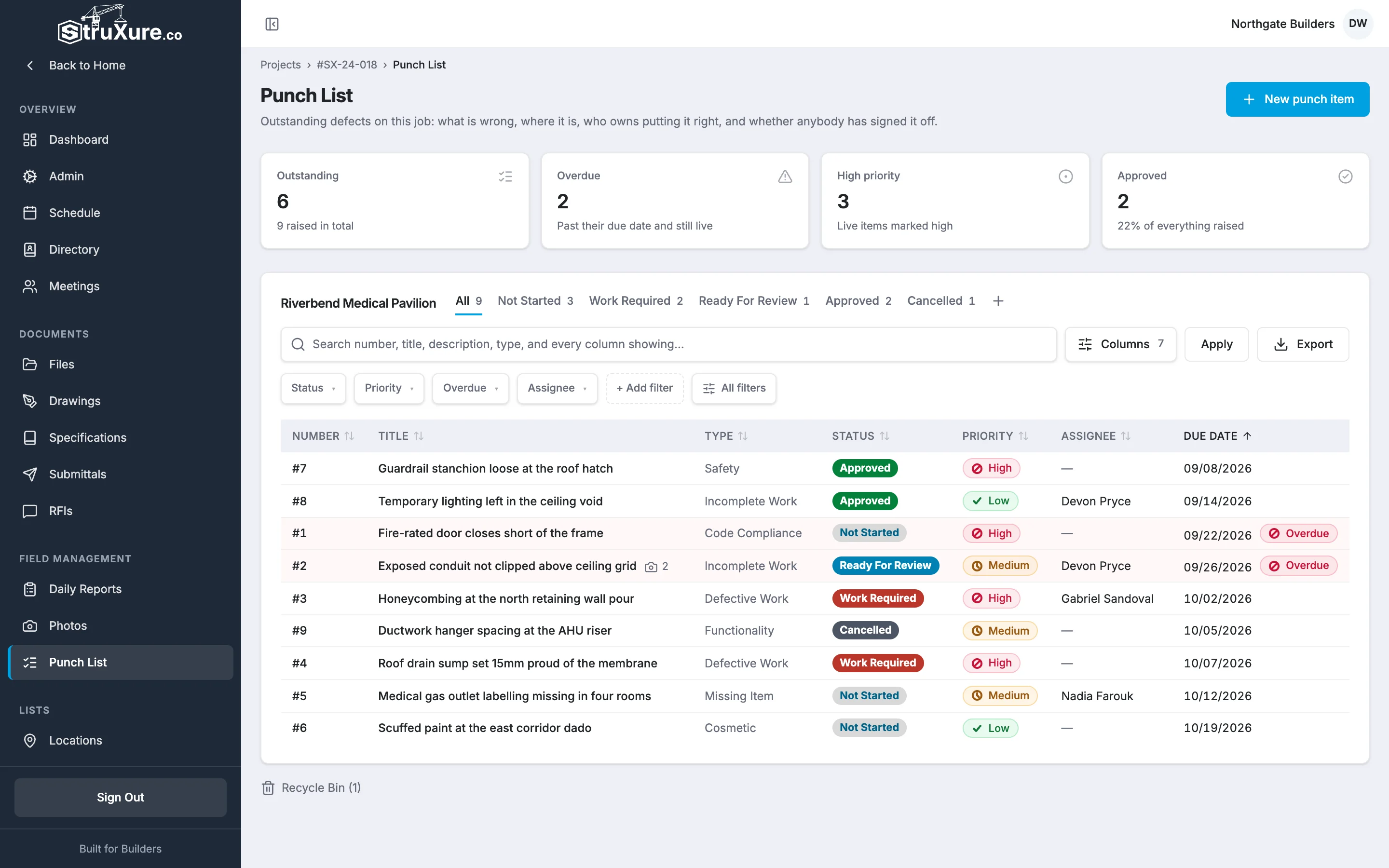
The punch list is where a project keeps track of defects and unfinished work: what is wrong, where it is, who has to fix it, and whether anyone has signed it off. Each project has its own punch list. Open it from Punch List under Field Management in the project sidebar.
The life of a punch item
A typical item goes through the same steps on every job:
- Someone raises it. A superintendent or project manager spots a defect on a walk and adds it to the punch list. It gets the next number on the project and starts as Assigned. If you want to finish writing it up first, save it as a Draft and publish it when it's ready.
- The responsible company fixes it. Whoever is assigned (usually a subcontractor) does the work, then submits the item for review with a note and, ideally, an "after" photo. It moves to Submitted for Review.
- The project team checks it. If the fix is good, a punch list administrator marks it Complete. If not, they send it back to Assigned with a note saying what is still wrong.
- Repeat until it's complete. An item can go between Assigned and Submitted for Review as many times as it takes. Each send-back stays in its history.

The five statuses
| Status | What it means |
|---|---|
| Draft | Written up but not published to the assignee yet. Only the person who raised it and punch list administrators can see it, and nobody is emailed about it. |
| Assigned | Published: the assignee has work to do. An item sent back after review, or reopened, is Assigned again. |
| Submitted for Review | The assignee says it is fixed and is asking for it to be checked. |
| Complete | Checked and signed off. The date it was completed is recorded. |
| Cancelled | Withdrawn, for example raised by mistake or no longer needed. The person who raised it, or a punch list administrator, can reopen it. |
Draft, Assigned and Submitted for Review are the open statuses. Only open items count as outstanding. A Draft is never overdue: it still shows its due date, but nobody is on the clock until it's published.
Every change is on the record
Each item has an Activity & Status Log. Every comment and status change goes into it, with any note or files, your name and the time. Submitting an item for review needs a comment or a photo, and sending it back needs a note saying what still needs fixing. Log entries can't be edited or deleted, so the log is a reliable history of what happened.
Who can do what
What you can do depends on the permissions your company gives you:
- Read access lets you see the punch list, open items, and export to a spreadsheet.
- Write access also lets you raise and edit items, comment, add photos, submit items for review, email items, and use the recycle bin. You can also publish, cancel and reopen the items you raised.
- Admin access also lets you mark items complete, send them back, see every Draft, cancel and reopen any item, and permanently delete items from the recycle bin.
See Who can do what on the punch list for which roles get which level.