
- Open the folder the new one should go in, or stay at All files for the top level.
- Click New Folder in the toolbar. To create it inside a different folder, choose New Folder Inside from that folder's … menu (in the list or in the tree) instead.
- The dialog says where the folder will be created. Type the Folder name.
- Click Create. The page says Folder created.
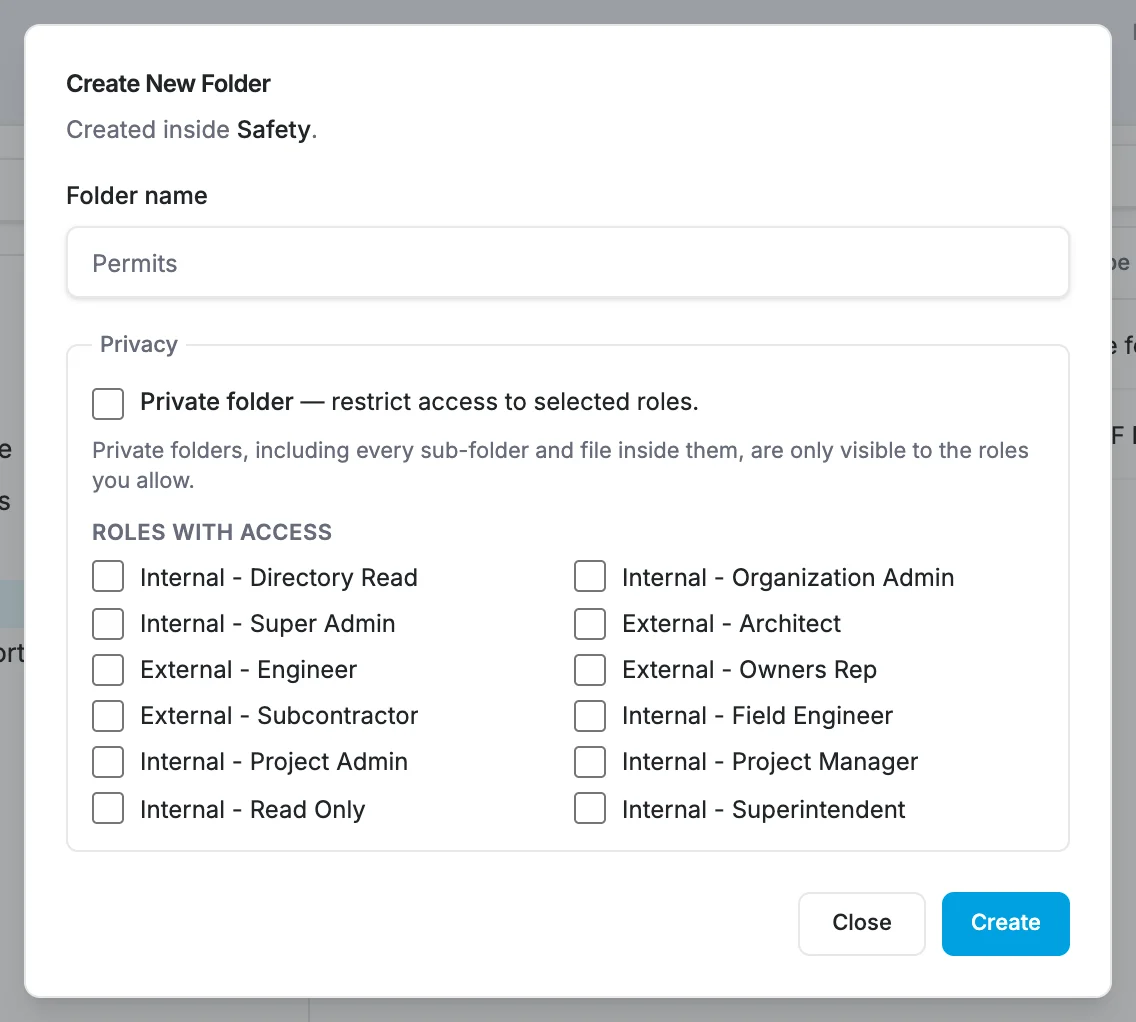
If you can set folder privacy, the dialog also has a Privacy section. Tick Private folder and choose the roles that may see it before you click Create. Inside a private folder, the section says Privacy has been inherited from the parent. instead: the new folder is private already. See Make a folder private.
Rules for folder names
- A name can't contain a slash (/).
- Two folders side by side can't have the same name: There is already a folder called "…" here.
- Folders can be nested up to 12 levels deep.
Starting folders
When a project is created, it can start with the folders from one of your company's folder templates, such as Contracts, Permits, Correspondence, Meeting Minutes, Safety and Closeout. You can add, rename, move and delete those folders like any other.