
Copy the link
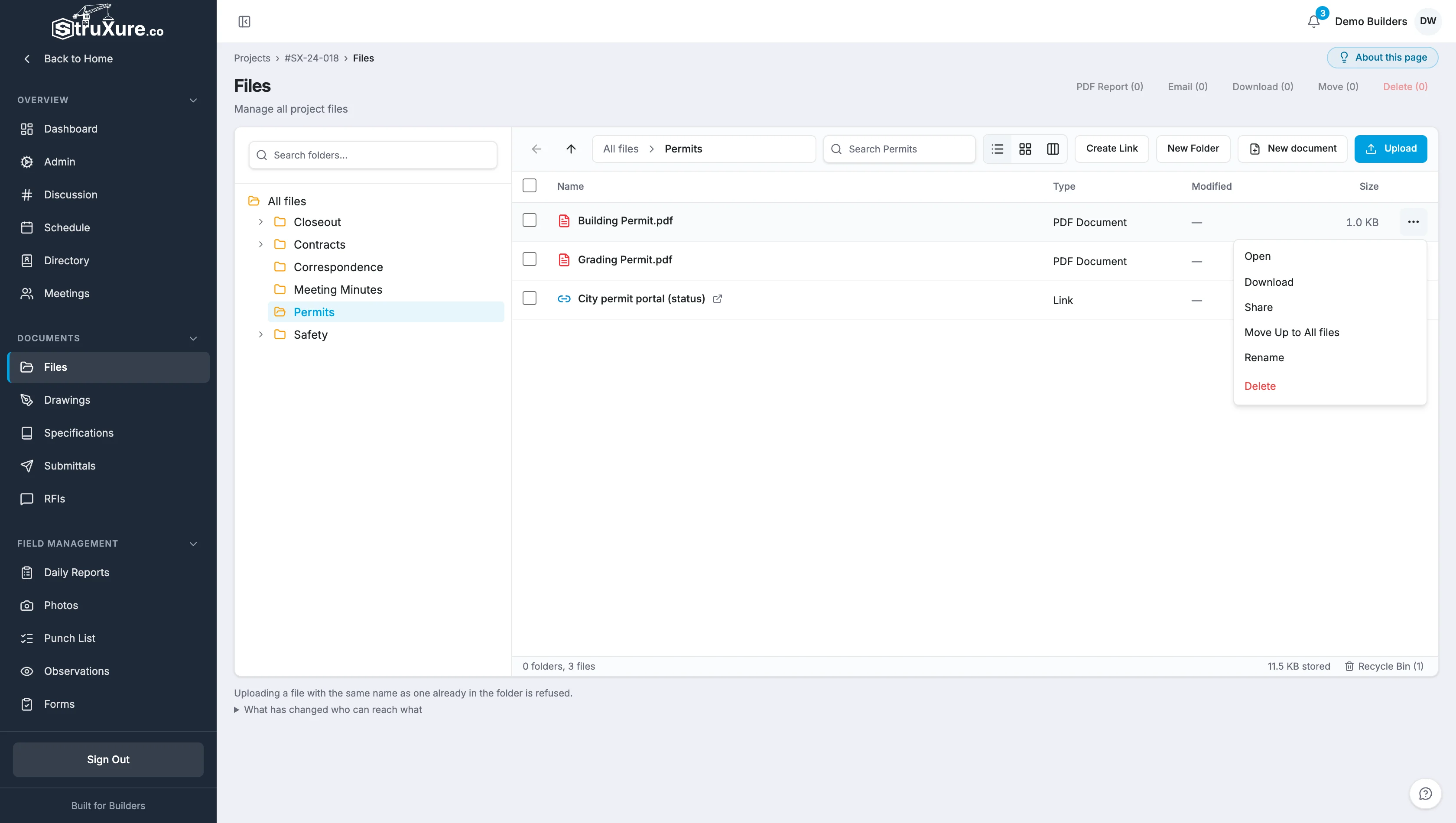
- Right-click the file or folder, or open its … menu. Folders in the folder tree on the left have the same menu.
- Choose Share.
The menu says Link copied and closes. Paste the link into an email, a chat message or a meeting note.
What the person you send it to sees
The link opens the Files page in StruXure, at the folder or with the file selected in its folder. They sign in first if they aren't already signed in.
It isn't a public link. It only opens for people who can already see that file or folder on the project. Anyone else can't open it: someone without a role for a private folder sees a page that says it can't be found, the same as if the file didn't exist.
Tip
To send files with a record of who got them, email them from Files instead. See Email files to people on the project.