
Deleting doesn't destroy anything straight away. Deleted items go to the project's recycle bin and can be restored, with everything that went with them, until someone with full access empties the bin.
Delete a file or link
- Choose Delete from its … menu, or select it in the three-pane layout and click Delete in the right-hand pane.
- Confirm with Delete.
The page says Sent to the recycle bin. Deleting a saved link doesn't affect the web page it points to.
Delete a folder
- Choose Delete from the folder's … menu (in the list or in the tree).
- The dialog says exactly what will go: the folder, how many sub-folders and how many files.
- Click Delete, and confirm.
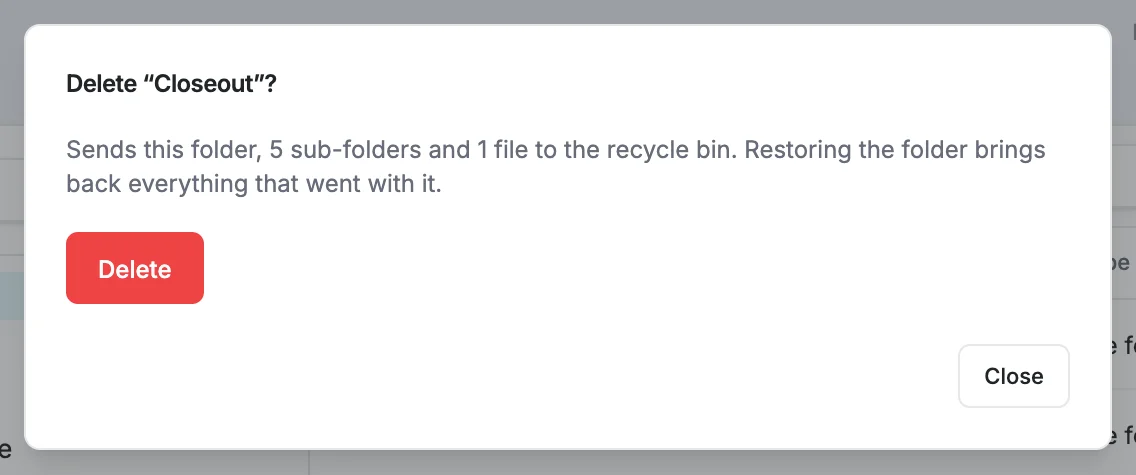
The page says how many folders and files were sent to the recycle bin.
Delete several items
Tick them, click Delete (n) at the top right of the page, and confirm. A ticked folder goes with everything inside it.
When a folder can't be deleted
If a folder contains a private folder you don't have a role for, you can't delete it: Something filed inside this folder is in a private folder you do not hold a role for. It has to be deleted by somebody who can open it. Ask someone with access to that private folder.