
The dashboard's Current Weather card shows conditions at the site right now. For the hour-by-hour picture, open the forecast.
Open the forecast
- Open the project's Dashboard.
- In the Current Weather in … card, click Hourly forecast.
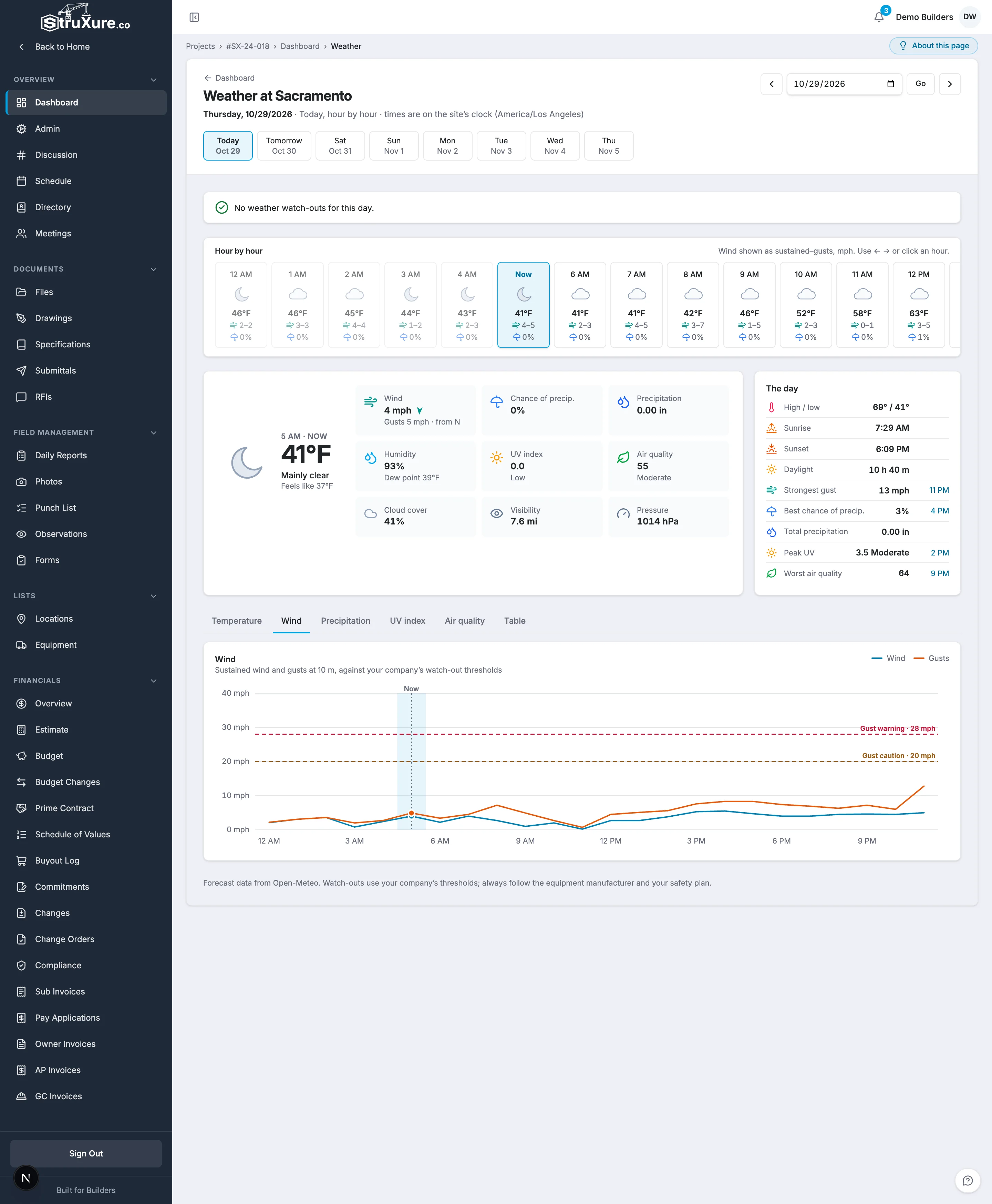
Times are on the site's clock, which is shown under the title.
What's on the page
- The day buttons across the top: Today, Tomorrow and the rest of the week. Click one to see that day's forecast.
- Watch-outs: weather that crosses your company's thresholds that day, such as high wind gusts, heat, cold-weather concreting or heavy rain, with the hours it applies. If nothing does, it says No weather watch-outs for this day.
- Hour by hour: one tile per hour with conditions, temperature, wind (sustained–gusts, in mph) and chance of rain. Click an hour, or use ← and →, to see it in detail below.
- The selected hour: wind and direction, chance of precipitation, precipitation, humidity and dew point, UV index, air quality, cloud cover, visibility and pressure.
- The day: high and low, sunrise, sunset, daylight, strongest gust, best chance of precipitation, total precipitation, peak UV and worst air quality.
- Charts: tabs for Temperature, Wind, Precipitation, UV index and Air quality, and a Table of every hour. The charts draw your company's watch-out thresholds as dashed lines.
Look at another day
- Use the arrows beside the date to go back or forward a day.
- Or pick a date in the date box and click Go.
A past day shows What the weather did instead of a forecast, and its watch-outs are headed Weather that affected work. Hourly weather is kept for the last three months.
Click Dashboard at the top left to go back.
When there's no weather
| Message | Why |
|---|---|
| This project has no coordinates, so conditions at the site cannot be looked up. | Set the project's address and coordinates. See Set the project address and map pin. |
| Coordinates are switched off for this project, so the weather service is not called. | The project's coordinates are set to No coordinates for this project. |
| The weather service did not answer. | Try again later. |
Note
Weather data comes from Open-Meteo. Watch-outs use your company's thresholds, set in Settings. Always follow the equipment manufacturer and your safety plan.