
Every project keeps an activity log: what was created, deleted and uploaded, and who joined or left the project. Project Admin shows the last five entries in its Activity card.
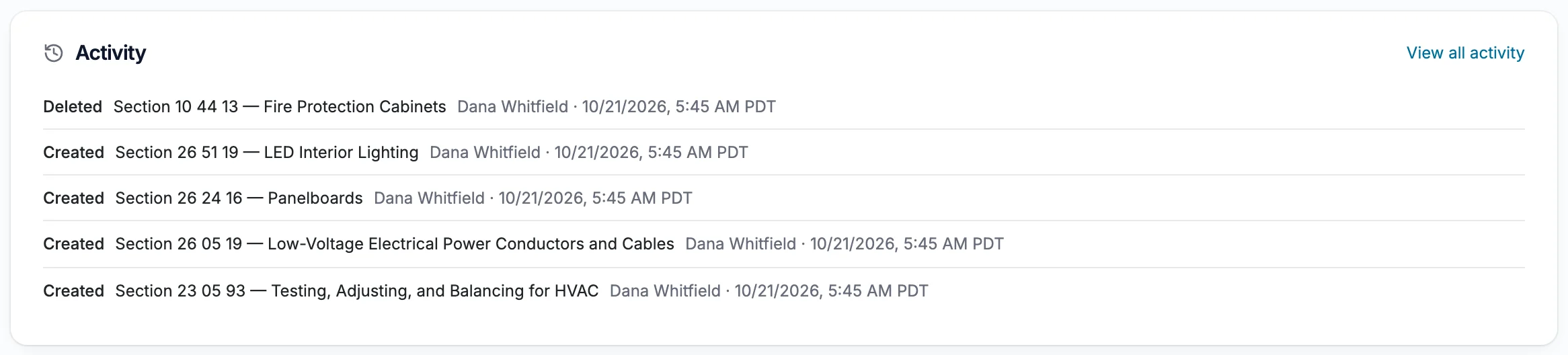
See all of it
- Open the project and choose Admin in the sidebar.
- In the Activity card, click View all activity.
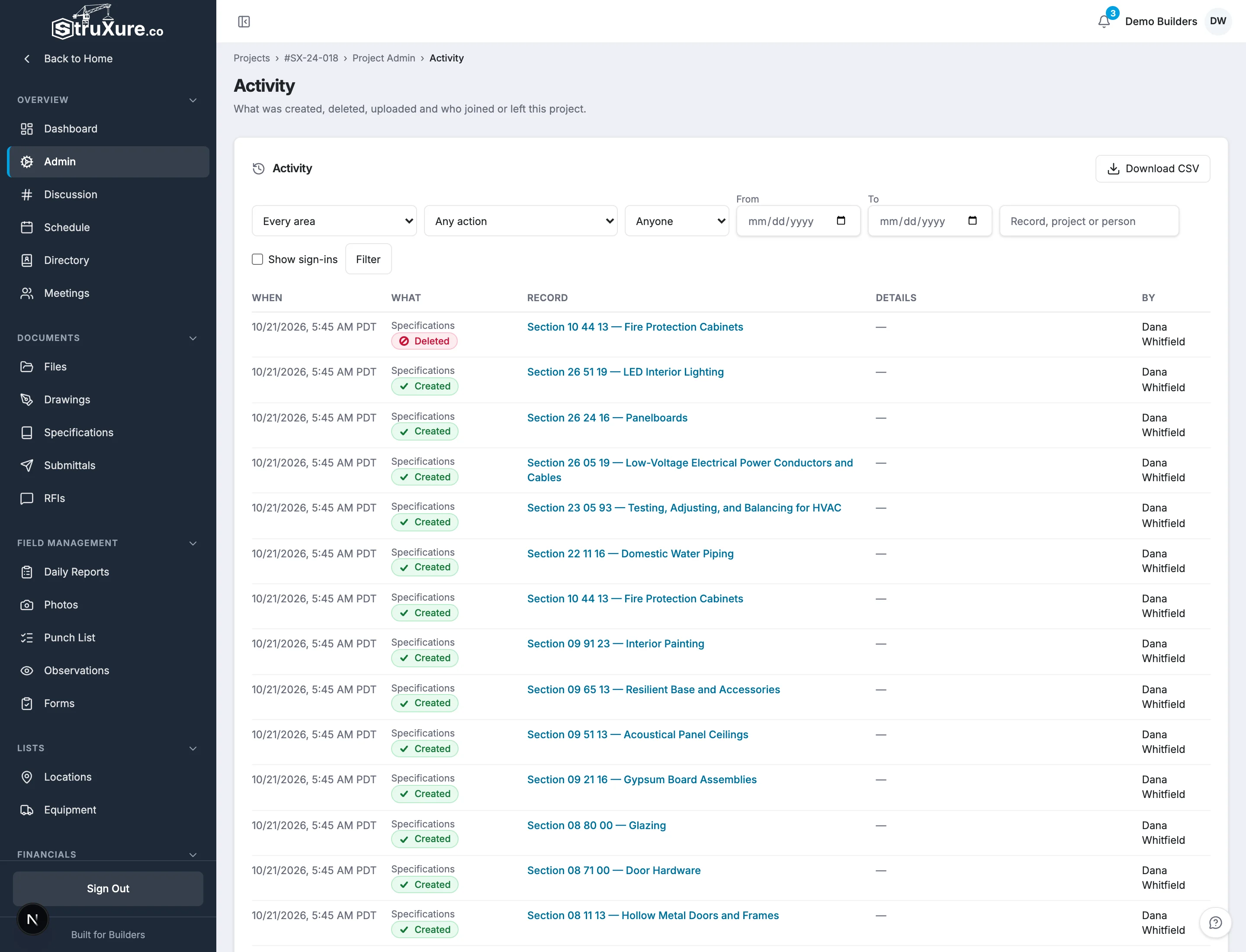
Each row shows When, What (the area and the action), the Record, any Details, and who did it (By).
Filter it
- Choose any of: Every area (for example Punch list or Files), Any action, Anyone, a From and To date, and a search for a record or person.
- Tick Show sign-ins to include sign-ins.
- Click Filter.
Use Older and Newer at the bottom to page through.
Download it
Click Download CSV. The file has the rows that match your filters.
Note
The project's activity is only for its administrators. Without access, Activity isn't shown on Project Admin.