
Change the details
Open the project and choose Admin in the sidebar.
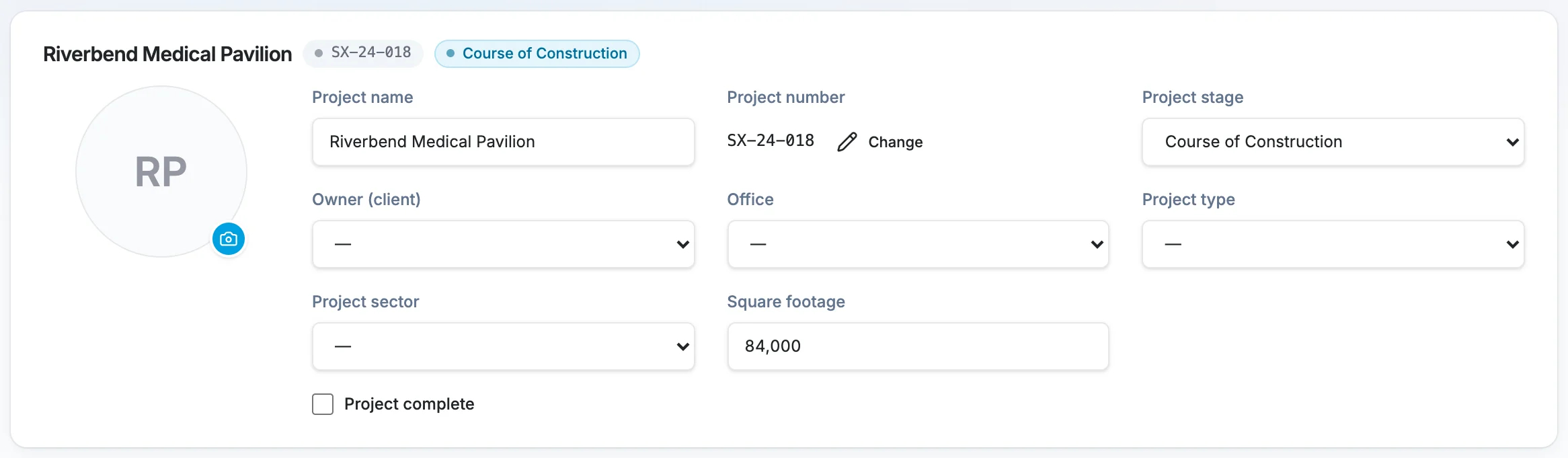
Change what you need in the General Information, Dates and More details cards. The first card has the project's name at the top, with its number and stage beside it.
Click Save in the Unsaved changes bar at the bottom right.
Dates

| Field | Used for |
|---|---|
| Start date | When the job starts. The dashboard shows it as Start. |
| End date | The contract completion date. The dashboard counts Days Remaining to it. |
| Completed date | When the job was completed. It's filled in automatically the first time the stage moves to Post-Construction, and you can change it. |
| Warranty start date and Warranty end date | The warranty period. A complete project shows Warranty Ends on its dashboard. |
General Information
The project's logo is on the left of this card. See Add or change the project logo.
| Field | Notes |
|---|---|
| Project name | Required. |
| Project number | Changed through its own Change button. See Project numbers. |
| Project stage, Project type, Project sector | Pick lists your company admin keeps in Settings. |
| Owner (client) | Companies whose role is Owner are listed first, then Other companies. Inactive companies are marked (inactive). |
| Office | Which of your company's offices runs the job. |
| Square footage | A whole number. |
| Project complete | See Mark a project complete. |
More details
| Field | Notes |
|---|---|
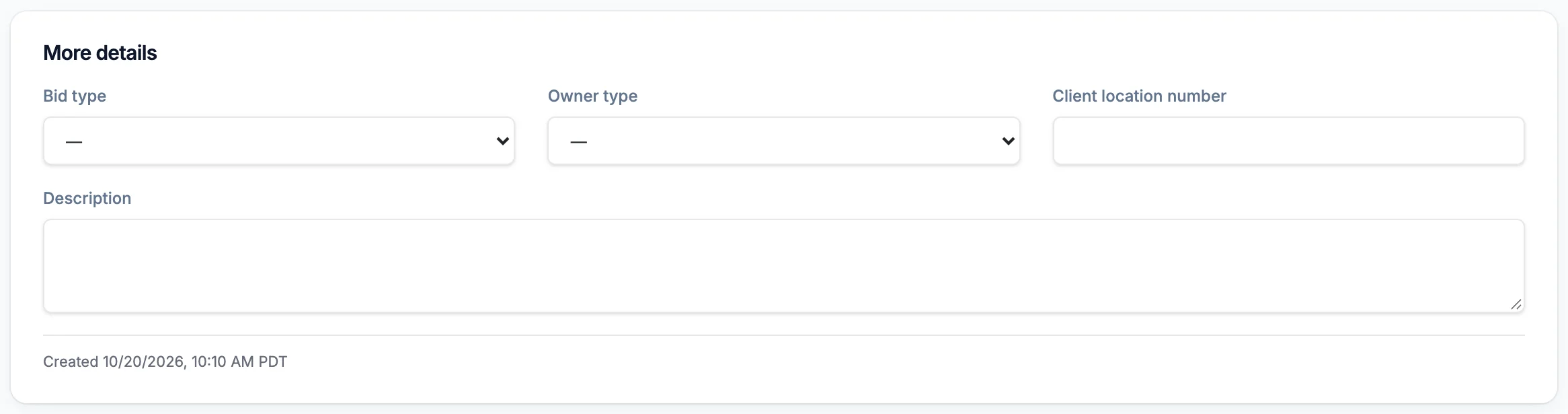
| Bid type, Owner type | Pick lists your company admin keeps in Settings. |
| Client location number | The number your client uses for the site, such as a store number. It's kept exactly as you type it, so 0695 stays 0695. Several projects can share one. Up to 50 characters. |
| Description | Free text. |
Under the card you can see when the project was created, when it was last changed, and by whom.
Tip
If an option has been retired from one of the pick lists, a project that already uses it keeps it, and it's still shown.