
Each project can name people (and groups) who start on the distribution list of every new record in six modules: RFI, Submittal, Daily Reports, Drawings, Punchlist and Observations. They're a starting point: people can still be added or removed on each record, and records already raised keep the recipients they were given.
Choosing default recipients doesn't email anybody.
When you create a project
On the Distribution Groups step of the New Project wizard, there's a card for each module.
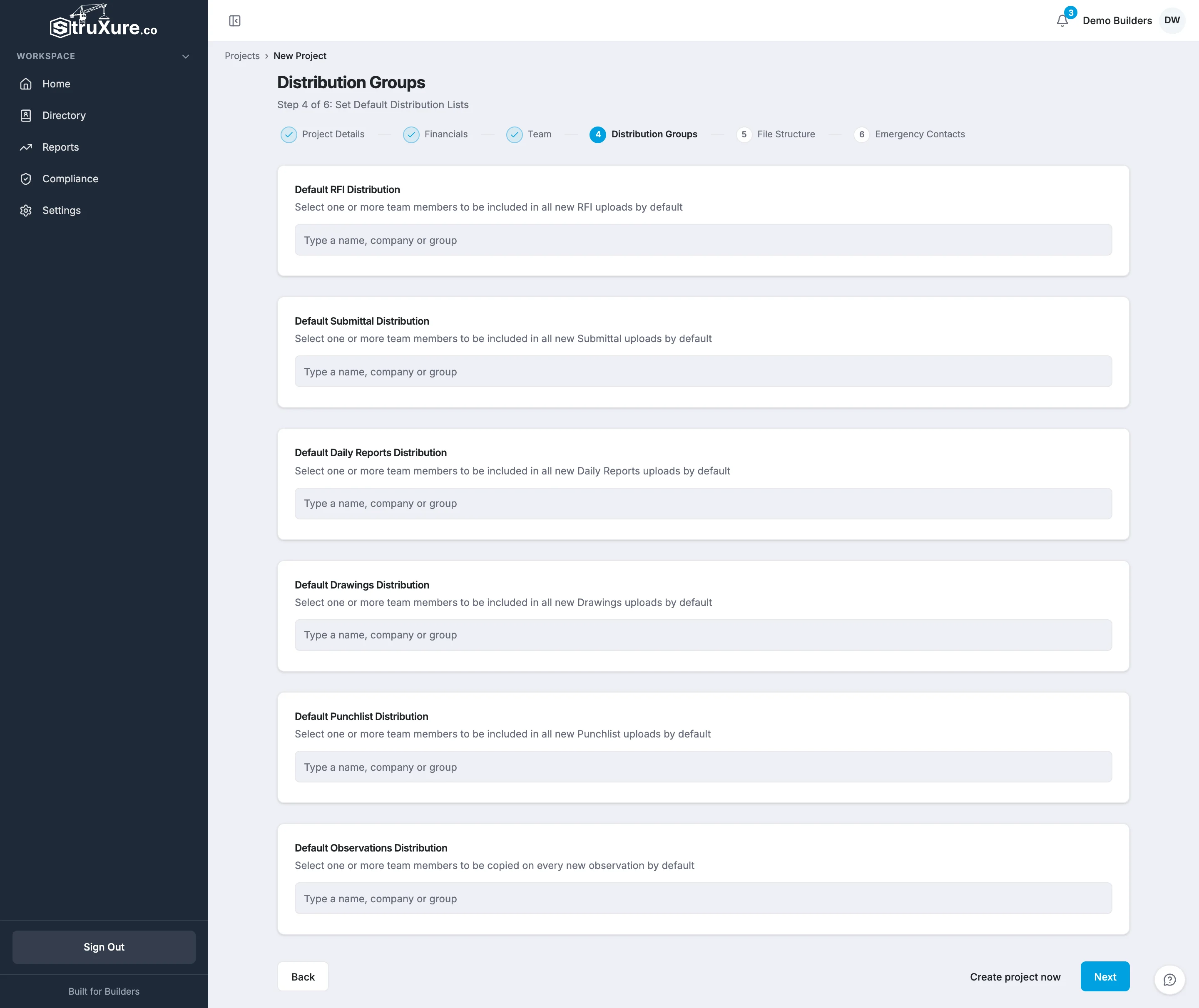
- In each card, click in the box and type a name, or pick from the list that opens. Only people you added on the Team step are offered.
- Click × on a name to take them off.
Your workspace may already have chosen some people for each module. They're selected if they're on the team.
On an existing project
Open the project and choose Admin in the sidebar. Or open its Directory and choose the Distribution Groups tab; Default recipients is at the bottom.
Find the Default recipients card. It lists who is chosen for each module, or says nobody is.
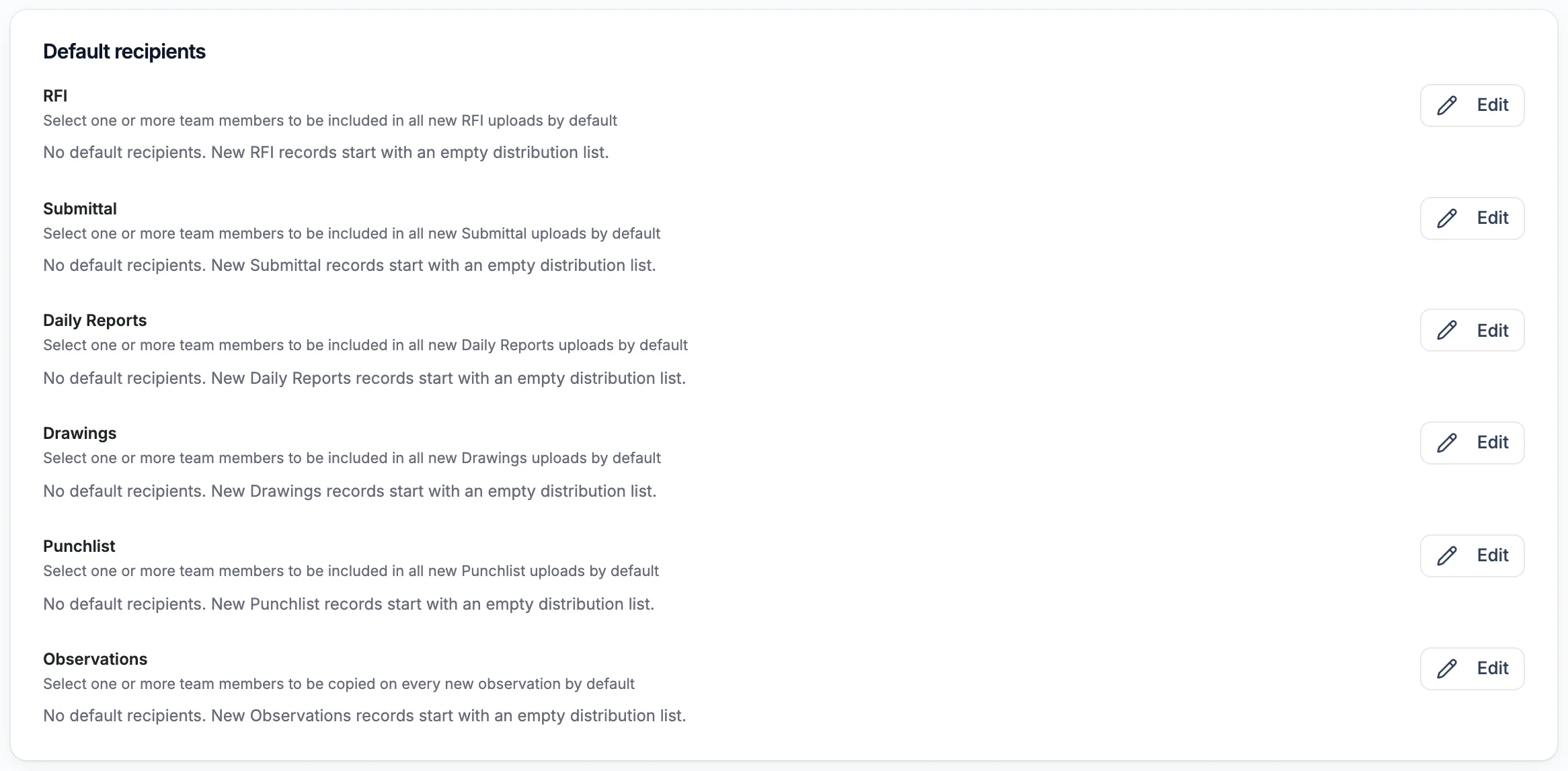
Click Edit beside a module.
Click in the box and type a name, company or group, then pick from the list. Add all on a company's row, above the people, adds everyone there at once. Click × on a name to take it off.
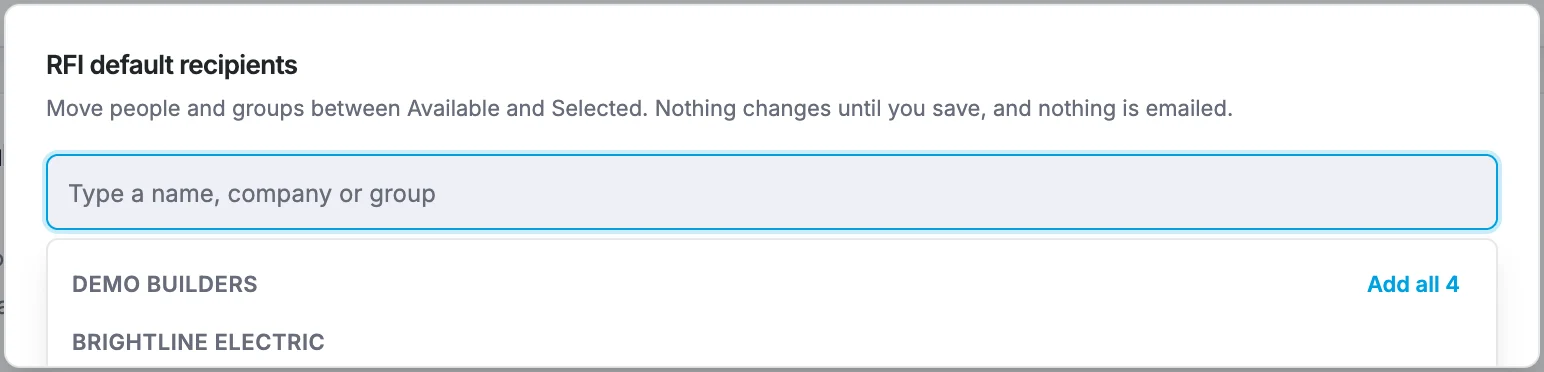
Click Save RFI (or the module's name).
The page says Saved the default recipients for … New records start with them; records already raised keep the recipients they were given.
A distribution group is listed with how many people it reaches today, so it follows changes to the group.
Only people in the project's directory can be chosen. A module your workspace has switched off has no list here.
Who sees the lists
You see a module's list only if you can change it: with Admin in Project administration, Manage / Change Permissions in Directory, or the top level in that module (for example Admin in RFIs). Someone with the RFIs top level alone sees only the RFI list.