
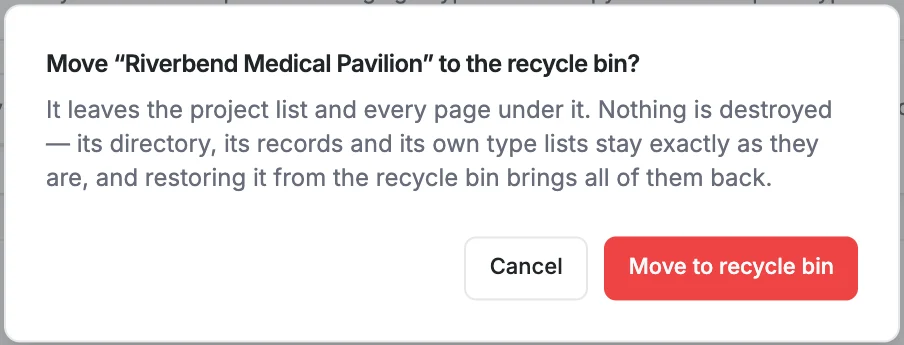
Deleting a project moves it to the projects Recycle Bin on Home. Nothing in it is destroyed: its directory, records, files and lists stay exactly as they are, and restoring it brings all of it back.
If the job is simply finished, don't delete it. Mark it complete instead. See Mark a project complete.
Delete a project
Open the project and choose Admin in the sidebar.
Scroll to the very bottom and click Delete Project.
Read the confirmation and click Move to recycle bin.
You're taken to the recycle bin on Home, which says Moved to the recycle bin.
While it's in the bin, nobody can open the project or any page in it, and it's not on the project list. It keeps its project number, so no other project can take it.
Restore a project
Go to Home.
Click the Recycle Bin tab at the end of the project list tabs.
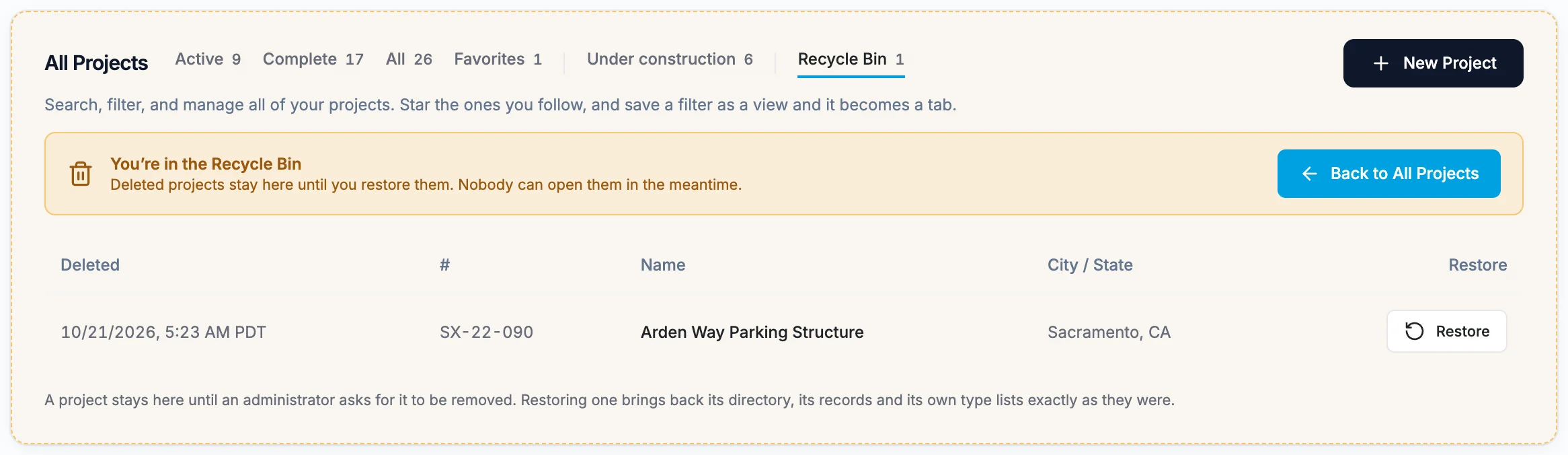
Click Restore beside the project.
The project is back on the project list, exactly as it was, and Home says so.
Good to know
- Only people with Project setup — Admin see Delete Project and Restore.
- A project can't be permanently deleted from the recycle bin. It stays there until an administrator asks for it to be removed.
- Click Back to All Projects to leave the recycle bin.