
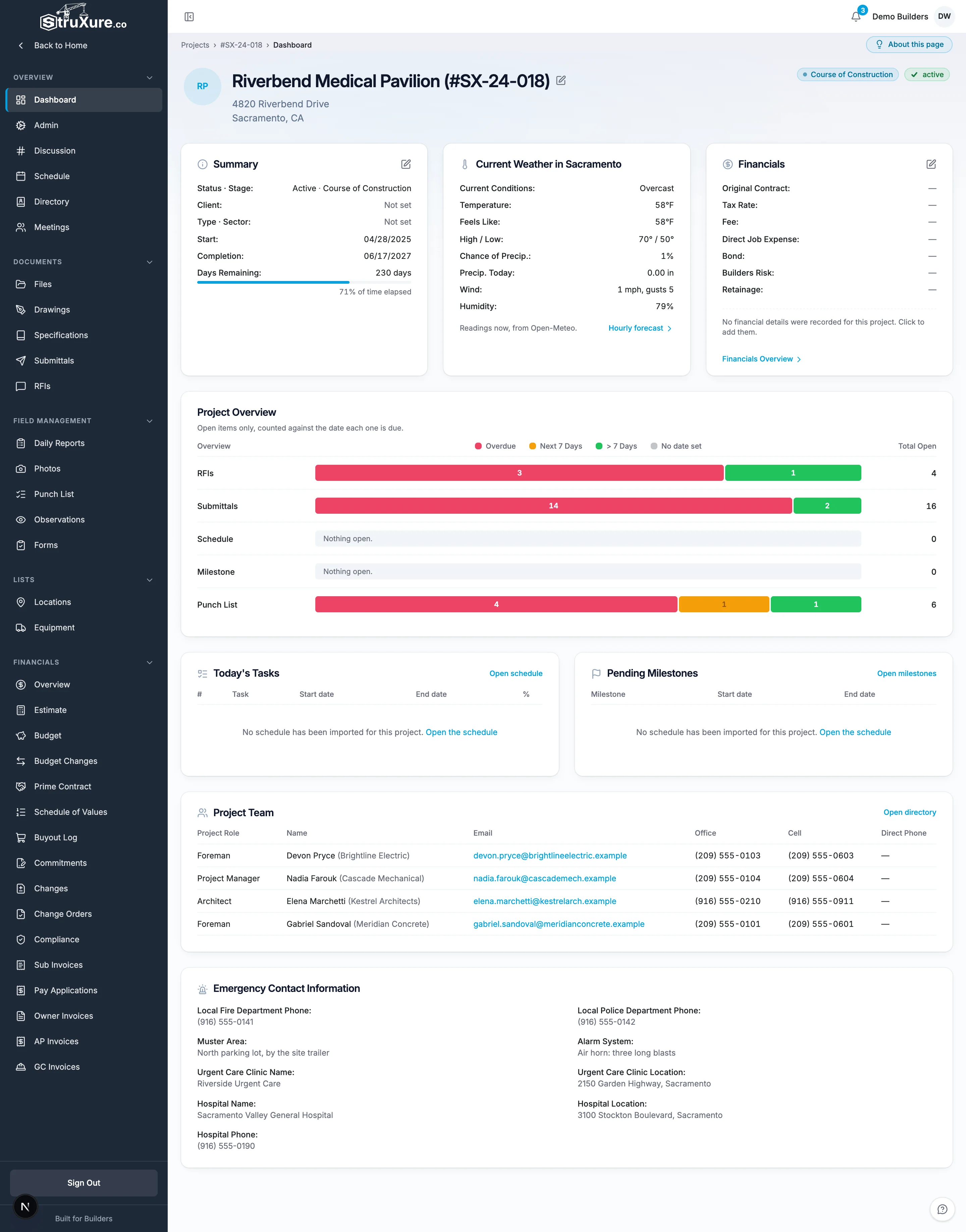
A project opens on its Dashboard. Open it from Dashboard at the top of the project sidebar, or by clicking the project on Home.
The heading
At the top you'll see the project's logo (or its initials), its name and number, and its address. On the right are its stage and status.
- If you can edit the project, a pencil beside the name opens Project Admin.
- If you can edit the project, click the logo (or the initials) to add or change it. See Add or change the project logo.
- If you're in the project's directory, the ⋯ button opens Emails from this project, where you choose how much email you get about this project only: your usual email level, Everything, Standard, Essentials, Summary Only, Off, or Mute this project. Click Save.
Summary
| Row | What it shows |
|---|---|
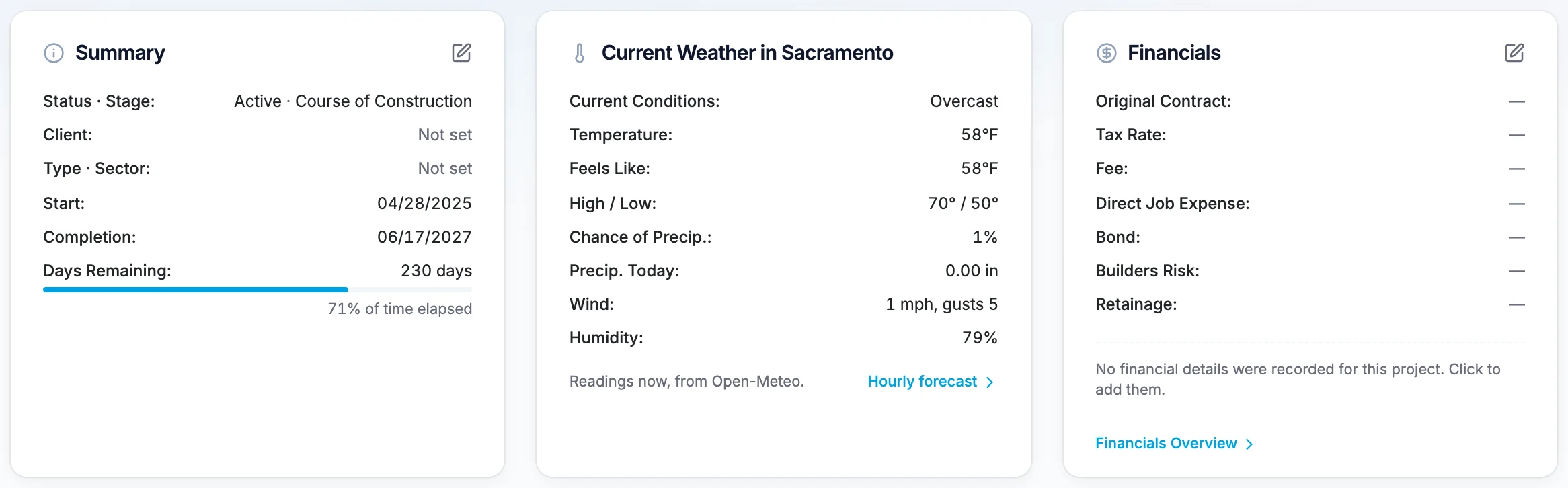
| Status · Stage | Active or Complete, and the project stage. |
| Client | The owner (client) company. |
| Type · Sector | The project type and sector. |
| Start | The start date. |
| Completion | The end date. |
| Days Remaining | Days to completion, with a bar showing how much of the time has passed. Shows days past completion in red once the date has passed, or Complete for a finished project. |
| Warranty Ends | On a complete project, when the warranty ends. |
Anything nobody has filled in says Not set. If you can edit the project, the whole card is a link to Project Admin, where these fields are kept. See Edit project details and dates.
Current Weather
Conditions at the site now: Current Conditions, Temperature, Feels Like, High / Low, Chance of Precip., Precip. Today, Wind and Humidity. Click Hourly forecast for the hour-by-hour page. If the project has no coordinates, or its coordinates are switched off, the card says so instead. See Check the site weather.
Financials
When your workspace uses Financials and you have access to it, a third card shows the project's starting figures: Original Contract, Tax Rate, Fee, Direct Job Expense, Bond, Builders Risk and Retainage. If you can edit them, click the card to go to them in Project Admin.
If your company has the Financials add-on, the card also has Financials Overview, which opens the project's Financials Overview. Once the project's Prime Contract has been started, Original Contract and Retainage are the Prime Contract's, and the card says Original Contract and Retainage are the Prime Contract’s. Once the owner has approved a Prime Change Order, the card also shows Approved Changes and Revised Contract, and says Original Contract and Retainage are the Prime Contract’s, with its approved change orders. See See a project's money at a glance.
Project Overview
How much open work each module has, split by when it's due: Overdue, Next 7 Days, > 7 Days and No date set. The rows are RFIs, Submittals, Schedule (unfinished activities), Milestone and Punch List.
- Click a row's name to open that module.
- Click a coloured segment, or the Total Open number, to list those items in a side panel. See See open work from the dashboard.
Today's Tasks and Pending Milestones
From the project's schedule: the activities in progress today (with #, Task, Start date, End date and %) and the milestones not yet complete. Open schedule and Open milestones go to the Schedule. If no schedule has been imported yet, both cards say so.
Project Team
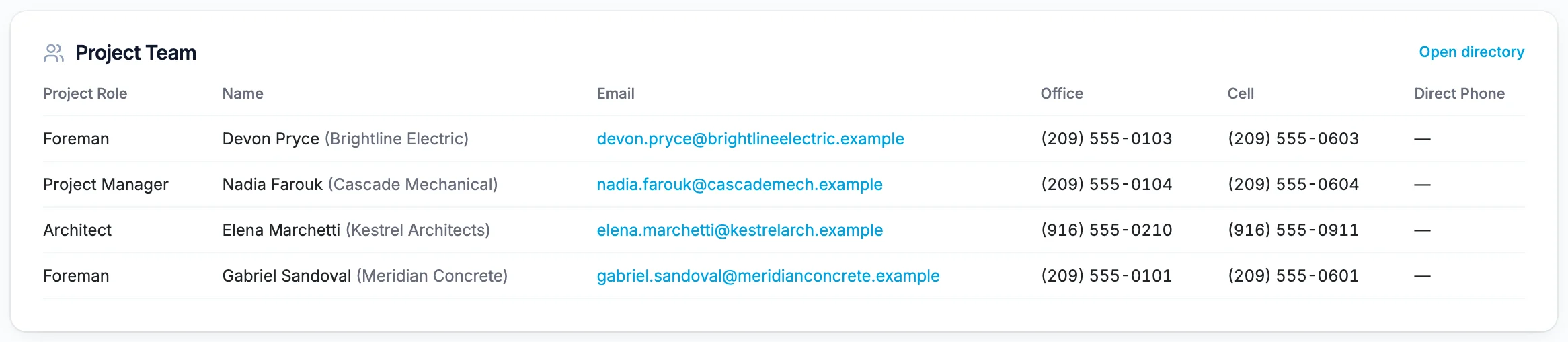
Who is on the job, with their Project Role, Name and company, Email, Office, Cell and Direct Phone. Only people holding a project role marked Include on project team are listed. See Choose who appears on the Project Team. Open directory goes to the project's directory.
Emergency Contact Information
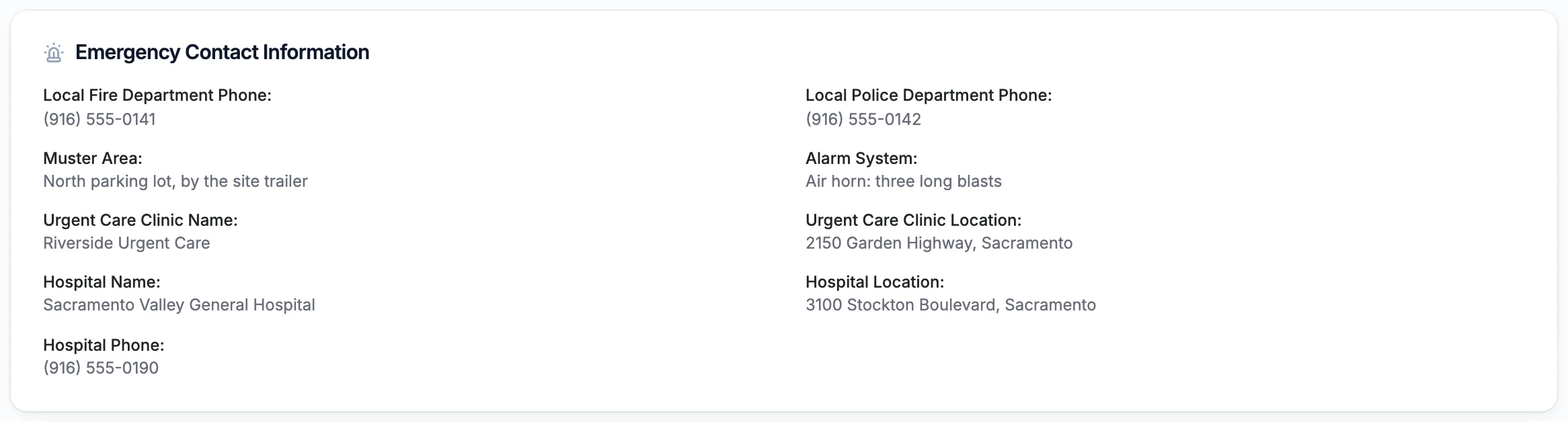
The site's emergency numbers and places: fire and police phones, muster area, alarm system, and the nearest urgent care clinic and hospital. A blank shows as a dash. See Record emergency information.
What you see depends on your access
Cards you can't use aren't shown. Without access to a module, its Project Overview row is hidden. Without Schedule access, the two schedule cards are hidden. Without access to the project directory, the Project Team card is hidden. Modules your workspace has switched off don't appear at all.