
Project Admin is where a project's own settings live. Open the project and choose Admin in the sidebar.
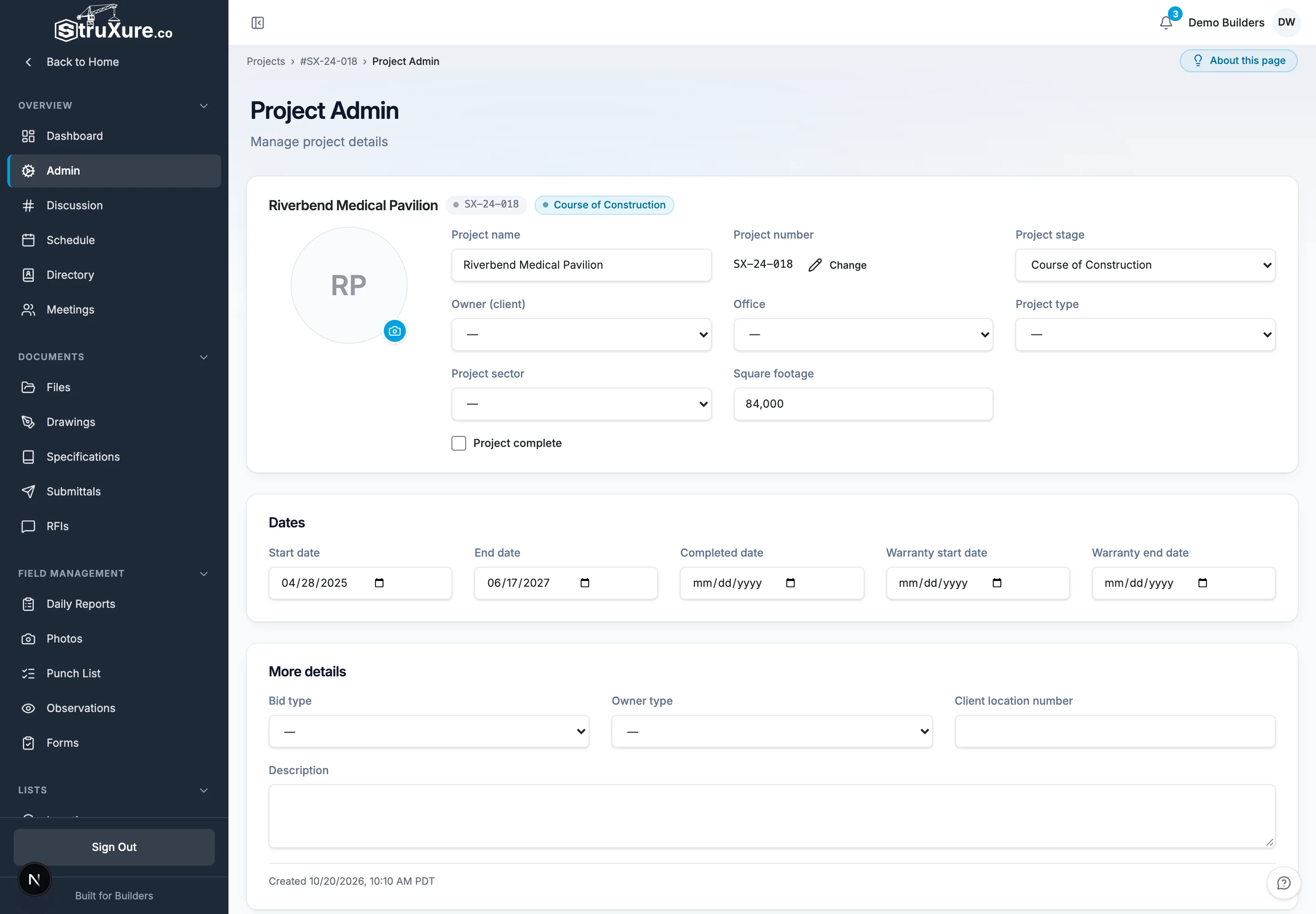
What's on the page, top to bottom
| Section | What it holds | Article |
|---|---|---|
| General Information | The project logo, name, number, stage, owner, office, type, sector, square footage and Project complete. | Edit project details and dates, Add or change the project logo |
| Dates | Start, end, completed and warranty dates. | Edit project details and dates |
| More details | Bid type, owner type, client location number and description. | Edit project details and dates |
| Project Location | Address, coordinates with a map, and the project's time zone. | Set the project address and map pin |
| Emergency Information | The site's emergency numbers and medical facilities. | Record emergency information |
| Financials | The contract amount and rates, when your workspace uses Financials. | Edit the project's financial figures |
| Default recipients | Who starts on the distribution list of new records, per module. | Choose default recipients |
| Module settings | Default managers, approvers and due dates for new RFIs, submittals and punch items, and Daily Report Approvals. | Set module defaults for one project |
| Custom types | The pick lists this project's forms offer. | Customise this project's lists |
| Activity | The last few things that happened on the project, and View all activity. | See a project's activity |
| Delete Project | At the very bottom, for people who can create projects. | Delete and restore a project |
How saving works
Every card you type or choose in saves from one place. As soon as you change something, a bar appears at the bottom right saying which cards have unsaved changes. The card you changed says Unsaved changes too.

- Click Save to save every change. The bar says what was saved.
- Click Discard to put everything back as it was.
- If you try to leave the page with unsaved changes, StruXure asks first.
If a card can't save a change, the bar names the card and says why. The card keeps what you typed so you can correct it.
Buttons that act on a list or a setting straight away (Add, Retire, Remove, Reset to defaults, Use workspace defaults, Edit and so on) don't wait for the bar.
If you can only view
On a Draft project, General Information has no Project complete. See Finish setting up a Draft project.
With Read access to project administration, the page shows the project's details as plain text, with no boxes or buttons. Without any access, Admin isn't in the sidebar.