
Document templates holds the wording of each document Financials generates. Every document follows StruXure's built-in until you write your own, and every version you save is kept.
The page is under Settings → Document templates. It's there only if your company has Financials, and only for people with Settings — Admin.
What each document follows
The Documents list has a row for each document:
| Document | StruXure's built-in |
|---|---|
| Subcontract agreement | StruXure commitment |
| Commitment change order | StruXure commitment change order |
| Prime contract | StruXure prime contract |
| Prime change order | StruXure prime change order |
| Compliance request letter | StruXure compliance request |
| W-9 request letter | StruXure W-9 request |
| Owner pay application | StruXure G702-style pay application |
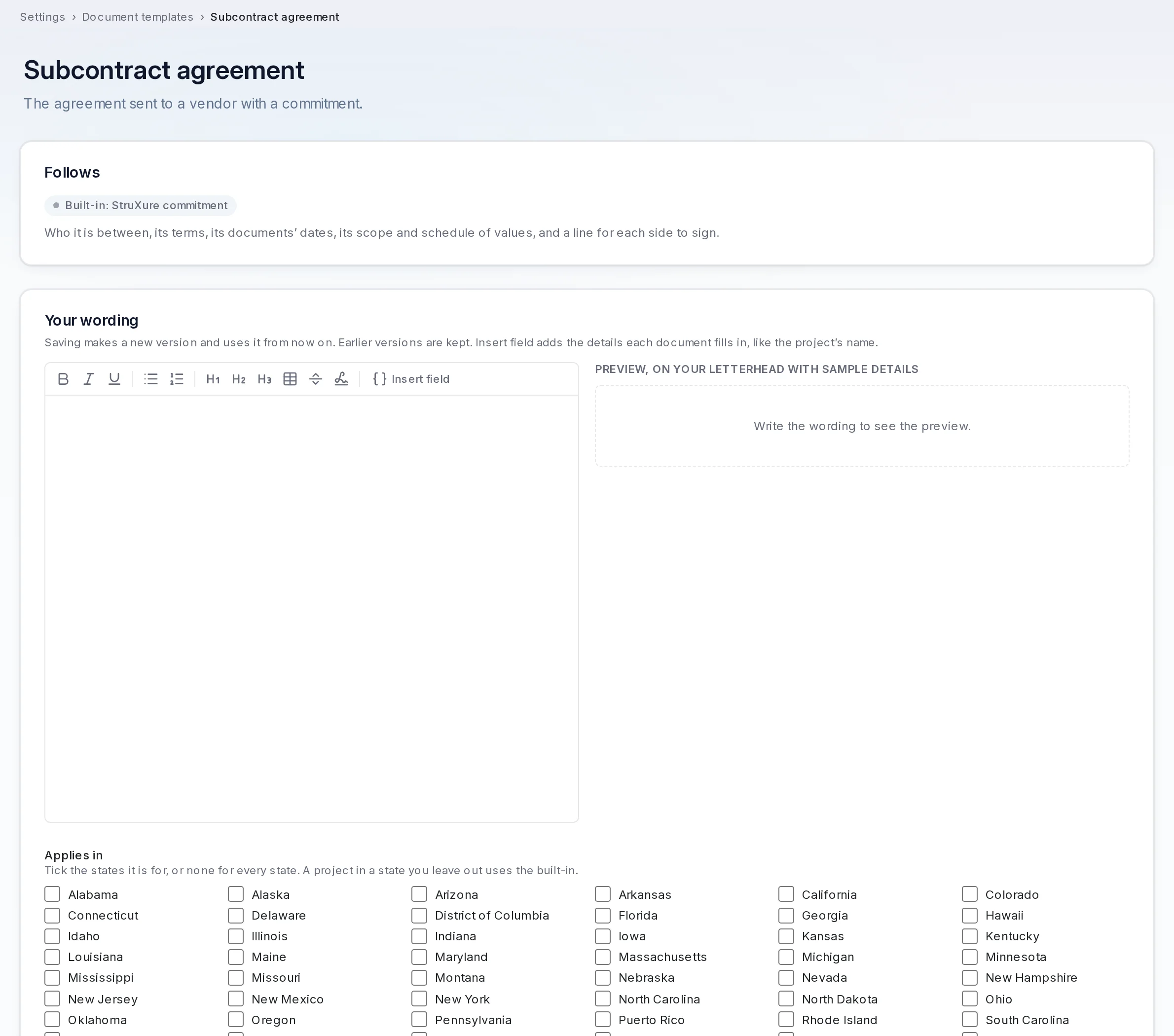
Follows says which wording the document uses now: Built-in: and the built-in's name, Your own, version and its number, or Your Word file, version and its number, with the states it Applies in. Versions is how many versions you've saved.
Write your own wording
- Go to Settings → Document templates.
- Click the document's name.
- Write the wording under Your wording. If you already have your own written here, it starts from the version in use. Build a document template in the editor says how to add headings, tables, a signature block and fields, and how the preview works.
- Under Applies in, leave All states ticked, or untick it and tick the states it's for. A project in a state you leave out uses the built-in.
- Click Save as new version.
To use a Word file instead, see Upload a Word file as a document template.
You'll see Saved as version and its number, then Documents generated from now on use it. The version it replaces is marked Retired and kept.
If you save without changing the wording or the states in use, you'll see That is the version already in use. If there's nothing written, you'll see Write the wording first. A field the document doesn't have is named, for example {{vendr.name}} is not a field this document has.
See earlier versions
Versions lists every version you've saved, newest first, with its Status: In use, or Retired, and the states it Applies in. Saved says when and by whom. Click Show to read a version's wording. A Word version has its file and Sample PDF instead, and Show its words. Versions are never changed or removed.
Go back to StruXure's built-in
- Open the document.
- Click Go back to the built-in, then confirm with Go back to the built-in.
The document follows the built-in again. Your versions stay in the list, all Retired. Saving your own wording again later makes the next version.
Statutory release forms
Statutory release forms lists the lien releases whose wording is set by law, by state: California, Nevada, Arizona and Texas, four forms each, with the statute each follows. A project uses its state's forms as the statute words them, so each is marked Set by law and can't be changed. These are the forms the Prime Contract's Billing package prints for your own releases, and the forms a sub invoice's releases print on.
Where it's used
A commitment's Subcontract agreement card, a commitment change order's Change order document card the prime contract's Contract document card, a prime change order's Change order document card, a pay application's Pay application document card and a compliance item's Request letter card each generate their document from the version in use when it applies in the project's state, and from the built-in otherwise (see Generate a commitment's subcontract agreement). A document already generated keeps the wording it was made with.