
The Notifications page lists every message StruXure sends. Use it to answer questions such as "will the architect get an email when I close this RFI?" or "can my superintendents turn off punch item emails?". Nothing on the page can be changed.
- Go to Settings.
- Under Activity, open Notifications.
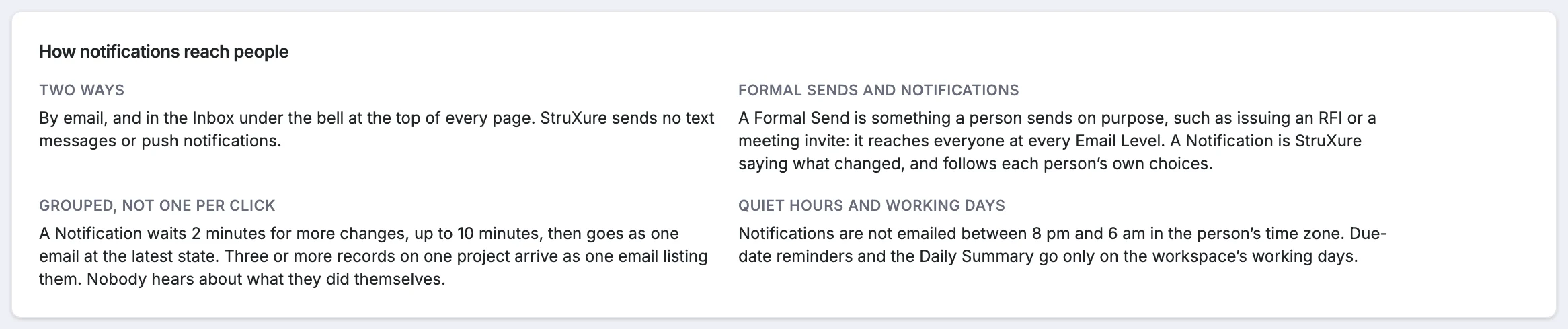
How notifications reach people
The first card explains the rules every message follows:
- Messages arrive by email and in the Inbox under the bell at the top of every page.
- A Formal Send is something a person sends on purpose, such as issuing an RFI or sending a meeting invite. It reaches everyone, whatever their Email Level.
- A Notification is StruXure saying what changed. It waits 2 minutes for more changes, then goes as one email. Three or more records on one project arrive as one email listing them.
- Notifications aren't emailed between 8 pm and 6 am, or on a day the project doesn't work. They go at 6 am on the next working day. Due-date reminders and the Daily Summary go only on working days.
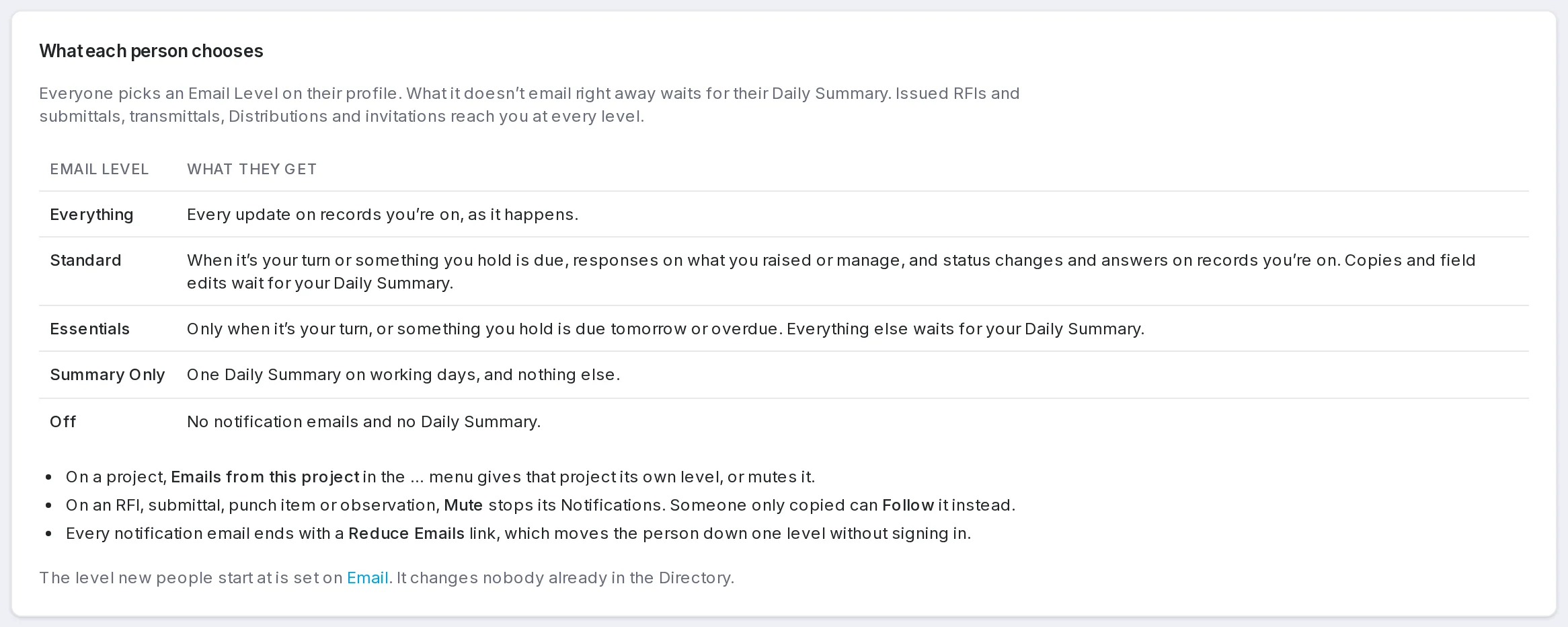
What each person chooses
The What each person chooses card lists the five Email Levels and what each one sends. It also lists the other ways a person can hear less: Emails from this project on a project, Mute on a record, and the Reduce Emails link at the end of every notification email.
Everything StruXure sends
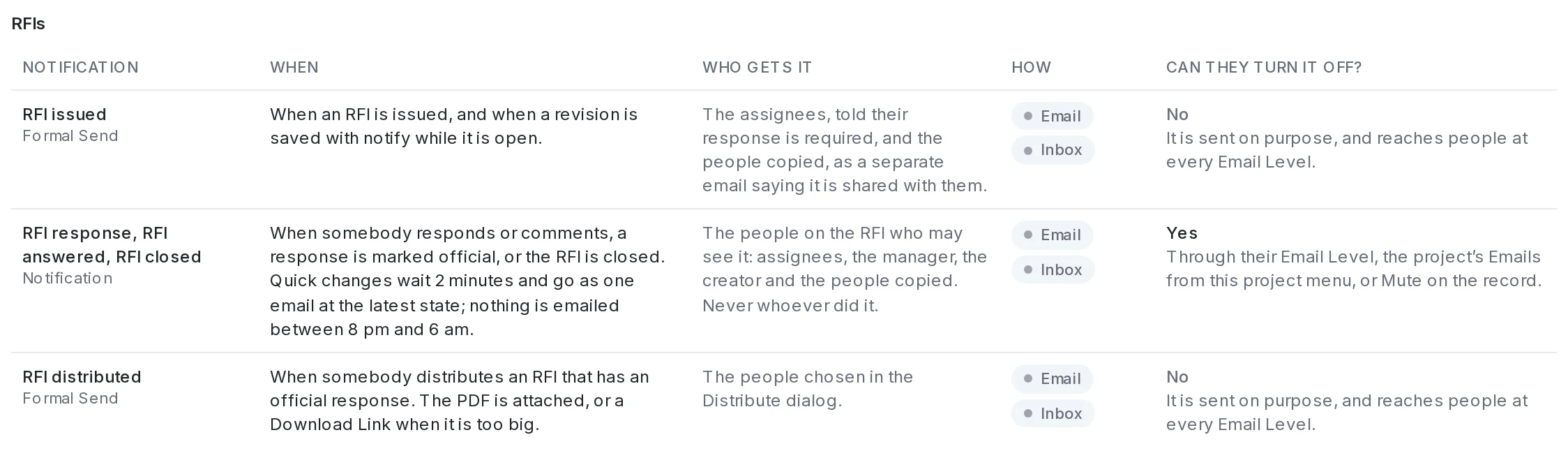
The Everything StruXure sends card lists each message by module. For each one you see:
- When it goes.
- Who gets it.
- How: by email, in the Inbox, or both.
- Can they turn it off?: Yes, with where they do it, or No, with why. Formal Sends and sign-in emails can't be turned off.
If your company has Insights, the last card explains that Insights send no email and links to the list of every Insight.