
Every email your projects send goes out with your logo, your company name and your accent color. On the Templates tab you can change the words, one kind of email at a time.
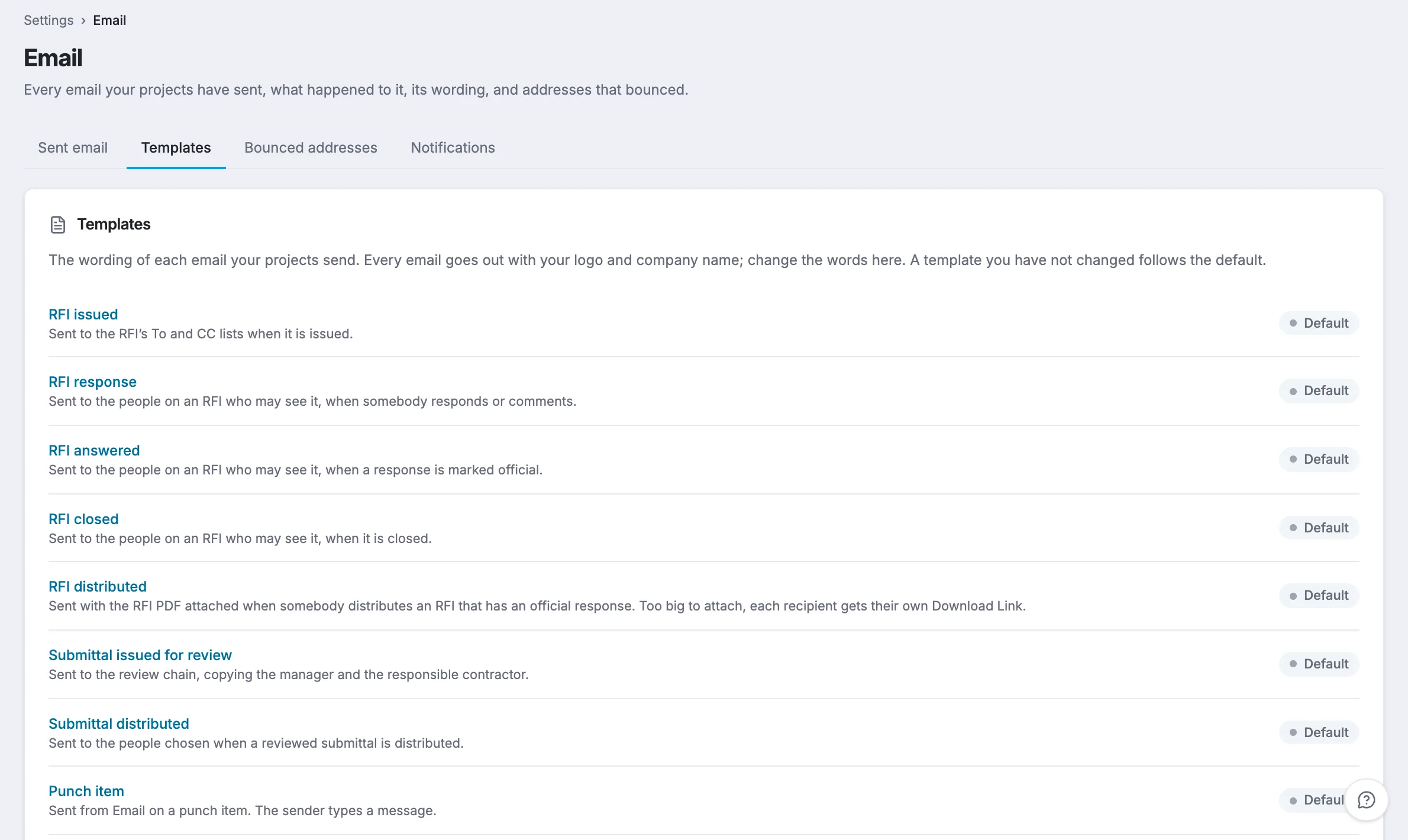
Each template says when it's sent, for example RFI issued: "Sent to the RFI's assignees when it is issued, saying their response is required, and as its own email to the distribution list, saying it is shared with them." Templates you've changed are marked Your wording; the rest are marked Default and follow StruXure's wording.
Change a template
- Go to Settings → Email and open the Templates tab.
- Click the template's name.
- Edit the text in Message. To put in a detail of the record, such as the RFI number or the project name, click where it should go and then click the field's button under Fields — click to insert where the cursor is. It's inserted as a code in double braces, like
{{rfi.number}}. - Watch Preview, with sample details on the right. Switch between Formatted and Plain text to see both versions people may receive.
- Click Save. (Undo changes puts back what was there when you opened the page.)
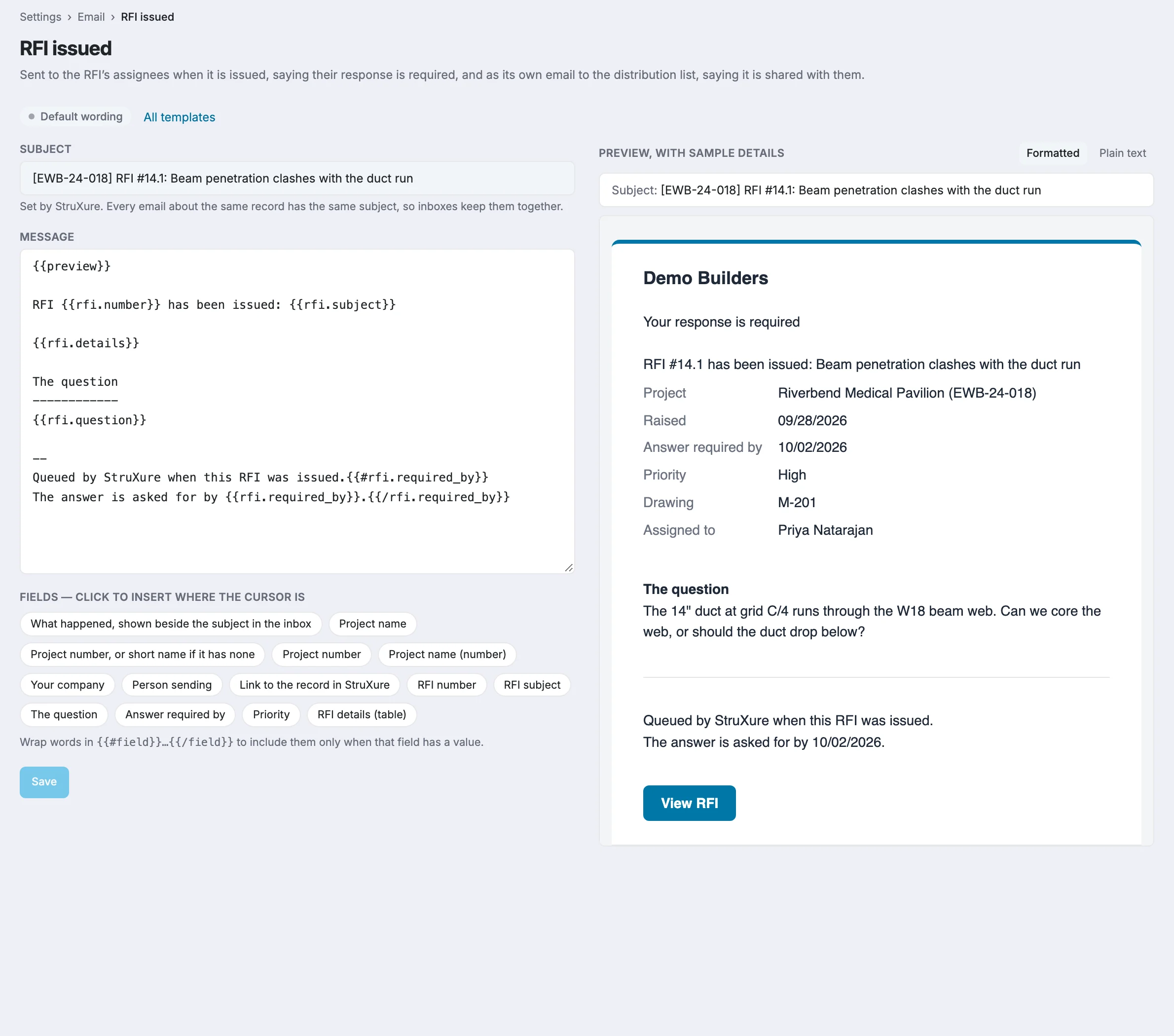
You'll see Saved. Emails from now on use this wording; ones already sent are unchanged.
To include words only when a field has a value, wrap them like this: {{#rfi.required_by}}The answer is asked for by {{rfi.required_by}}.{{/rfi.required_by}}. If the RFI has no required-by date, the whole sentence is left out.
The subject can't be changed
The Subject is set by StruXure and shown for reference. Every email about the same record has the same subject, so people's inboxes keep them together.
Go back to StruXure's wording
- Open the template.
- Click Reset to default, then confirm with Reset to default.
Your changes to that email are removed. Emails already sent don't change. Saving text that's identical to the default does the same thing.
If Save is greyed out
Save stays off until you've changed something and there are no errors. Errors are listed in red under the fields, for example The message cannot be empty., or a message about a field code that's misspelled or isn't available in this email. The preview says Fix the errors to see the preview. until they're fixed.